
1Exchange Online Support
Assist internal IT with mailbox issues, shared mailboxes, aliases, distribution groups, mail flow, Outlook symptoms, mobile email, and escalation support.
Give your internal IT team experienced Microsoft 365 escalation help without replacing them. ITperfection supports Exchange Online, Teams, SharePoint, OneDrive, Entra ID operations, licensing, troubleshooting, documentation, and reporting.
Co-managed Microsoft 365
Internal IT teams understand the business, users, priorities, and politics. But Microsoft 365 can stretch a small team across Exchange Online, Teams, SharePoint, OneDrive, Entra ID, licensing, vendor cases, user support, and documentation.
ITperfection provides co-managed Microsoft 365 support so your IT team has practical escalation help, experienced administration support, cleaner documentation, and owner-friendly reporting while the internal team stays in control.
Internal IT challenges
Services provided
Assist internal IT with mailbox issues, shared mailboxes, aliases, distribution groups, mail flow, Outlook symptoms, mobile email, and escalation support.
Help troubleshoot Teams access, channels, meetings, user issues, permissions, device symptoms, and operational questions that need follow-up.
Support practical SharePoint and OneDrive administration, site access, sync issues, file sharing questions, permissions, and user troubleshooting.
Review Microsoft 365 licensing assignments, unused licenses, user needs, role changes, and practical cleanup opportunities.
Help with user access issues, password/MFA support, mailbox access, Teams and SharePoint permissions, onboarding, offboarding, and role changes.
Document recurring admin procedures, tenant notes, support steps, group ownership, access changes, and escalation paths.
Provide second-level support for tickets that require deeper Microsoft 365 administration, troubleshooting, planning, or vendor coordination.
Support internal IT with planned changes, impact review, user communication, cutover notes, rollback considerations, and post-change verification.
Coordinate with Microsoft, DNS providers, line-of-business software vendors, backup vendors, and other service providers when Microsoft 365 issues cross boundaries.
Assist with operational Entra ID support, including users, groups, MFA support, access issues, app-related coordination, and documentation.
Review Microsoft 365 backup needs, retention assumptions, mailbox and file recovery expectations, vendor dependencies, and owner questions.
Provide clear summaries for owners and managers without bypassing the internal IT team or creating confusion about responsibility.
Operational visuals
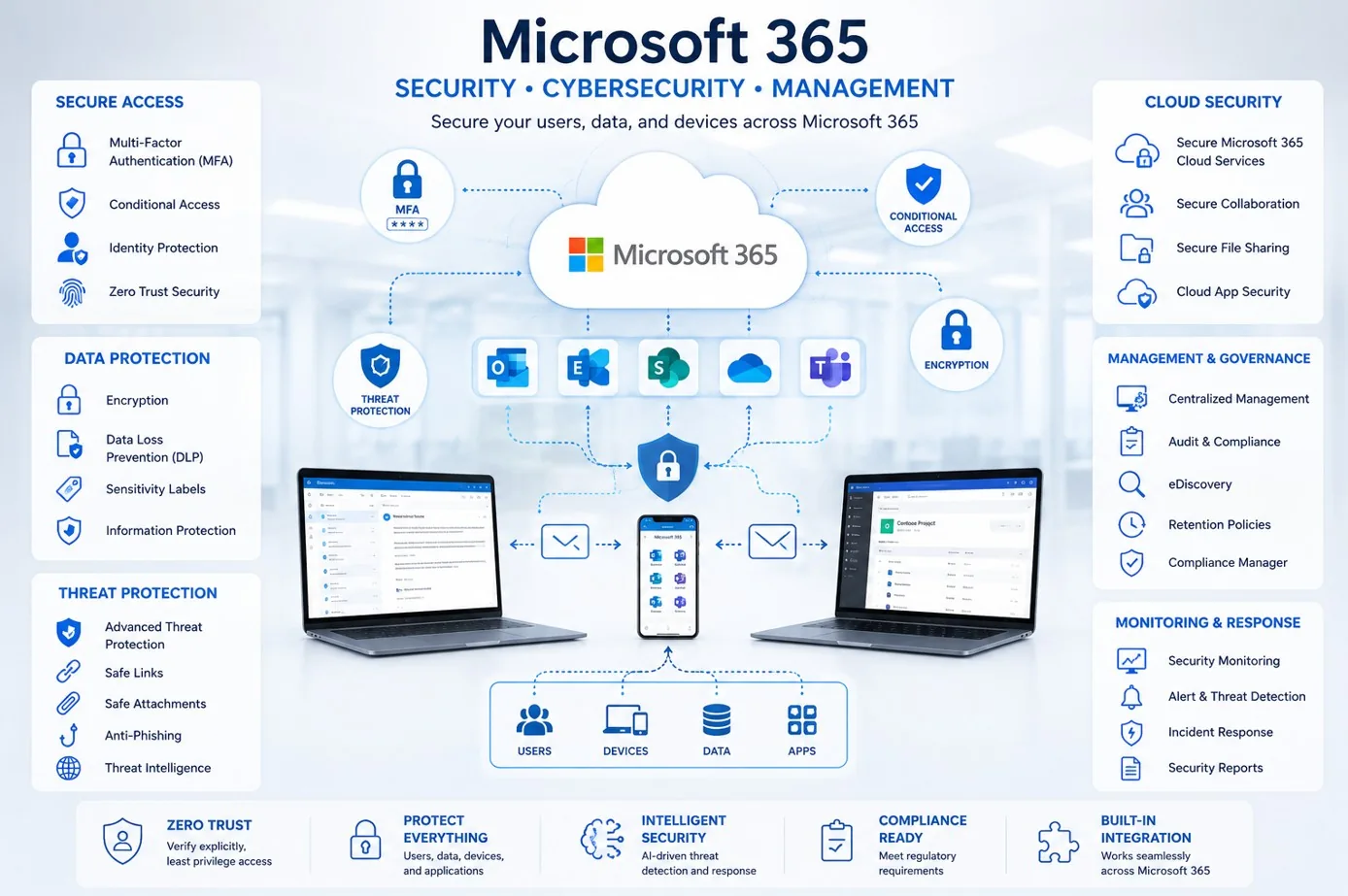
Support administration across users, devices, apps, collaboration services, access needs, and operational follow-up.

Help internal IT with mailboxes, Outlook, mail flow, shared mailboxes, groups, aliases, and user-impacting email issues.
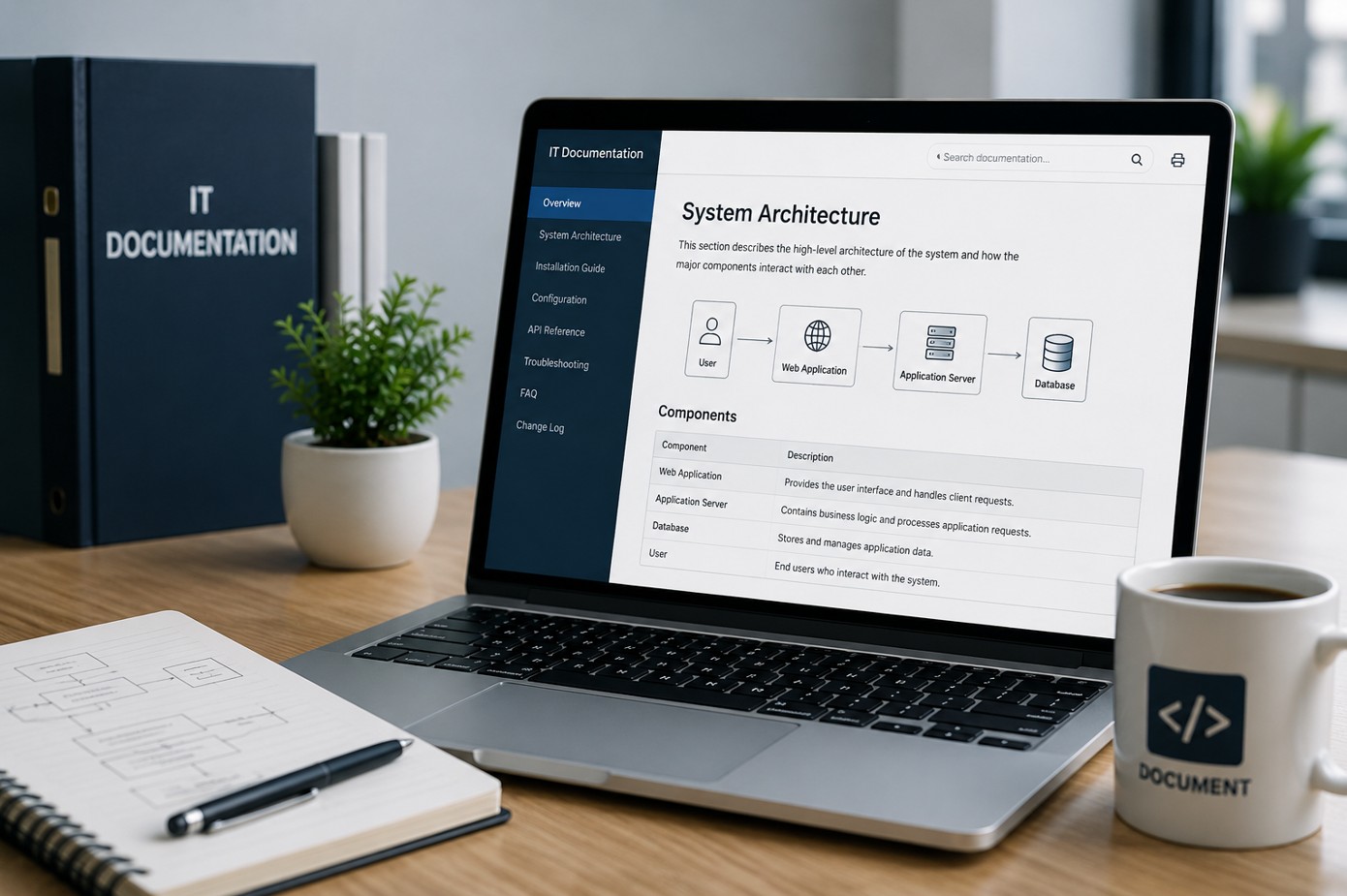
Keep procedures, changes, ticket notes, user support steps, and escalation paths easier for the internal team to reuse.
Co-managed workflow
Clarify where internal IT wants help, escalation boundaries, admin access, ticket handoff, communication preferences, and reporting expectations.
Assess current Microsoft 365 pain points across Exchange Online, Teams, SharePoint, OneDrive, Entra ID, licensing, documentation, and recurring tickets.
Separate urgent user-impacting issues from cleanup, change planning, backup review, documentation, and longer-term operational improvements.
Work with the internal team on approved tasks, escalations, troubleshooting, user issues, vendor tickets, and Microsoft 365 administration follow-up.
Record changes, procedures, recurring issues, ownership details, vendor notes, unresolved items, and recommendations for internal IT continuity.
Provide concise summaries for IT leads and business owners so everyone sees progress without replacing the internal IT function.
Deliverables
Who this is for
Before and after
| Before ITperfection | After co-managed support |
|---|---|
| Internal IT owns every Microsoft 365 issue alone | Internal IT keeps ownership with added support |
| Escalations are handled inconsistently | Escalations follow a cleaner process |
| Exchange, Teams, SharePoint, and OneDrive notes are scattered | Admin notes and procedures are documented |
| Licensing cleanup is postponed | Licensing review becomes part of operations |
| Entra ID questions lack operational follow-up | Entra ID support items are tracked |
| Vendor cases take too much time | Vendor coordination has clearer follow-through |
| Owners have limited visibility | Owners receive practical summaries |
Related services
Service area
ITperfection supports internal IT teams that need Microsoft 365 administration, escalation, documentation, licensing review, and user troubleshooting help across Southern California, Los Angeles County, and Orange County cities like Irvine, Long Beach, Anaheim, Pasadena, Torrance, Costa Mesa, Mission Viejo.

Expert consultant
Ali Hassani brings 25+ years of Microsoft infrastructure, networking, cloud, server, cybersecurity, and IT operations experience to help internal IT teams manage Microsoft 365 support more confidently.
For co-managed Microsoft 365 support, Ali helps connect practical administration with escalation discipline: Exchange Online, Teams, SharePoint, OneDrive, Entra ID operational support, licensing, documentation, vendor coordination, and reporting.







FAQ
Co-managed Microsoft 365 support gives internal IT teams extra administration, troubleshooting, documentation, escalation, and planning support without replacing the internal IT team.
No. ITperfection supports the internal team, helps with escalations, documents work, and provides additional Microsoft 365 experience while internal IT keeps ownership and context.
Yes. ITperfection can help with Exchange Online issues such as mailboxes, shared mailboxes, distribution groups, aliases, mail flow, Outlook symptoms, mobile email, and escalation support.
Yes. ITperfection can help internal IT teams troubleshoot Teams, SharePoint, and OneDrive access, permissions, sync issues, sharing questions, user problems, and operational administration tasks.
Yes. ITperfection can review licensing assignments, unused licenses, user requirements, role changes, and cleanup opportunities as part of co-managed Microsoft 365 support.
Yes. ITperfection can help with operational Entra ID support related to users, groups, MFA support, access issues, app coordination, documentation, and escalation planning.
No. This page is managed IT and co-managed support focused. For a formal Microsoft 365 or Entra ID security audit, ITperfection can coordinate with OC Security Audit.
ITperfection serves businesses in Irvine, Orange County, Los Angeles County, Southern California, and remote-supported Microsoft 365 environments.
When Microsoft 365 tickets need escalation, documentation, planning, or another experienced set of hands, ITperfection can support your internal team without taking control away from them.
Local to Orange County
If your internal IT person or team is in Irvine or elsewhere in Orange County, IT Perfection is based nearby at 2349 Sullivan, Irvine. We work alongside your staff remotely day to day and can sit down with them in person for planning, migrations and reviews.
The scope is agreed in writing first: which Microsoft 365 workloads, which escalations and which projects.
We use necessary cookies and limited analytics and advertising-measurement cookies. Select Accept to allow optional cookies or Deny to continue with necessary cookies only. No name or email is required. You may close this website at any time.
