Backup & Disaster Recovery Services Irvine | ITperfection
Managed IT Services · Irvine, Orange County

Backup & Disaster Recovery Services

Protect the data your business depends on with monitored backups, cloud-based recovery options, practical retention policies, restore testing, and immutable backup strategies designed around your systems, risks, and recovery priorities.

25+ YearsIT leadership experience
Local TeamIrvine and Orange County
Vendor-FlexibleSolutions matched to business needs
Business professional reviewing cloud backup status on a laptop and mobile device
Reliable recovery starts before an outage

Backups should give business owners confidence, not another system to worry about.

ITperfection helps organizations protect critical data across cloud and on-premises environments while keeping the strategy practical, monitored, documented, and aligned to real business priorities.

With more than 25 years of experience under the leadership of Ali Hassani, our team has supported dozens of business networks across Southern California, including Irvine, Orange County, and Los Angeles County. Our certifications include CISSP, CCISO, MCSE, MCSA Security, MCITP, CCNA, and CCNP.

We assess the systems that matter, identify risk and vulnerability gaps, review current backup coverage, define recovery objectives, evaluate retention requirements, recommend the right backup architecture, and help maintain the solution so owners can focus on running the business.

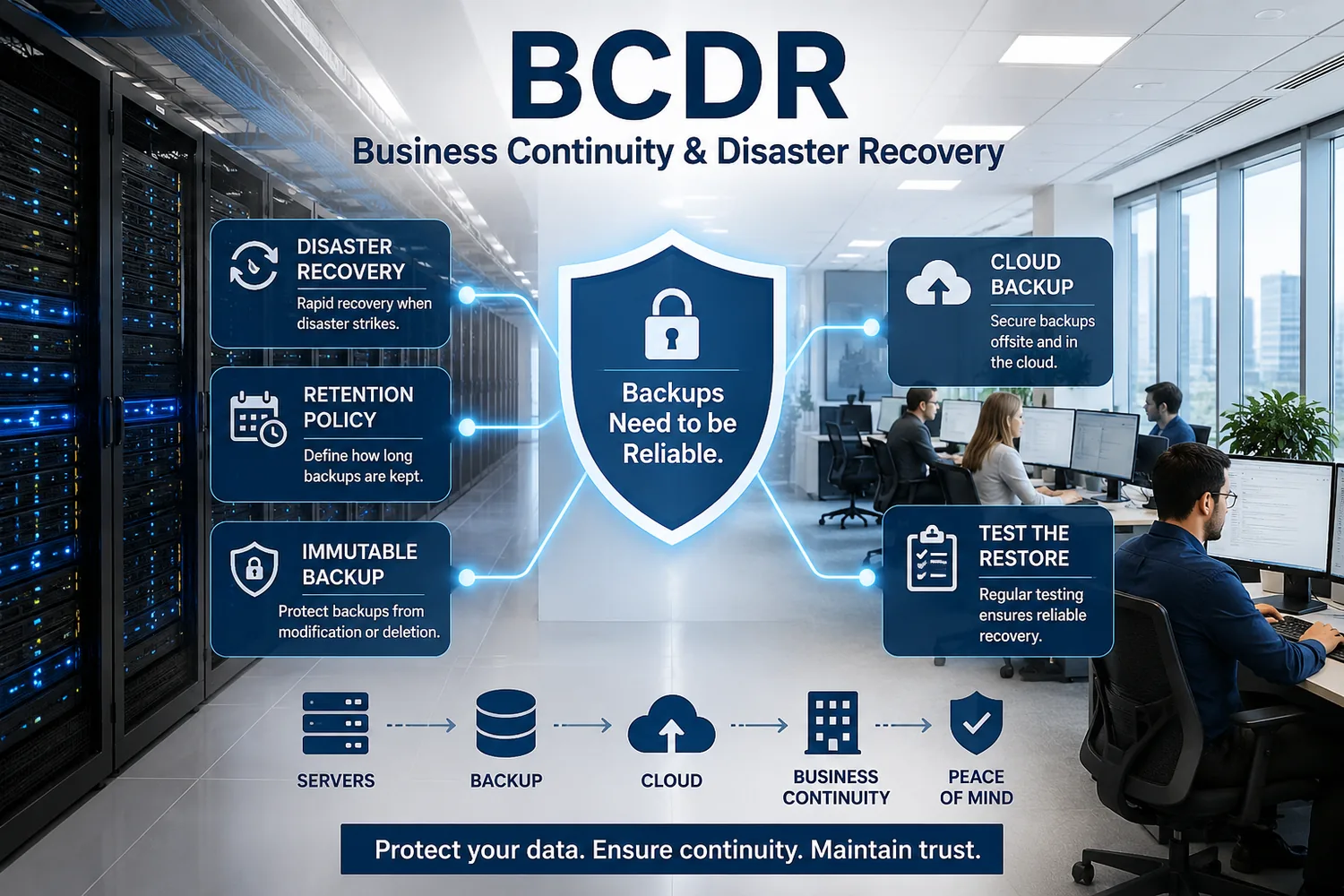
Business continuity and disaster recovery infographic showing disaster recovery, cloud backup, retention policy, immutable backup, restore testing, and a business continuity path
Why backup and disaster recovery matter

A backup report is not the same thing as a recoverable business.

Hardware failure, accidental deletion, ransomware, compromised administrator credentials, cloud-service problems, and human error can all interrupt operations. A dependable strategy protects the data, verifies that restoration works, and limits the blast radius when something goes wrong.

Code Spaces

In 2014, the code-hosting provider Code Spaces shut down after an attacker gained access to its cloud control panel and deleted production data along with many backups. The lesson is clear: offsite copies and protected administration must be designed so one compromised account cannot erase the recovery path.

JournalSpace

JournalSpace, a blogging platform, closed after losing its database without a recoverable backup. The incident remains a practical reminder that backup jobs only create value when copies are protected, retained, and tested for restoration.

Our approach avoids fear-based promises. We focus on business impact, recoverability, documentation, monitoring, and practical remediation steps. A reliable backup strategy is a business-continuity control, not merely a software license.
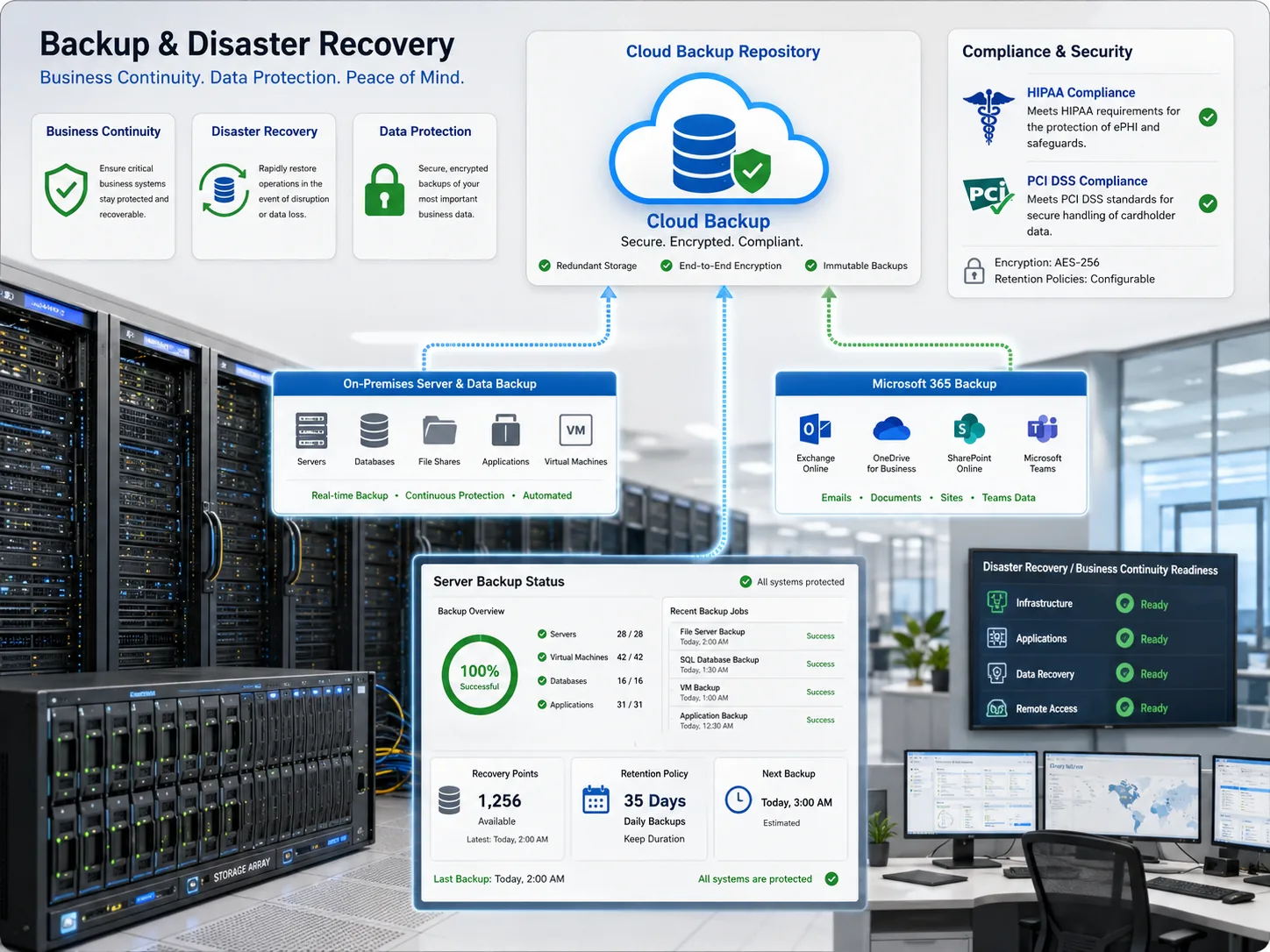
Backup and disaster recovery infographic showing cloud backup repository, on-premises backup, Microsoft 365 backup, server backup status, compliance considerations, and readiness monitoring
A strategy matched to your business

We design backup coverage around what must be recovered first.

Identify critical servers, file shares, databases, applications, Microsoft 365 data, cloud workloads, virtual machines, and business dependencies.
Review current backup jobs, failure alerts, administrative access, storage locations, retention settings, and existing restore evidence.
Define recovery priorities, recovery time objectives, recovery point objectives, acceptable data loss windows, and recovery sequencing.
Recommend a right-sized architecture that may include local recovery copies, encrypted offsite backups, cloud storage, immutable retention, isolated administration, and documented restore procedures.
Monitor the backup environment, investigate failures, validate restoration, and revisit the strategy as systems and business needs change.

What you receive

Clear deliverables that reduce uncertainty and keep the business moving.

We help owners understand what is protected, what remains at risk, how recovery should work, and what needs to happen next. The objective is a manageable backup program that supports uptime, resilience, security, and peace of mind.

01 · ASSESS

Backup Coverage Review

Inventory critical systems, data sources, cloud services, backup jobs, repositories, dependencies, and recovery gaps.

02 · PRIORITIZE

Risk & Recovery Map

Identify business-critical data, ransomware exposure, administrative weaknesses, retention needs, and priority restore sequences.

03 · DESIGN

Right-Sized Architecture

Recommend backup platforms and configurations that align with business objectives, budget, infrastructure, and compliance needs.

04 · PROTECT

Immutable Cloud Copy

Where appropriate, add cloud-based immutable storage designed to resist modification, deletion, and ransomware tampering during the retention period.

05 · MONITOR

Backup Job Oversight

Review backup success and failure alerts, escalate problems, track remediation, and maintain visibility into protection status.

06 · TEST

Restore Validation

Test representative file, application, server, and cloud restores so the recovery path is verified before an emergency.

07 · DOCUMENT

Recovery Procedures

Document retention policies, recovery steps, contacts, responsibilities, dependencies, and improvement priorities.

08 · IMPROVE

Ongoing IT Management

Revisit backup strategy as the business adds systems, locations, users, cloud services, and new operational requirements.

Uptime FocusReduce avoidable operational disruption
Monitored JobsIdentify failed backups and gaps sooner
Tested RestoresVerify the recovery path before a crisis
Calmer OwnershipLet leadership focus on the business
Immutable backup protection

Protect recovery copies from deletion, alteration, and ransomware tampering.

An immutable backup is stored so it cannot be modified or deleted during a defined retention period. This helps preserve clean recovery points even when attackers target backup repositories or an administrator account is compromised.

Immutability is not a replacement for a complete disaster recovery plan. It works best alongside encrypted offsite copies, protected administrative access, backup monitoring, restore testing, documentation, and a realistic recovery sequence.

Cloud-based immutable copies where appropriate
Separate administrative controls and least-privilege access
Retention settings aligned to operational and compliance needs
Periodic restore validation and corrective action tracking
Backup and disaster recovery monitoring dashboard with cloud backup repository, immutable backups, Microsoft 365 protection, retention policy, and restore readiness indicators
Retention policy planning

How long should backups be retained?

There is no single retention schedule that is correct for every business. Retention should be documented and matched to operational recovery needs, contractual obligations, legal requirements, industry requirements, data sensitivity, storage cost, and the time it may take to discover a problem.

Retention LayerBusiness PurposePlanning Considerations
Short-term restore pointsRecover from recent deletions, corruption, failed updates, or user mistakes.Backup frequency, expected data-loss window, change rate, and recovery speed.
Monthly and quarterly copiesRecover from problems discovered after the most recent backup window.Operational history, audit evidence, ransomware dwell time, storage cost, and business impact.
Long-term retentionSupport legal, contractual, tax, healthcare, payment-card, or records-management requirements where applicable.Data classification, business justification, regulatory guidance, and secure disposal when data is no longer required.
Immutable retention periodKeep selected recovery copies resistant to deletion or tampering for a defined period.Ransomware risk, administrator access model, recovery confidence, and the need to preserve known-good restore points.

Retention decisions should be reviewed with the organization’s legal, compliance, records-management, and business stakeholders where applicable. ITperfection helps translate those requirements into a practical backup design.

Business user watching a computer recovery process with a progress indicator
HIPAA and PCI DSS considerations

Backup strategy should support compliance readiness without creating unsupported claims.

HIPAA: The HIPAA Security Rule contingency-plan standard includes a required data backup plan, a required disaster recovery plan, and a required emergency-mode operation plan. Testing and revision procedures and application/data criticality analysis are addressable implementation specifications. HIPAA does not set one universal backup-data retention period for every covered entity; retention should be based on the organization’s needs and requirements. HIPAA Security Rule documentation must generally be retained for six years from creation or the date it was last in effect, whichever is later.

PCI DSS: PCI DSS v4.0.1 requires organizations to keep stored account data to a minimum through retention and disposal policies. Those policies should define the retention period, document the business justification, cover all stored account-data locations, securely delete data that is no longer needed, and verify at least quarterly that data exceeding the defined retention period is removed or rendered unrecoverable.

ITperfection provides managed IT implementation and ongoing support. For formal compliance-readiness assessments, audit preparation, gap analysis, and documentation support, we coordinate with our sister company, OC Security Audit.

Vendor-flexible backup solutions

We help match the platform to the business rather than forcing one product into every environment.

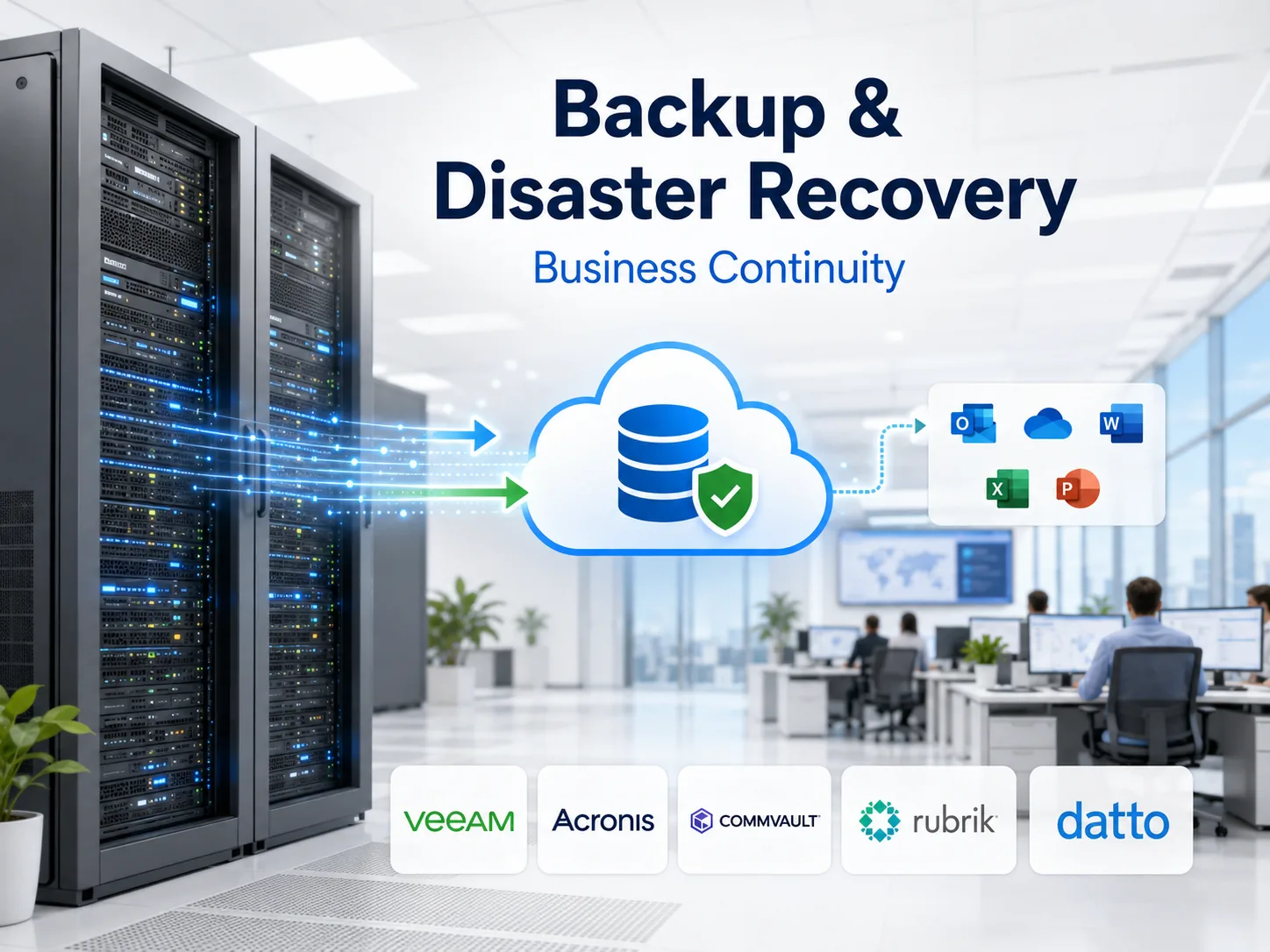
The right solution depends on your workload mix, Microsoft 365 footprint, cloud environment, server architecture, recovery priorities, retention policy, ransomware risk, compliance-readiness needs, and budget. These four established vendors are among the platforms we may evaluate.

Veeam

Veeam provides data protection and recovery capabilities across cloud, SaaS, on-premises, identity, and hybrid environments, with offerings that include secure cloud storage and immutable-by-design protection.

Visit Veeam ↗

Acronis

Acronis combines backup, disaster recovery, cybersecurity, and endpoint-management capabilities, with service-provider options designed for centralized operations and cloud-based protection.

Visit Acronis ↗

Commvault

Commvault offers backup and recovery across cloud, on-premises, and SaaS workloads, including cyber-recovery capabilities, storage flexibility, and immutable or air-gapped options.

Visit Commvault ↗

Rubrik

Rubrik focuses on cyber resilience, immutable backups, identity security, cloud adoption, threat-aware recovery, and isolated offsite protection through its security-cloud platform.

Visit Rubrik ↗

Vendor links open in a new browser tab. Product selection and licensing depend on your environment and the scope of the engagement.

Recovery readiness

Restore testing turns a backup strategy into a business-continuity capability.

Successful backup jobs are important, but they do not prove the business can recover. We help validate that representative systems, files, cloud data, and applications can be restored in a controlled way.

Representative file and folder restore testing
Server, virtual-machine, and application recovery planning
Microsoft 365 recovery considerations for Exchange Online, OneDrive, SharePoint, and Teams data
Recovery sequencing for dependencies such as identity, networking, firewalls, VPNs, databases, and line-of-business systems
Corrective-action tracking when gaps are found
Disaster recovery concept with recovery, infrastructure, warning, and checklist icons
Sister-company support for advanced assessments

Use OC Security Audit when the business needs deeper BCDR, cybersecurity, HIPAA, or PCI readiness work.

ITperfection focuses on managed IT implementation, monitoring, maintenance, troubleshooting, cloud management, server support, secure remote access, and ongoing operational reliability. OC Security Audit provides specialized assessment, readiness, documentation, and advisory services.

BCDR Readiness Assessment

Review recovery objectives, backup architecture, ransomware resilience, restore evidence, runbooks, and continuity planning.

Explore BCDR assessment ↗

Cybersecurity Risk Assessment

Evaluate backup exposure alongside security controls, vulnerabilities, business risk, and remediation priorities.

Explore risk assessment ↗

HIPAA Readiness

Support healthcare organizations and business associates with HIPAA-aligned assessment, documentation, and remediation planning.

Explore HIPAA readiness ↗

PCI DSS Readiness

Review cardholder-data environments, retention considerations, gaps, evidence, and readiness priorities.

Explore PCI DSS readiness ↗
Frequently asked questions

Backup and disaster recovery questions from business owners

Is cloud storage by itself the same as a complete backup strategy?

No. A complete strategy considers version history, independent recovery copies, retention, immutability where appropriate, access controls, monitoring, restore testing, documentation, and recovery priorities. Synchronization alone can also replicate deletion or corruption.

What is an immutable backup?

An immutable backup is protected from modification or deletion for a defined period. It can help preserve recovery points when ransomware or compromised accounts target backup repositories.

How often should backup restores be tested?

The cadence should be based on business criticality, recovery objectives, risk, compliance-readiness needs, and system changes. ITperfection helps establish a practical schedule and documents corrective actions when a test identifies a gap.

Does HIPAA require six years of backup data retention?

HIPAA requires contingency planning and a data backup plan, but it does not establish one universal six-year retention period for all backup data. The six-year rule applies to required HIPAA Security Rule documentation. Backup retention should be designed around operational, legal, compliance, and records-management requirements.

Does PCI DSS require a fixed number of years for backup retention?

PCI DSS does not impose one fixed retention period for every business. It requires a documented retention and disposal policy that limits stored account data to what is needed for legal, regulatory, or business requirements, with a defined period and documented justification.

Can ITperfection support Microsoft 365 backup planning?

Yes. We can review Microsoft 365 backup and recovery needs for services such as Exchange Online, OneDrive, SharePoint, and Teams, then recommend options that fit the organization’s objectives.

Keep your business focused on the work that matters.

Schedule a backup and disaster recovery strategy review with a local Irvine managed IT team. We will assess the current environment, identify priorities, and recommend practical next steps.

Schedule a Consultation