
Exchange Online & Office 365 Email
Mailbox setup, aliases, shared mailboxes, distribution groups, retention coordination, mail-flow troubleshooting, mobile access, and user support.
ITperfection helps businesses manage Microsoft 365, Office 365, Exchange Online, OneDrive, SharePoint, Teams, Entra ID, and connected cloud services with practical administration, proactive monitoring, structured maintenance, and responsive support.
Keep employees productive while your technology receives the day-to-day attention it needs. Our team helps reduce avoidable interruptions, improve visibility, organize administration, and support dependable access to the Microsoft 365 tools your business uses every day.
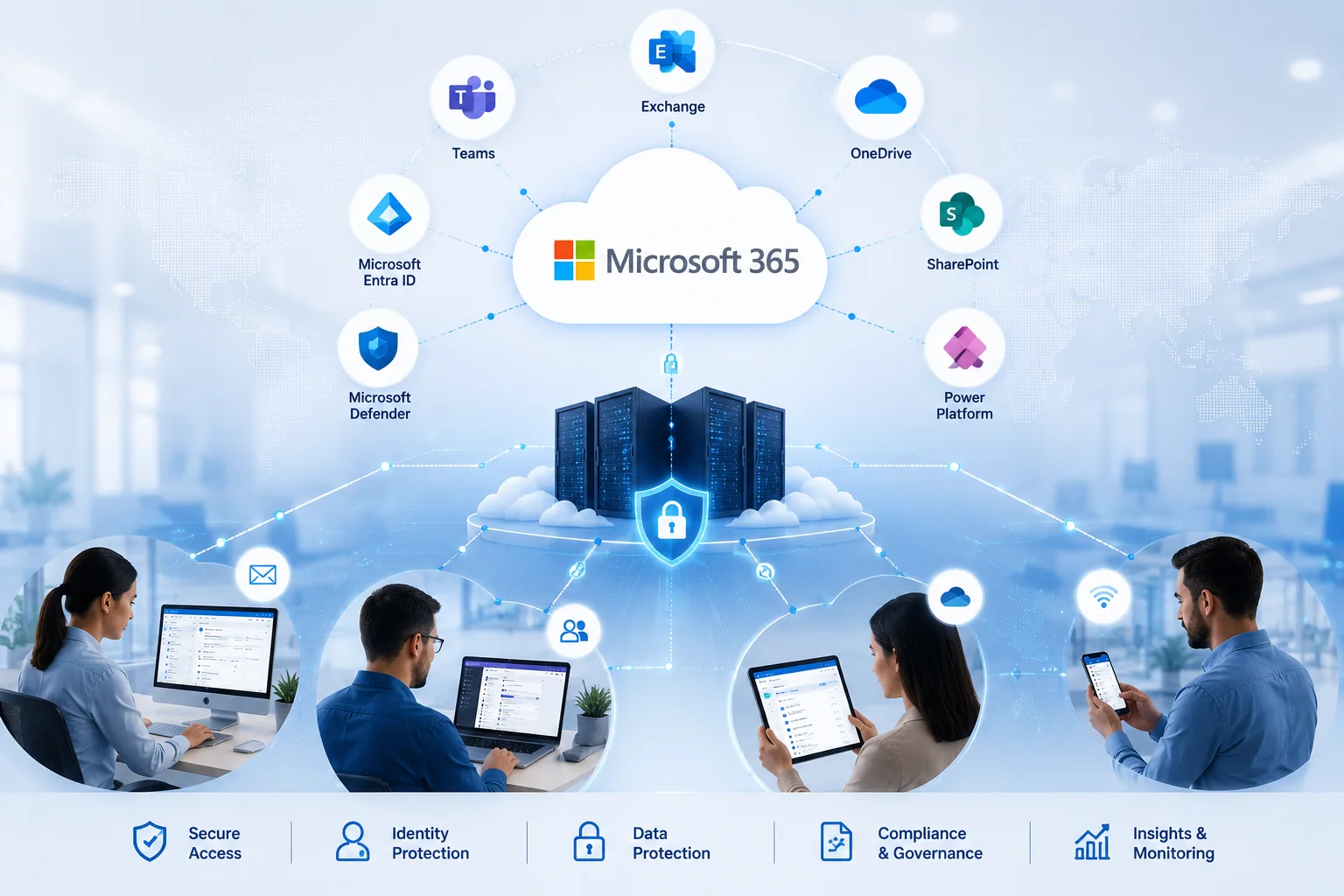
Microsoft 365 is more than business email. It is the working layer that connects users, files, meetings, permissions, devices, and daily communication.
ITperfection supports businesses that want a capable local IT team to organize Microsoft 365 administration, maintain reliable access, handle routine changes, reduce recurring support issues, and help employees use the platform more effectively.
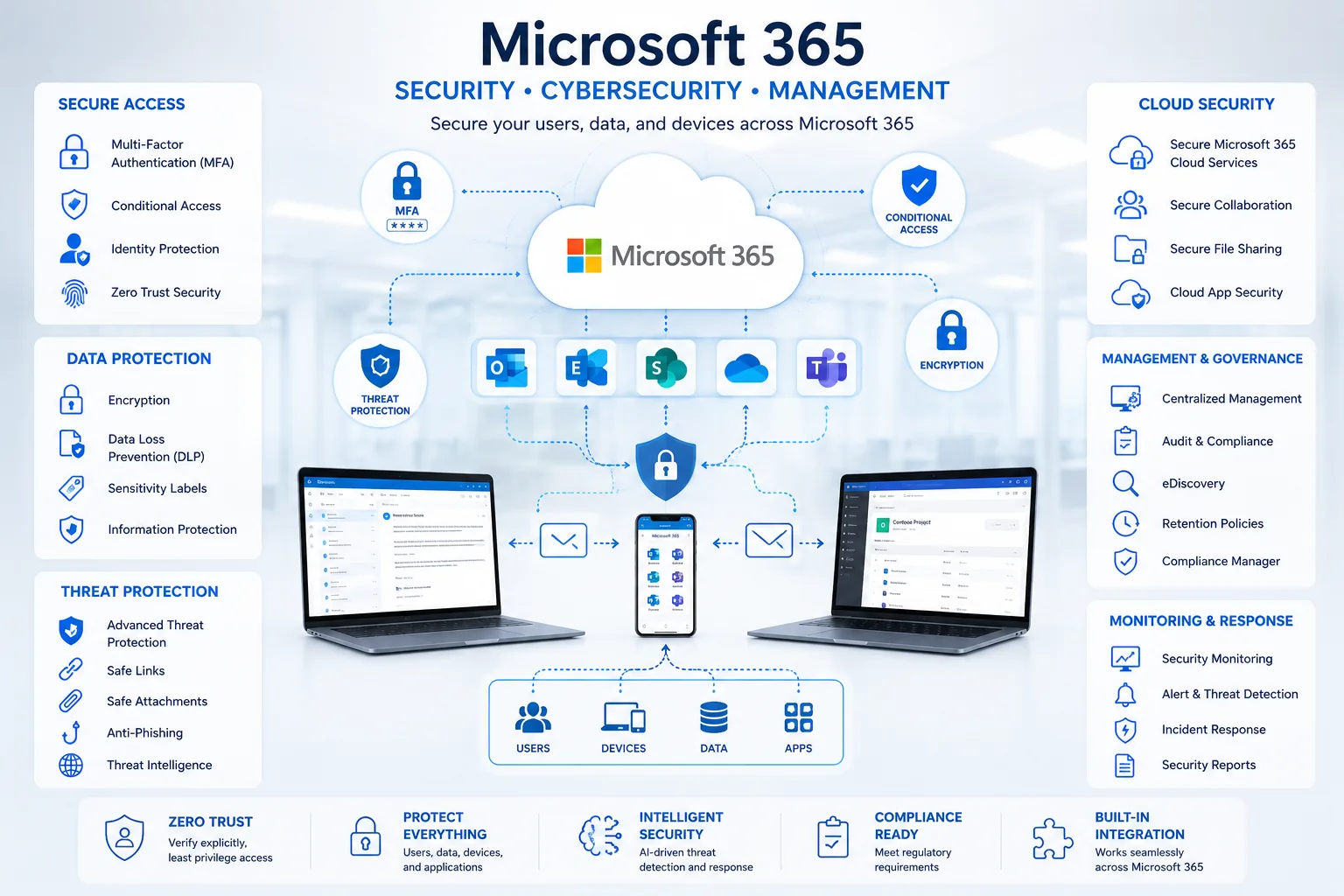
Our work is designed to make IT operations easier to understand and easier to maintain. Service scope is tailored to the tenant, licensing, business workflows, and support requirements of each client.
Structured management of Microsoft 365 users, licenses, core settings, service status, and routine operational changes.
Help with email, Teams, OneDrive, SharePoint, account access, mobile devices, and common Microsoft 365 issues.
Review service health, administrative alerts, account-related issues, and changes that require follow-up.
Support for Exchange Online mailboxes, aliases, distribution groups, shared mailboxes, and mail-flow troubleshooting.
Administration for Teams, SharePoint, OneDrive, sharing settings, permissions, and collaboration structure.
Entra ID administration, MFA support, onboarding, offboarding, group membership, and access-change coordination.
Review Microsoft 365 backup and restore requirements for Exchange Online, OneDrive, and SharePoint based on business needs.
Maintain clearer administration records, prioritize improvements, and plan licensing or configuration changes over time.
Our managed-services scope can be adjusted for fully outsourced IT support or coordinated support alongside your internal IT team.
Mailbox setup, aliases, shared mailboxes, distribution groups, retention coordination, mail-flow troubleshooting, mobile access, and user support.
OneDrive onboarding, synchronization support, folder access, sharing settings, storage review, user transition planning, and recovery considerations.
Site administration, permissions, document-library support, secure-sharing settings, collaboration planning, and practical governance assistance.
Teams setup, membership changes, channel organization, meeting support, guest-access considerations, and collaboration troubleshooting.
User identities, access groups, MFA support, sign-in assistance, role review coordination, onboarding, offboarding, and cloud identity administration.
Support for Word, Excel, PowerPoint, Outlook, and other Microsoft 365 applications, including installation, activation, updates, and user issues.
Review assigned licenses, identify unnecessary duplication, coordinate additions and removals, and align subscriptions with user roles and business needs.
Plan mailbox, file, and user transitions with careful sequencing, documentation, communication, and post-migration support.
Provide a practical support path for password issues, Outlook problems, sync errors, mobile setup, permissions, Teams, and common productivity blockers.
The exact services included in an engagement depend on your licensing, priorities, internal responsibilities, and desired support model.
| Category | Managed-services items | Business value |
|---|---|---|
| Tenant Administration | Admin-center oversight, tenant settings review, service advisories, message-center review, domain records coordination, licensing coordination, and documentation. | Clearer administration and fewer avoidable configuration gaps. |
| User Lifecycle | New-user setup, license assignment, mailbox creation, group membership, role-based access coordination, employee offboarding, access removal, and data-transition planning. | A smoother employee experience and better control over account changes. |
| Exchange Online | Mailbox support, aliases, shared mailboxes, distribution lists, forwarding review, mail-flow troubleshooting, quarantine support, retention coordination, and mobile-email assistance. | More dependable business communication and faster issue resolution. |
| OneDrive | User onboarding, sync-client troubleshooting, storage review, sharing support, recovery guidance, deleted-user transition planning, and file-access assistance. | Easier secure file access for office, remote, and mobile users. |
| SharePoint Online | Site administration, permission assistance, document-library support, sharing configuration, guest-sharing review, collaboration structure, and governance assistance. | Organized team collaboration with more intentional access control. |
| Microsoft Teams | Teams and channel setup, membership changes, guest-access considerations, meeting support, collaboration troubleshooting, and integration support. | More effective communication and fewer collaboration obstacles. |
| Identity & Access | Entra ID administration, MFA rollout support, authentication troubleshooting, group management, role-change coordination, secure remote access support, and account review. | Better account control and more reliable user access. |
| Monitoring & Reporting | Service-health review, relevant administrative alerts, account and access issue follow-up, usage review, support trends, and prioritized recommendations. | Improved visibility for business owners and IT stakeholders. |
| Backup & Recovery | Backup-policy planning, recovery-priority review, OneDrive, SharePoint, and Exchange Online backup considerations, restore planning, and testing coordination. | A clearer recovery strategy for important cloud data. |
| Co-Managed IT | Escalation support, project assistance, tenant cleanup, documentation, improvement planning, and collaboration with internal IT teams. | Additional expertise without replacing your internal IT staff. |

Cloud file access should make work easier without turning permissions and sharing into a daily source of confusion.
ITperfection helps businesses organize OneDrive and SharePoint administration, support synchronization issues, review sharing requirements, assist with permissions, and improve the way employees access and collaborate on business files.
ITperfection helps clients implement and maintain practical controls appropriate to their licensing and business requirements. Advanced assessment, independent audit, and compliance-readiness work can be coordinated with OC Security Audit.
Support multi-factor authentication, review authentication issues, and apply risk-appropriate access controls where licensing and business needs support them.
Keep privileged access limited, documented, and separated from routine daily use when practical. Review role assignments and remove unnecessary access.
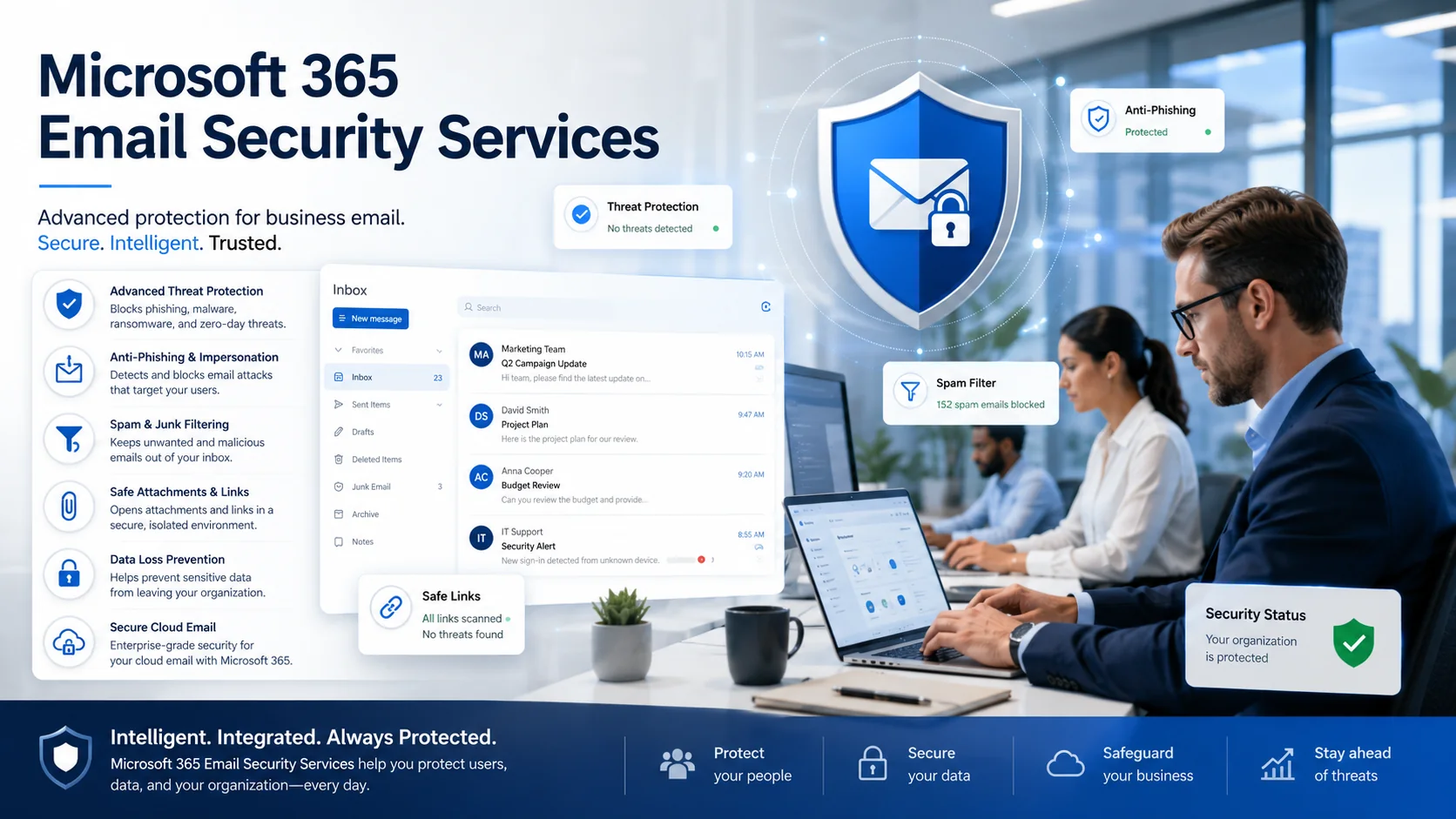
Coordinate anti-phishing, anti-spam, anti-malware, impersonation, Safe Links, and Safe Attachments settings when included in the tenant licensing and security scope.
Review organization-level and site-level sharing expectations for SharePoint and OneDrive. Match collaboration settings to how the business actually works.
Use a repeatable process for accounts, licenses, devices, mailboxes, groups, shared files, access removal, and business-data transition.
Use tools such as Microsoft Secure Score as one input for planning improvements. Treat the score as a decision-support measure, not as a guarantee of security.
Identify important mailboxes, OneDrive accounts, and SharePoint sites. Review recovery objectives, backup policies, retention needs, and restore procedures.
Review relevant Microsoft 365 alerts, service advisories, account issues, and unusual activity so the correct team can respond and document follow-up work.
Keep account, role, license, domain, mailbox, sharing, recovery, and escalation information organized so routine support and future changes are easier to manage.
Email is essential to daily operations. It also requires careful administration because users, vendors, clients, and sensitive workflows rely on it.
Our managed-services team supports routine Exchange Online administration and troubleshooting. When the environment needs a deeper security audit, advanced anti-phishing review, or compliance-focused assessment, we can connect the engagement to OC Security Audit.
We organize Microsoft 365 management around practical business priorities, dependable support, and continuous improvement.
Understand users, locations, licensing, current issues, collaboration workflows, and business priorities.
Assess tenant administration, accounts, licenses, mailboxes, files, sharing, service health, support patterns, and documentation.
Create a practical improvement plan for reliability, access, support, maintenance, and operational clarity.
Coordinate approved changes with care for employee productivity and business continuity.
Provide ongoing administration, troubleshooting, monitoring, documentation, and improvement planning.
Managed IT support and independent security assessment are related but distinct needs.
ITperfection focuses on day-to-day administration, monitoring, maintenance, troubleshooting, and cloud support. When your business needs a deeper Microsoft 365 security audit, email-security assessment, Azure security audit, or compliance-readiness review, OC Security Audit provides specialized assessment and advisory services.

Review identity, administrator access, email security, data protection, logging, collaboration, recovery readiness, and compliance-related controls.
Explore Microsoft 365 security audits →Review and improve email-protection controls for phishing, impersonation, malicious links, unsafe attachments, sensitive data, and collaboration risks.
Explore email security services →Assess Azure identity, roles, network exposure, workloads, storage, logging, Defender for Cloud, backup resilience, and remediation priorities.
Explore Azure security audits →Identify control gaps, review documentation, prepare a practical roadmap, and support readiness for frameworks such as HIPAA, PCI DSS, NIST, SOC 2, ISO, and CMMC.
Explore compliance-readiness services →
ITperfection brings more than 25 years of experience under the leadership of Ali Hassani and has supported dozens of business networks across Southern California, including Irvine and Los Angeles.
Our team combines Microsoft, cloud, network, and security-minded infrastructure experience to help businesses improve reliability, reduce downtime, protect business data, and keep cloud and on-premises systems operational.
Discuss your Microsoft 365 environment, current issues, support requirements, cloud services, and improvement priorities with an experienced Irvine-based managed IT services team.
We use necessary cookies and limited analytics and advertising-measurement cookies. Select Accept to allow optional cookies or Deny to continue with necessary cookies only. No name or email is required. You may close this website at any time.
