
Faster first-day readiness
Prepare user accounts, Microsoft 365 licensing, mailbox access, MFA, devices, apps, and permissions before the employee needs them.
Make new-user setup and departing-user closure more reliable. ITperfection helps businesses coordinate Microsoft 365 access, email, MFA, devices, applications, permissions, data transfer, and account disablement with a cleaner IT process.
HR And IT Operations
Employee onboarding and offboarding touch identity, Microsoft 365, email, devices, applications, file access, MFA, and security cleanup. When the process is informal, new employees lose time and departing users can leave behind access, data ownership, and device-control problems.
ITperfection helps business owners, HR teams, office managers, and IT managers create a practical process for new-user setup and secure departing-user closure. The goal is not bureaucracy. The goal is a checklist-driven workflow that keeps people productive and access better controlled.
Prepare user accounts, Microsoft 365 licensing, mailbox access, MFA, devices, apps, and permissions before the employee needs them.
Use repeatable onboarding and offboarding steps so permissions, groups, Teams, SharePoint, OneDrive, and mailbox access are not handled by memory.
Disable accounts, preserve needed data, handle mailbox delegation, plan device return, and clean up permissions without disrupting the business.
Common Access Problems
A reliable onboarding and offboarding process connects HR timing with IT execution: who needs access, which device they use, which applications they need, what data must be transferred, and when old access should be removed.
Services Provided
Create or coordinate user accounts, naming standards, temporary passwords, Microsoft 365 access, MFA readiness, and first-day support notes.
Assign the right Microsoft 365 license level, review add-ons, avoid unnecessary licensing, and document license changes for future cleanup.
Prepare email, mailbox access, aliases, shared mailbox needs, distribution lists, signatures, and any role-based mailbox requirements.
Help users enroll MFA and document expected sign-in methods so identity protection starts cleanly and support tickets are reduced.
Set up access to Teams, SharePoint sites, OneDrive handoff needs, collaboration groups, and shared files based on role.
Prepare laptops or desktops, local profile needs, endpoint tools, security controls, updates, and asset assignment records.
Install or assign business applications, browser tools, PDF tools, remote access tools, line-of-business apps, and required updates.
Review and apply role-based Microsoft 365, Entra ID, Active Directory, security, email, and application groups.
Coordinate departure timing, account disablement, access review, mailbox handling, data transfer, device return, and documentation.
Convert mailboxes when appropriate, set delegation, forwarding rules when approved, auto-replies, and retention handoff notes.
Plan transfer of OneDrive, local files, shared files, browser bookmarks, and business records to the right owner or manager.
Track returned equipment, plan wipe or reassignment, update inventory, and prepare devices for the next business use.
Disable accounts, revoke sessions when appropriate, remove licenses, block sign-in, and preserve needed business records.
Remove group memberships, app roles, shared access, distribution lists, mailbox access, VPN access, and stale permissions.
Operational Visibility
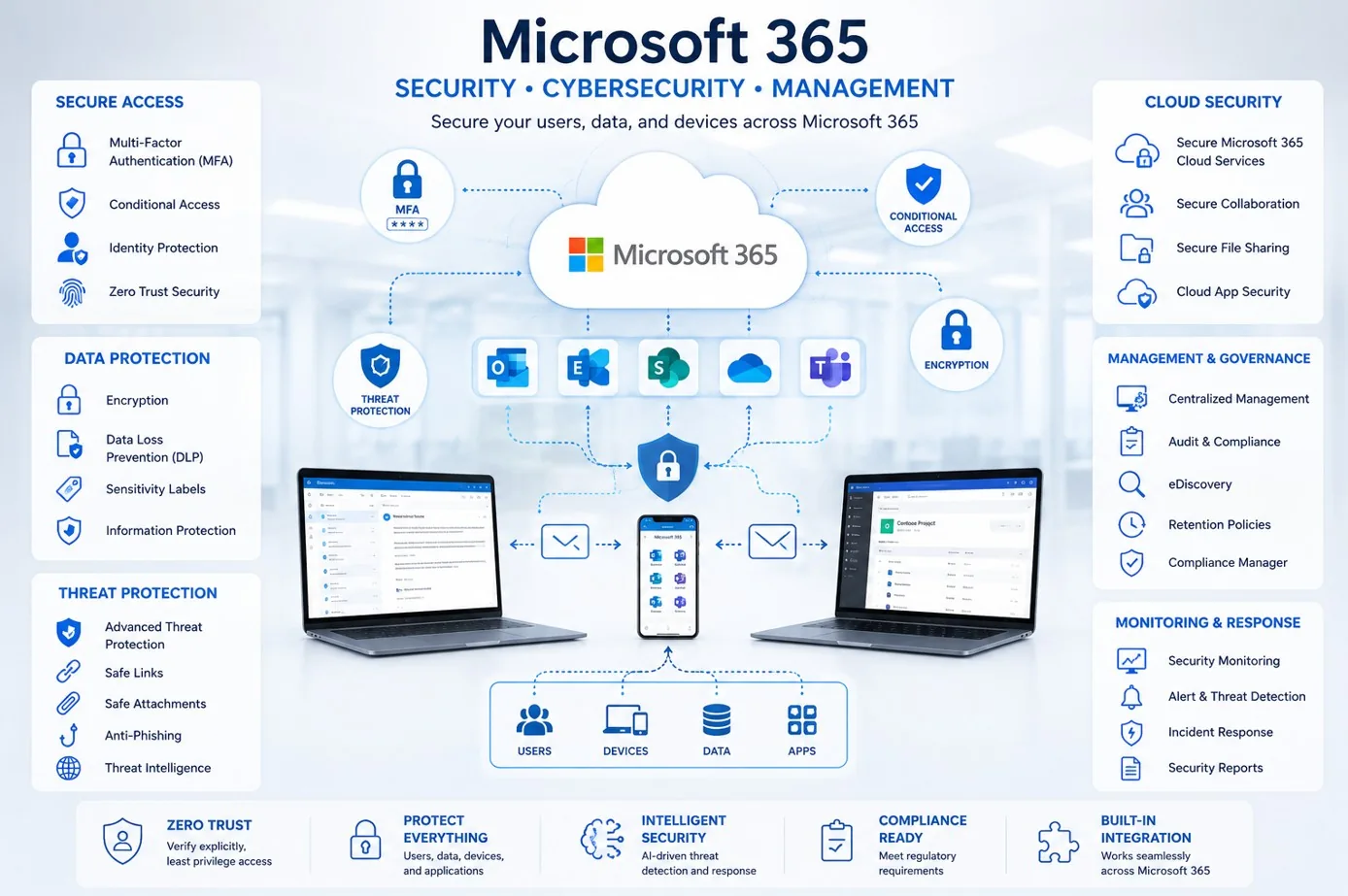
Coordinate licenses, email, MFA, Teams, SharePoint, OneDrive, and user access around the employee role.
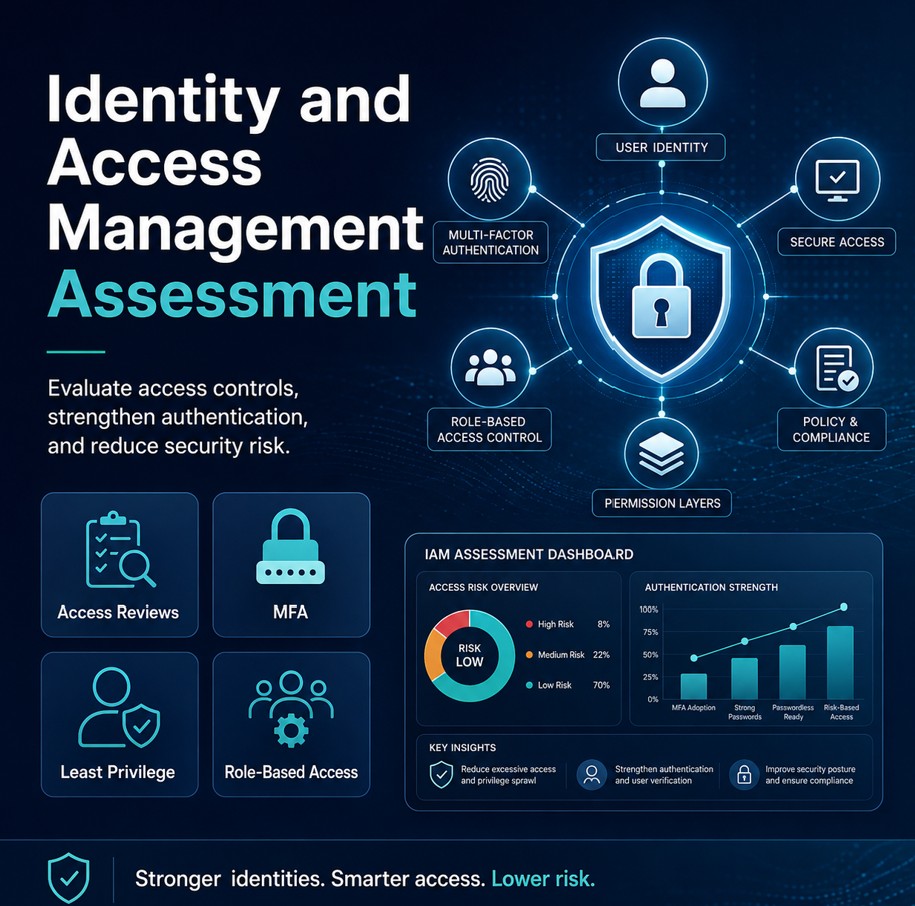
Review MFA, group memberships, shared access, delegated mailboxes, and cleanup needs for users joining or leaving.
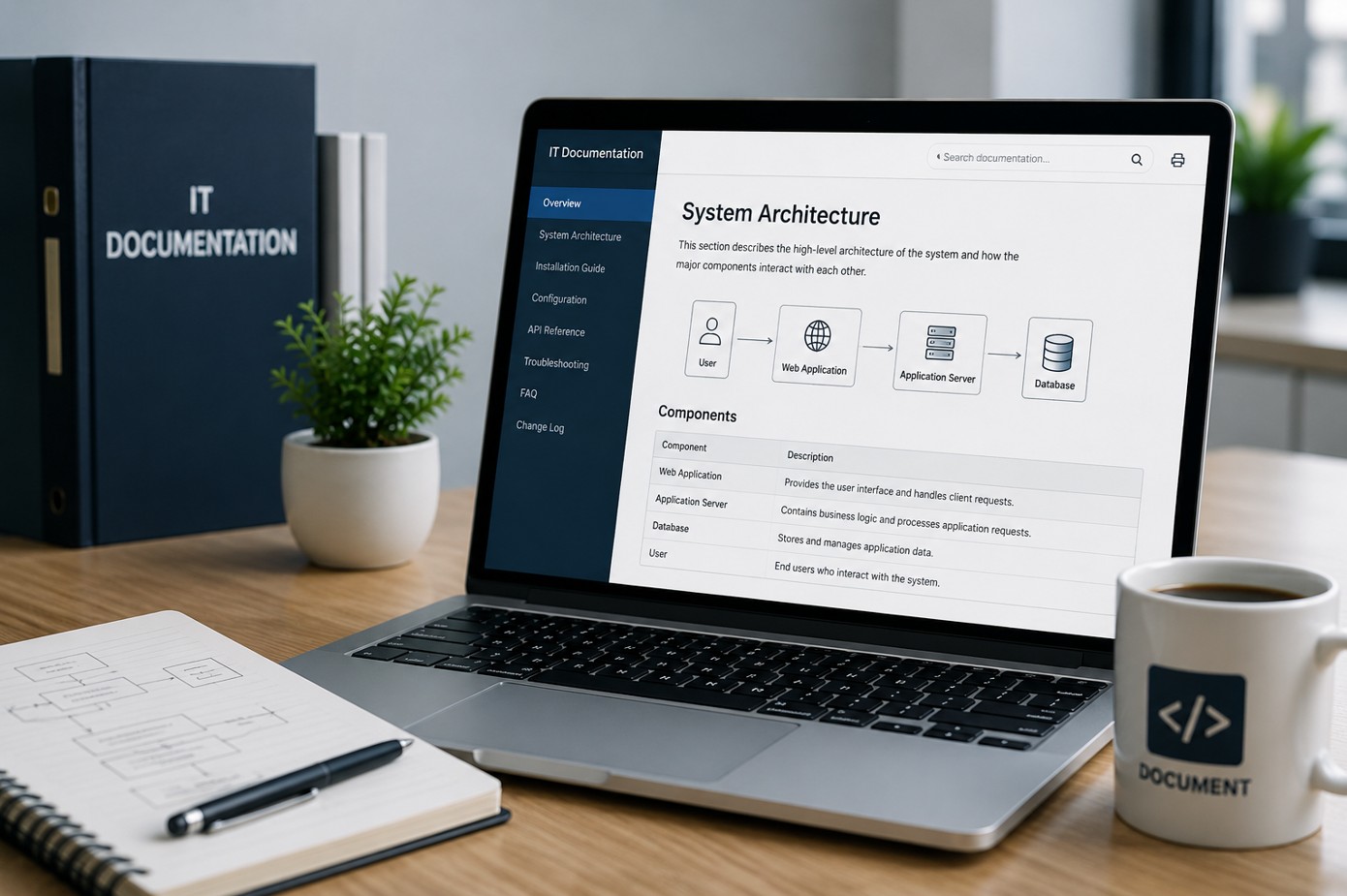
Keep onboarding, offboarding, device assignment, application setup, and account closure steps easier to find and update.
Onboarding Workflow
Collect role, manager, start date, location, device needs, application requirements, mailbox needs, and access approvals.
Create account, assign license, prepare device, install applications, set groups, and document setup choices.
Enable MFA, confirm sign-in methods, assign baseline access, and avoid unnecessary permissions.
Hand off the device, login details, mailbox, Teams, SharePoint, OneDrive, and support instructions.
Confirm the employee can sign in, access needed tools, send email, join Teams, and complete core work.
Offboarding Workflow
Confirm departure date, timing, manager, data owner, device return plan, and special access concerns.
Block sign-in, revoke sessions when appropriate, reset credentials, and remove active access.
Handle mailbox conversion or delegation, OneDrive transfer, shared file ownership, and needed business records.
Track device return, accessories, local data, wipe planning, inventory updates, and reassignment readiness.
Remove licenses, groups, app access, VPN access, mailbox access, and stale permissions.
Deliverables
Who This Is For
Before And After
| Before | After |
|---|---|
| New users are created from memory | New users follow a repeatable checklist |
| Licenses and groups are assigned inconsistently | Licenses and access are role-based and documented |
| MFA and mailbox setup are handled late | MFA, email, Teams, and files are ready sooner |
| Device prep depends on last-minute support | Devices and applications are prepared before start date |
| Departing users keep stale access | Accounts are disabled and cleaned up promptly |
| Data ownership is unclear | Mailbox, OneDrive, and files have clear owners |
| HR and IT lack a shared checklist | HR, managers, and IT work from the same process |
Southern California Service Area
ITperfection helps organizations coordinate account setup, Microsoft 365 access, device preparation, application installation, MFA, data transfer, and account closure across Southern California, Los Angeles County, and Orange County.
We support businesses in cities such as:
Free Tools

Expert Consultant
Ali Hassani brings 25+ years of IT, Microsoft, network, server, cloud, and cybersecurity experience to help businesses create practical onboarding and offboarding processes. ITperfection helps owners, HR teams, office managers, and IT managers keep account setup, device preparation, permissions, and account closure more organized.
For employee onboarding and offboarding, Ali helps connect Microsoft 365, Entra ID, Active Directory, email, MFA, Teams, SharePoint, OneDrive, endpoint management, device inventory, data transfer, and documentation into a workflow that supports the business without overcomplicating the process.
CISSP • CCISO • CCNP • MCSE • MCITP • Microsoft, Cisco, server, cloud, and network infrastructure experience







FAQ
Employee IT onboarding services help prepare user accounts, Microsoft 365 licensing, email, MFA, Teams, SharePoint, OneDrive, device setup, applications, groups, and documentation so new employees can begin work with fewer access delays.
Employee IT offboarding services help close access for departing users, including account disablement, session review, mailbox handling, OneDrive and data transfer, device return, license removal, and permission cleanup.
Yes. ITperfection can help with Microsoft 365 licensing, mailbox setup, aliases, MFA enrollment, Teams access, SharePoint access, OneDrive handoff needs, and user support documentation.
Yes. ITperfection can help users enroll MFA, document expected sign-in methods, and reduce support issues around authentication during onboarding.
Yes. Depending on business requirements, ITperfection can help plan mailbox delegation, shared mailbox conversion, approved forwarding, auto-replies, and manager access handoff.
Yes. ITperfection can help track returned equipment, update inventory, plan wiping or reassignment, and document the device handoff process.
Yes. ITperfection can work with owners, HR, office managers, and internal IT teams to create a practical onboarding and offboarding process that matches the business environment.
ITperfection provides employee IT onboarding and offboarding services for businesses in Irvine, Orange County, Los Angeles County, Southern California, and supported remote environments.
If employee setup or account closure depends on memory, scattered tickets, or last-minute support, ITperfection can help create a practical onboarding and offboarding process for your business.
We use necessary cookies and limited analytics and advertising-measurement cookies. Select Accept to allow optional cookies or Deny to continue with necessary cookies only. No name or email is required. You may close this website at any time.
