
Password manager rollout planning
Plan the rollout sequence, user groups, pilot users, communication, basic support coverage, and realistic timing for business teams.
ITperfection helps businesses deploy password managers in a practical, organized way: shared vault planning, user onboarding, MFA coordination, admin recovery documentation, browser extension rollout, access cleanup, and employee offboarding support.
Operational Password Security
Password managers are valuable only when people use them correctly and the business understands who owns shared vaults, admin recovery, MFA, offboarding, and access cleanup. ITperfection focuses on the operational side: helping teams move away from unsafe sharing habits and toward a documented password management process.
This is not a compliance certification or formal security audit. When deeper policy review, audit readiness, or security governance is needed, ITperfection can coordinate with OC Security Audit.
Common Problems
Deployment Support Services
Plan the rollout sequence, user groups, pilot users, communication, basic support coverage, and realistic timing for business teams.
Help users activate accounts, install browser extensions, understand vault basics, and move toward practical daily use.
Organize shared credentials by role, department, ownership, and support responsibility so passwords are not scattered in spreadsheets or chats.
Create clear vault groupings for finance, operations, HR, management, field teams, and other departments as appropriate.
Coordinate MFA expectations for password manager access and related Microsoft 365 or identity workflows where they intersect operationally.
Document administrator access, emergency recovery steps, ownership, and escalation paths so the business is not dependent on one person.
Plan imports from browsers, spreadsheets, legacy tools, and individual users while reducing unnecessary duplicates and old credentials.
Support browser extension rollout and user guidance for common business browsers and managed devices.
Review stale users, shared access, old credentials, unmanaged storage locations, and inconsistent team permissions.
Build password manager tasks into employee offboarding so access can be removed and shared credentials can be rotated when needed.
Provide practical user training topics: saving passwords, using vaults, recognizing MFA prompts, and avoiding unsafe sharing habits.
Document the vault structure, admin contacts, onboarding steps, offboarding steps, and recovery procedures in business-friendly language.
Coordinate next-step review with OC Security Audit when the business needs deeper password policy, audit readiness, or security governance support.
Rollout Visibility
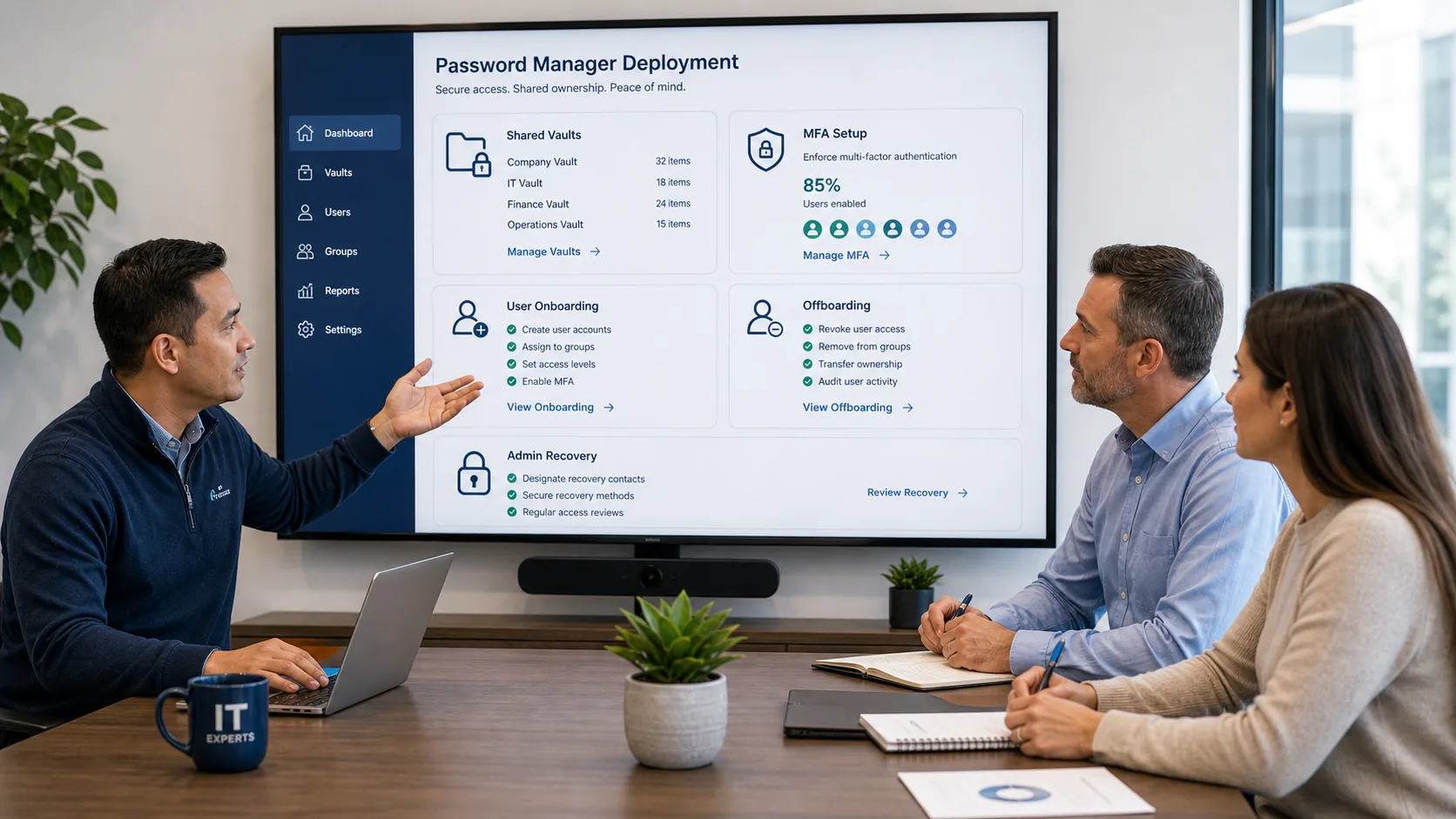
A business password manager rollout is easier when everyone can see the same structure: shared vaults, MFA setup, user onboarding, offboarding tasks, and admin recovery responsibilities. ITperfection helps turn those moving parts into a practical operating model for owners, office managers, and IT teams.
Rollout Workflow
Review current tools, shared password locations, user groups, departments, MFA expectations, and operational risks.
Define vault structure, admin roles, shared access model, onboarding tasks, offboarding tasks, and documentation needs.
Start with a smaller user group or department to validate usability, extension behavior, import steps, and support questions.
Coordinate user onboarding, browser extension deployment, MFA setup, migration support, and basic training.
Remove stale users, reduce unsafe sharing locations, clean up duplicate credentials, and document remaining action items.
Provide practical documentation, admin recovery notes, owner guidance, and optional coordination with security policy review.
Deliverables
Best Fit
Related Services

Expert Consultant
Ali Hassani brings 25+ years of IT, cybersecurity, Microsoft infrastructure, network security, and business operations experience to practical password manager deployment projects. For this topic, Ali helps teams connect password vault rollout work with onboarding, offboarding, MFA expectations, Microsoft 365 operations, documentation, and security-minded access cleanup.



FAQ
It is operational help with planning, configuring, documenting, and supporting a password manager rollout for business users, shared vaults, MFA expectations, access cleanup, and ongoing onboarding and offboarding tasks.
ITperfection can help compare operational needs and deployment considerations, but the right tool depends on business size, licensing, identity platform, security requirements, and support expectations.
Yes. ITperfection can help plan department vaults, shared credential ownership, user groups, admin roles, access cleanup, and practical documentation.
Yes. ITperfection can coordinate password manager MFA expectations and help deploy or document browser extension use for business users and managed devices.
No. This page describes practical IT operations support. Deeper security audit, policy review, or compliance readiness work can be coordinated with OC Security Audit when needed.
Yes. Password manager tasks can be added to offboarding workflows so user access is removed, shared credentials are reviewed, and important recovery steps are documented.
ITperfection can help your team plan a cleaner password manager rollout, organize shared vaults, coordinate MFA, document recovery, and make onboarding and offboarding easier to support.
We use necessary cookies and limited analytics and advertising-measurement cookies. Select Accept to allow optional cookies or Deny to continue with necessary cookies only. No name or email is required. You may close this website at any time.
