
Clearer Azure visibility
Understand VM purpose, owner, state, backup status, access path, network dependency, disk use, and cost considerations.
Keep Azure VMs visible, patched, backed up, secure, and cost-aware. ITperfection helps businesses manage Azure-based Windows servers, monitoring, backup coordination, network access, hybrid connectivity, and practical cloud operations.
Azure VM Operations
Azure virtual machines often run important business workloads: Windows Server roles, line-of-business applications, databases, remote access services, file services, middleware, or hybrid systems that still depend on on-premises networks. Once they are running, they need the same operational attention as physical or virtual servers in a data center.
ITperfection provides Azure VM management services for businesses in Irvine, Orange County, Los Angeles County, and Southern California. We help review VM health, Windows Server updates, Azure Backup, disks, NSGs, secure access, monitoring, cost, availability, and documentation so owners and IT teams can make better decisions.
Understand VM purpose, owner, state, backup status, access path, network dependency, disk use, and cost considerations.
Bring structure to patching, monitoring, alerts, backup coordination, maintenance windows, and recurring review.
Align Azure VM operations with VPN, DNS, Active Directory, firewalls, applications, backups, and business support needs.
Common Problems
Services Provided
Review VM state, uptime, resource health, alerts, boot diagnostics, agent status, performance indicators, and recurring issues.
Coordinate Windows Server update review, maintenance windows, restart planning, failed update follow-up, and patch reporting.
Review OS/data disks, growth trends, unmanaged snapshots, storage performance, encryption posture, and cleanup opportunities.
Check backup policy alignment, protected items, job history, recovery points, retention expectations, and restore-readiness notes.
Review network security groups, inbound rules, public IPs, remote access paths, privileged access, and practical least-privilege cleanup.
Support site-to-site VPN considerations, routes, DNS dependencies, firewall coordination, and hybrid server access planning.
Review whether Azure Bastion, VPN, jump hosts, conditional access, or other secure access patterns fit the environment.
Help organize Azure Monitor, alerts, logs, performance thresholds, backup alerts, and owner-friendly remediation summaries.
Review VM sizes, utilization, schedules, disks, snapshots, backup retention, idle workloads, and cost-control recommendations.
Review availability sets/zones, backup strategy, recovery needs, region considerations, and workload tolerance for downtime.
Plan Azure VM migrations, server replacements, identity/DNS dependencies, application access, and phased hybrid cloud improvements.
Document VM inventory, owners, access paths, backup status, patch notes, dependencies, and recommended next steps.
Operational Views

Review server status, patching, reboot planning, ownership, application dependencies, and documentation.
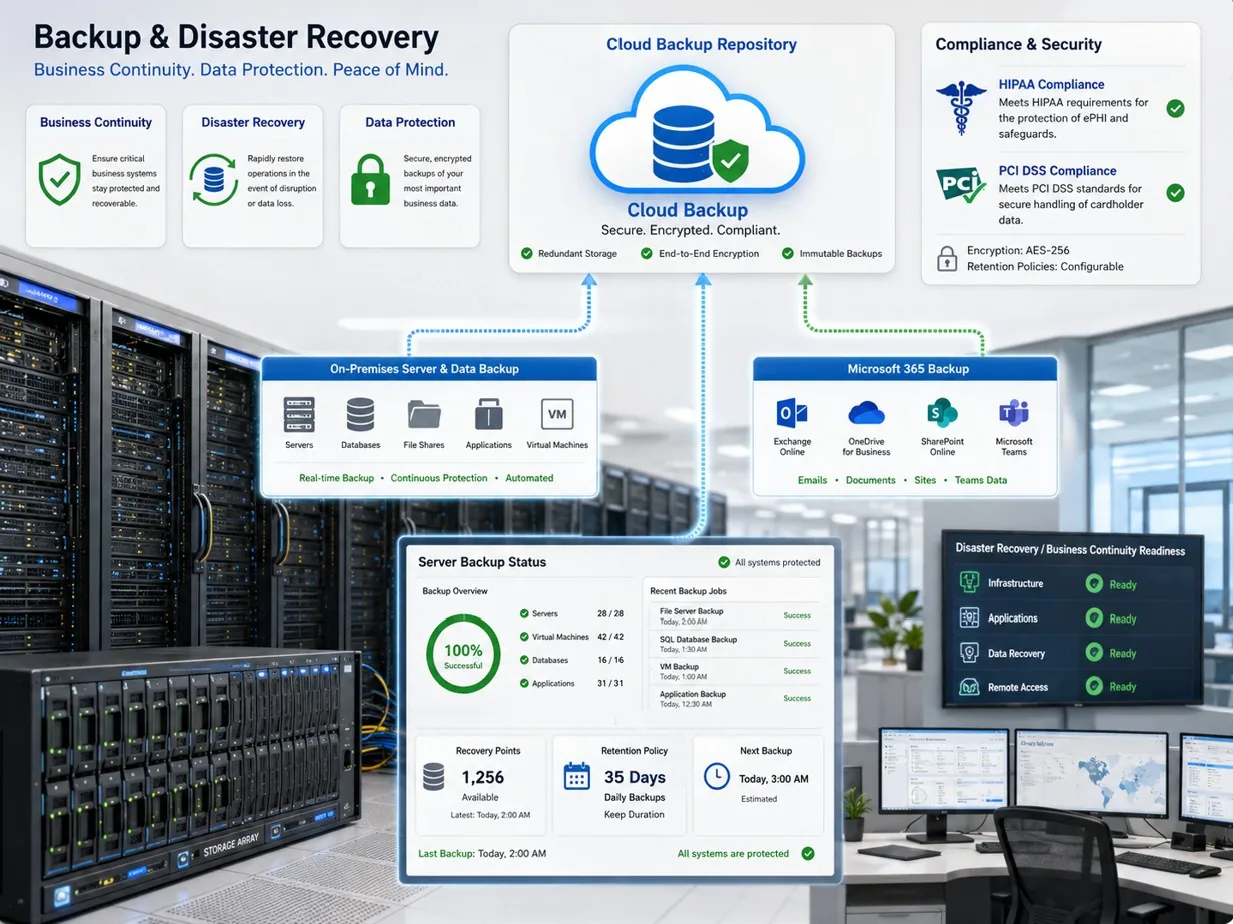
Review protected VMs, job history, retention, recovery point status, and restore-readiness concerns.

Connect VM health, performance, backup, disk, and operational alerts to practical support follow-up.

Review NSGs, VPN paths, firewall coordination, Bastion options, and administrative access documentation.
Workflow
Identify Azure VMs, owners, operating systems, resource groups, disks, networks, backup policies, and dependencies.
Review VM status, alerts, diagnostics, agent health, performance, disk pressure, and operational concerns.
Review NSGs, public exposure, remote access, Bastion/VPN options, privileged access, and administrative paths.
Check Windows Server update practices, reboot expectations, backup jobs, retention, snapshots, and recovery readiness.
Review sizing, utilization, schedules, disks, redundancy, and practical cost-control opportunities.
Provide clear documentation, prioritized recommendations, owner-friendly reporting, and next-step support planning.
Deliverables
Best Fit
Before And After
| Area | Before | After |
|---|---|---|
| Azure VM inventory | VMs, owners, disks, backups, and dependencies are scattered. | Clear inventory, owner notes, backup status, and support context. |
| Patching | Updates and reboots happen inconsistently or without good reporting. | Planned Windows Server patch review, follow-up, and documentation. |
| Access | Public IPs, NSGs, VPN paths, and admin access are unclear. | Documented access paths and practical secure access recommendations. |
| Backups | Backup policy, job failures, retention, and restore expectations are not reviewed. | Azure Backup coordination with status review and recovery-readiness notes. |
| Costs | VM sizes, disks, snapshots, and idle resources are rarely reviewed. | Regular cost and sizing review with practical optimization recommendations. |
Service Area
ITperfection helps businesses manage Azure VMs used as Windows servers, application servers, hybrid cloud systems, and operational workloads. Services are available across Southern California, Los Angeles County, and Orange County cities including:
Related Services
For deeper Azure security and compliance review, OC Security Audit provides cybersecurity audit services that complement ITperfection's managed IT and cloud operations work.

Expert Consultant
Ali Hassani brings 25+ years of IT, Microsoft infrastructure, server, network, cloud, cybersecurity, and operations experience to Azure VM management. For this topic, that experience matters because Azure VMs often connect cloud services, Windows Server, backup, VPN, identity, monitoring, and business applications.
ITperfection helps business owners and internal IT teams make Azure VM environments easier to understand, support, document, secure, and improve over time.







FAQ
Azure virtual machine management services help businesses operate Azure VMs as reliable business servers. This can include VM health review, Windows Server patching, disk and storage review, backup coordination, monitoring, access review, documentation, and reporting.
Yes. ITperfection can help review Windows Server patching needs, coordinate maintenance windows, document reboot expectations, and follow up on failed or missing updates for supported Azure VM environments.
Yes. ITperfection can review Azure Backup configuration, protected items, job history, recovery points, retention expectations, alerting, and restore-readiness documentation.
Yes. ITperfection can review NSG rules, public IP exposure, VPN considerations, Bastion or secure remote access options, and documentation for administrative access paths.
Yes. Cost review can include VM sizing, utilization, schedules, disks, snapshots, backup retention, idle workloads, and recommendations for practical cost control.
Yes. ITperfection supports hybrid planning for Azure VMs, site-to-site VPN, DNS, Active Directory dependencies, on-premises applications, migration planning, and documentation.
No. This page focuses on Azure VM operations and management. For a formal Azure security audit, ITperfection can coordinate with OC Security Audit for deeper security and compliance review.
ITperfection supports businesses in Irvine, Orange County, Los Angeles County, Southern California, and remote-supported business environments.
If Azure VMs are running important workloads for your business, ITperfection can help organize the operational work into a clear and practical management plan.
We use necessary cookies and limited analytics and advertising-measurement cookies. Select Accept to allow optional cookies or Deny to continue with necessary cookies only. No name or email is required. You may close this website at any time.
