
Safer remote work access
Support remote users with VPN access, MFA alignment, secure access policies, and cleaner off-site troubleshooting.
Support remote employees, branch offices, vendors, and cloud-connected teams with clearer VPN access, firewall VPN coordination, MFA alignment, site-to-site tunnels, remote access documentation, logging, and troubleshooting. ITperfection helps businesses make remote access more organized, supportable, and secure.
Secure Remote Work
Remote access often grows quickly: a new remote employee, vendor login, emergency remote desktop request, firewall VPN rule, branch tunnel, or cloud application workflow. Without documentation and cleanup, remote access becomes hard to support and difficult for owners to understand.
ITperfection helps businesses in Irvine, Orange County, Los Angeles County, and Southern California bring structure to remote user VPNs, site-to-site VPNs, firewall VPNs, MFA alignment, split-tunnel decisions, remote desktop access planning, cloud application access, logging, documentation, and troubleshooting.
The goal is practical remote access management: know who has access, why access exists, how users connect, what needs MFA, where logs live, and how to support remote work without guesswork.
Support remote users with VPN access, MFA alignment, secure access policies, and cleaner off-site troubleshooting.
Document VPN users, groups, tunnels, firewall policies, branch connections, and support procedures so access is easier to manage.
Keep remote access, site-to-site VPNs, cloud applications, and branch connectivity aligned with daily business needs.
Remote Access Gaps
Secure remote access is not only a VPN checkbox. It is the operating discipline of knowing which users and vendors can connect, how MFA is enforced, which firewall policies apply, how tunnels are documented, and how support teams troubleshoot connection problems.
Service Areas
Support remote user VPN access, profile cleanup, client troubleshooting, group membership, permissions, and practical user guidance.
Review branch connectivity, tunnel status, peer settings, encryption parameters, routing, failover concerns, and support notes.
Coordinate VPN configuration with firewall policies, network zones, user groups, logging, monitoring, and change planning.
Help align VPN access with MFA, identity controls, conditional access, administrator access, and remote-work risk considerations.
Review split tunnel and full tunnel choices based on performance, security, cloud apps, bandwidth, and business needs.
Plan safer remote desktop access patterns through VPN, jump hosts, cloud desktops, or controlled remote support tools.
Coordinate VPN decisions with Microsoft 365, Azure, cloud apps, SaaS access, identity policies, and remote employee workflows.
Review active VPN users, old accounts, vendor access, shared accounts, privileged access, and removal or approval workflows.
Document VPN users, groups, tunnel names, firewall policies, access purpose, troubleshooting steps, and escalation notes.
Support branch office tunnels, remote site routing, firewall coordination, and performance review for multi-location businesses.
Investigate slow VPN, dropped tunnels, DNS issues, routing problems, latency, bandwidth, device health, and client errors.
Create practical standards for remote access, MFA, approved devices, vendor access, logging, and support procedures.
Remote Access Visibility

Coordinate remote user VPNs, site-to-site tunnels, firewall rules, branch connectivity, and secure business access.
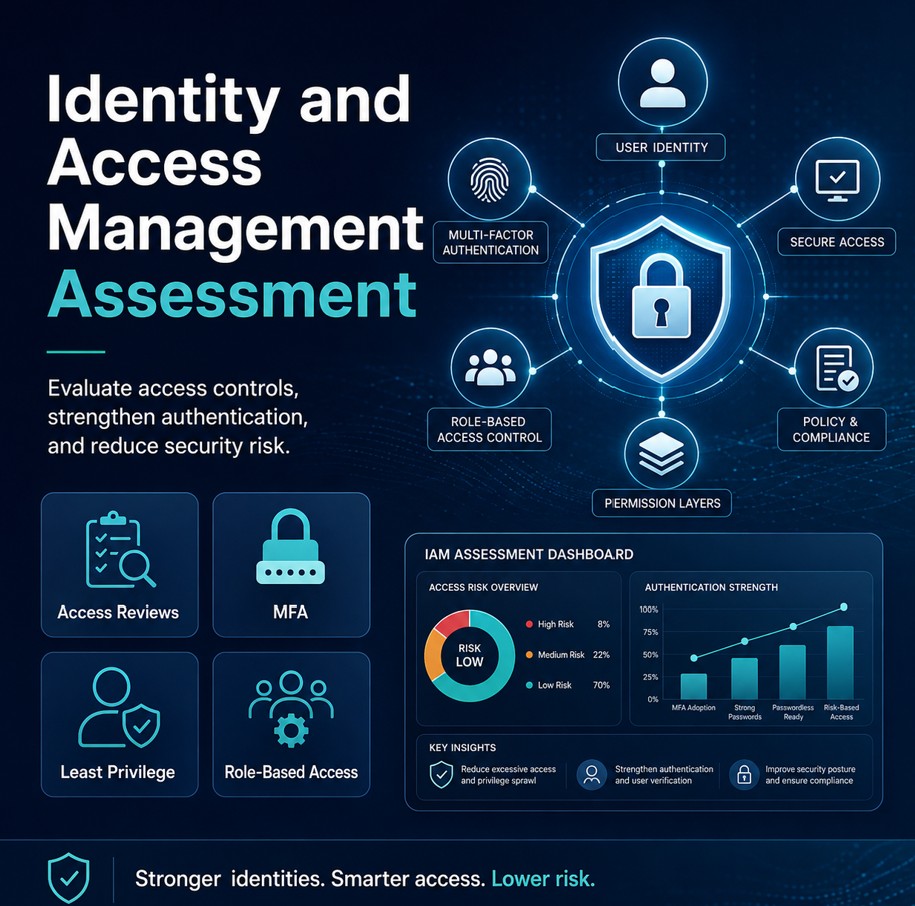
Connect VPN access with MFA, user groups, administrator controls, vendor access, and remote-work approval expectations.
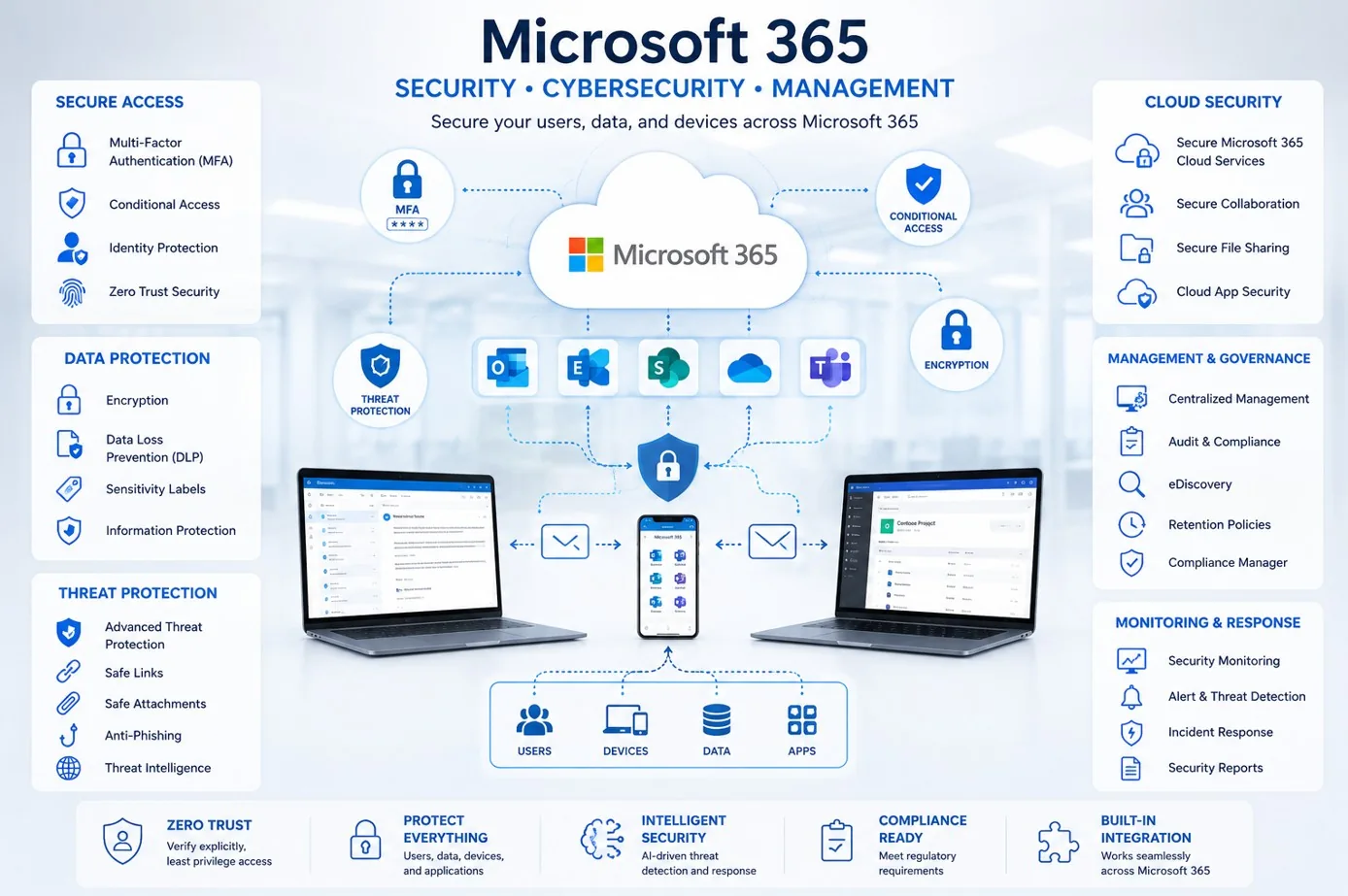
Align VPN decisions with Microsoft 365, Azure, SaaS applications, identity policies, and remote employee workflows.

Use monitoring, logs, user reports, firewall details, and tunnel status to investigate slow or unreliable remote access.
Access Planning
Remote access works best when it matches real business workflows and can be supported by the team responsible for the environment. ITperfection helps review existing VPN access, clean up users, coordinate MFA, document site-to-site tunnels, and align remote access with firewall and cloud application needs.
Workflow
Collect VPN users, firewall VPN settings, tunnel names, remote access tools, MFA methods, logs, and support pain points.
Review who has access, why access exists, how MFA is handled, and where remote access creates support or security concerns.
Create a practical remote access plan for users, vendors, branches, cloud apps, remote desktop, and approved support workflows.
Work with owners, internal IT, firewall vendors, Microsoft 365/Azure support, and branch contacts to schedule safe changes.
Apply approved VPN cleanup, firewall VPN coordination, MFA alignment, documentation, and remote access support changes.
Test user connectivity, tunnel status, MFA prompts, DNS/routing behavior, cloud access, logs, and documented support steps.
Deliverables
Deliverables are tailored to the size of the environment, the firewall and VPN tools already in place, and whether ITperfection is supporting the business directly or working alongside an internal IT team.
Remote Access And Security
VPN management supports cybersecurity, but ITperfection’s role is focused on managed IT operations, remote access clarity, documentation, monitoring, and troubleshooting. We help improve supportability so VPN users, MFA expectations, firewall policies, and branch tunnels are easier to manage.
For deeper firewall security audits, network security assessments, compliance-readiness reviews, vulnerability assessments, or vCISO advisory work, ITperfection can coordinate with its sister company, OC Security Audit.
Best Fit
Before And After
| Before | After |
|---|---|
| VPN users are hard to track | VPN access is documented |
| Former users may still have access | User cleanup is part of the process |
| MFA rules are inconsistent | MFA alignment is reviewed |
| Remote desktop access is unclear | Remote desktop access is planned |
| Site-to-site tunnels are undocumented | Tunnel records are easier to support |
| Slow VPN issues are hard to isolate | Troubleshooting has clearer evidence |
| Remote access procedures live in memory | Remote work standards are written down |
Related Services
Southern California Service Area
ITperfection helps organizations keep remote user VPNs, site-to-site VPN tunnels, firewall VPN settings, MFA coordination, remote desktop access, cloud application access, logging, documentation, and troubleshooting organized across Southern California, Los Angeles County, and Orange County.
We support businesses in cities such as:
Free Tools
Use these related resources when they match your next step: IT Perfection resources for remote access operations and documentation, and OC Security Audit resources for firewall and network security review.

Expert Consultant
Ali Hassani brings 25+ years of IT, network, Microsoft, server, cloud, and cybersecurity experience to help businesses improve secure remote access, VPN, firewall, identity, cloud, and remote-work support practices. ITperfection helps owners and internal IT teams keep access organized, supported, and aligned with business needs.
For secure remote access and VPN projects, Ali helps businesses connect VPN users, MFA alignment, firewall VPN policies, site-to-site tunnels, branch connectivity, remote desktop access, cloud application access, logging, and documentation into one practical operating model. His background in Cisco networking, Microsoft infrastructure, cybersecurity, and managed IT helps remote access support reliability, visibility, and secure day-to-day operations.
CISSP • CCISO • CCNP • MCSE • MCITP • Microsoft, Cisco, server, cloud, and network infrastructure experience







FAQ
Secure remote access and VPN management services help businesses configure, document, monitor, troubleshoot, and clean up remote user VPNs, site-to-site VPN tunnels, firewall VPN settings, MFA alignment, remote desktop access, and remote work support procedures.
Yes. ITperfection can help troubleshoot VPN client issues, connection failures, DNS or routing problems, MFA prompts, slow remote access, and support procedures for remote users.
Yes. ITperfection can help review site-to-site VPN tunnel status, peer settings, routing, firewall coordination, branch connectivity, documentation, and troubleshooting.
Yes. ITperfection can help align VPN access with MFA, identity controls, user groups, administrator access, and remote-work support policies.
Yes. VPN user cleanup can include reviewing former employees, vendor accounts, shared access, privileged access, inactive users, and documentation for why access exists.
Yes. ITperfection can help plan remote desktop access through VPN, jump hosts, cloud desktops, or controlled remote support tools rather than exposing remote desktop directly to the internet.
Yes. Deliverables can include VPN user lists, group notes, tunnel inventory, firewall policy notes, MFA alignment recommendations, troubleshooting steps, and remote work standards.
ITperfection serves businesses in Irvine, Orange County, Los Angeles County, Southern California, and remote-supported business environments.
If VPN access is difficult to document, remote users struggle to connect, MFA is inconsistent, or site-to-site tunnels are hard to support, ITperfection can help organize remote access into a clearer and more supportable management plan.
We use necessary cookies and limited analytics and advertising-measurement cookies. Select Accept to allow optional cookies or Deny to continue with necessary cookies only. No name or email is required. You may close this website at any time.
