
1Multi-Site Network Support
Support office, clinic, warehouse, and branch network environments with practical standards for routing, switching, Wi-Fi, internet circuits, and user connectivity.
Standardize support, networks, Microsoft 365, endpoint operations, documentation, monitoring, backup planning, and reporting across offices, clinics, warehouses, branches, and remote teams.
Multi-location IT operations
Multi-location businesses need more than occasional troubleshooting. Each site may have different internet providers, firewalls, VPN settings, Wi-Fi coverage, printers, endpoints, Microsoft 365 users, backup needs, and vendors. Without standardization, support becomes slow and owners lose visibility.
ITperfection helps businesses in Irvine, Orange County, Los Angeles County, and Southern California manage multi-site IT operations with clearer documentation, practical monitoring, vendor coordination, support procedures, and centralized reporting.
Common challenges
Services provided
Support office, clinic, warehouse, and branch network environments with practical standards for routing, switching, Wi-Fi, internet circuits, and user connectivity.
Help coordinate firewall rules, site-to-site VPNs, remote access VPN, documentation, vendor escalation, and recurring connectivity support.
Align email, Teams, OneDrive, accounts, licensing, MFA support, shared mailboxes, and onboarding procedures across locations.
Track desktops, laptops, shared workstations, assigned users, patch status, device age, and recurring support issues by location.
Review backup scope, Microsoft 365 considerations, branch file shares, recovery expectations, vendor dependencies, and documentation.
Provide practical remote support for branch users, remote employees, managers, shared workstations, mobile workers, and escalation items.
Create and maintain readable network diagrams showing locations, firewalls, switches, Wi-Fi, internet providers, VPNs, cloud services, and critical dependencies.
Coordinate with ISPs, firewall providers, phone vendors, line-of-business software vendors, copier vendors, and building or cabling contacts.
Document provider names, circuit types, account references, static IP details, support contacts, renewal notes, and failover considerations.
Maintain location-based records for firewalls, switches, Wi-Fi access points, servers, workstations, printers, and business-critical devices.
Use monitoring and follow-up processes for key network, server, endpoint, backup, and connectivity indicators across business locations.
Create consistent onboarding and offboarding steps for accounts, devices, Microsoft 365 access, location access, and support documentation.
Provide owner-friendly reporting that summarizes open issues, location health, monitoring notes, backup concerns, vendor tickets, and recommended next steps.
Operational visuals

Support site-to-site VPNs, branch firewall records, remote access needs, and vendor escalation across locations.

Track network, endpoint, backup, internet, and device issues with cleaner operational summaries.
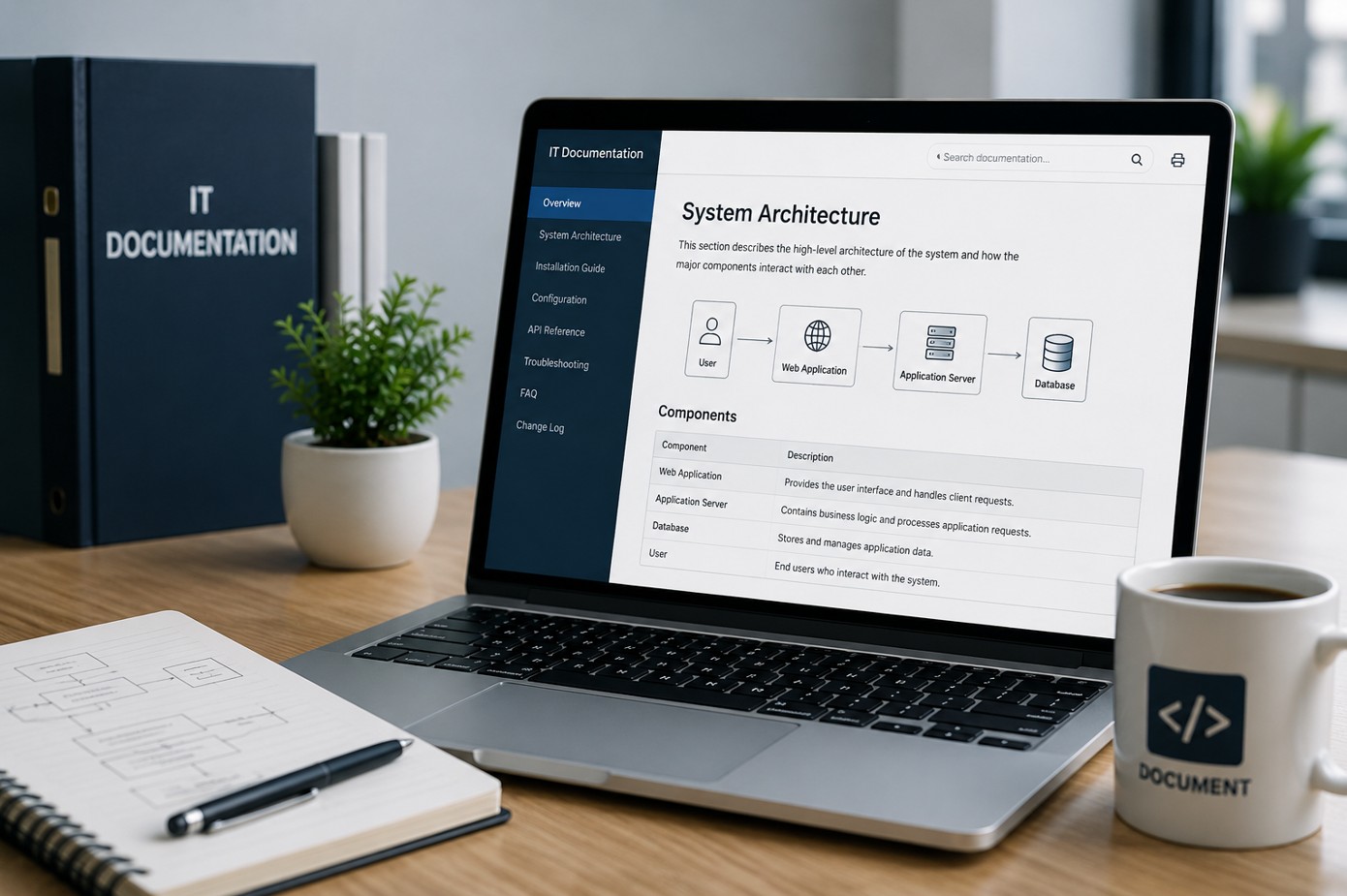
Keep diagrams, vendor contacts, circuit records, device inventories, and support procedures easier to find.
Support workflow
Review locations, circuits, firewalls, VPNs, switches, Wi-Fi, Microsoft 365, endpoints, backups, vendors, diagrams, and support history.
Create practical naming, documentation, onboarding, support, monitoring, and reporting standards that can work across every location.
Address recurring connectivity, firewall, VPN, Wi-Fi, Microsoft 365, endpoint, backup, and vendor coordination issues.
Track key systems, location health, open support items, backup status, internet concerns, and devices needing attention.
Provide centralized summaries that show location status, recurring issues, vendor tickets, remediation priorities, and completed support work.
Use reports and documentation to guide refresh planning, new office setup, backup improvements, network upgrades, and owner decisions.
Standardization
Backup, monitoring, and reporting
Review backup scope, branch file shares, servers, Microsoft 365 considerations, recovery expectations, and vendor dependencies.
Track important network, endpoint, backup, device, and connectivity alerts so issues do not disappear after the first notification.
Give owners and managers clearer summaries of location status, recurring issues, completed work, vendor tickets, and next priorities.
Deliverables
Who this is for
Before and after
| Before ITperfection | After standardization and support |
|---|---|
| Each site has different IT standards | Locations follow cleaner IT standards |
| VPN and firewall details are unclear | VPN and firewall records are documented |
| Internet and vendor records are hard to find | Circuit and vendor records are easier to use |
| Microsoft 365 onboarding varies by office | Microsoft 365 procedures are standardized |
| Device inventory is incomplete | Devices are tracked by location |
| Backups and monitoring are inconsistent | Backup and monitoring follow-up is clearer |
| Owners lack centralized reporting | Owners receive practical cross-location reports |
Related services
Service area
ITperfection supports multi-location businesses that need consistent IT operations across offices, clinics, warehouses, branches, and remote teams. We serve Southern California, Los Angeles County, and Orange County cities like Irvine, Long Beach, Anaheim, Pasadena, Torrance, Costa Mesa, Mission Viejo.

Expert consultant
Ali Hassani brings 25+ years of IT, Microsoft, network, server, cloud, firewall, VPN, and cybersecurity experience to help multi-location businesses organize support, documentation, vendor coordination, monitoring, and reporting across locations.
For this service, Ali helps connect practical managed IT operations with real infrastructure experience: branch networks, firewalls, VPNs, Microsoft 365, endpoint support, backups, and owner-friendly reporting.







FAQ
Managed IT services for multi-location businesses help standardize, support, document, monitor, and report on IT across multiple offices, clinics, warehouses, branches, and remote teams.
Yes. ITperfection can help coordinate branch firewalls, site-to-site VPNs, remote access VPN, vendor escalation, firewall documentation, and ongoing connectivity support.
Yes. ITperfection can help standardize Microsoft 365 users, licensing, email, Teams, OneDrive, onboarding, offboarding, MFA support, and practical account documentation across locations.
Yes. ITperfection can help document network diagrams for locations, including internet circuits, firewalls, switches, Wi-Fi, VPNs, servers, printers, and cloud dependencies.
Yes. ITperfection can help maintain location-based inventory for desktops, laptops, shared workstations, firewalls, switches, wireless access points, servers, printers, and other critical devices.
Yes. ITperfection can support monitoring follow-up, backup scope review, recovery planning notes, recurring issue reports, and owner-friendly summaries across business locations.
No. This page is managed IT focused. If you need a formal firewall security audit or broader cybersecurity audit, ITperfection can coordinate with OC Security Audit.
ITperfection supports businesses in Irvine, Orange County, Los Angeles County, Southern California, and remote-supported multi-location environments.
If your offices, clinics, warehouses, branches, or remote teams are supported differently from site to site, ITperfection can help standardize the environment and provide clearer reporting.
We use necessary cookies and limited analytics and advertising-measurement cookies. Select Accept to allow optional cookies or Deny to continue with necessary cookies only. No name or email is required. You may close this website at any time.
