
Cleaner daily operations
Reduce repeat support issues caused by unmanaged laptops, missing updates, incomplete inventory, and inconsistent endpoint standards.
Keep your business devices updated, visible, secure, and easier to support. ITperfection helps businesses manage Windows endpoints, third-party application updates, Microsoft Intune policies, device inventory, endpoint health, software lifecycle, and remediation reporting.
Endpoint Operations
Business computers should not be managed by guesswork, scattered spreadsheets, or emergency troubleshooting after updates fail. When devices are unmanaged, third-party applications fall behind, or laptops are missing from inventory, IT teams lose visibility and owners lose confidence.
ITperfection helps businesses in Irvine, Orange County, Los Angeles County, and Southern California organize endpoint operations around clear device inventory, Windows patch status, third-party application updates, Microsoft Intune policies, endpoint health, lifecycle planning, and practical remediation follow-up.
The goal is not to add complexity. The goal is to make endpoint maintenance visible, repeatable, and easier to support so business users can keep working and IT teams can focus on the right priorities.
Reduce repeat support issues caused by unmanaged laptops, missing updates, incomplete inventory, and inconsistent endpoint standards.
Maintain better visibility into assigned users, device status, patch levels, lifecycle concerns, and remediation priorities.
Give owners and IT teams practical reporting so endpoint work turns into completed maintenance, not forgotten alerts.
Operational Gaps
Endpoint management is not only patch deployment. It is the operational discipline of knowing what devices exist, who owns them, what software they run, what needs attention, and which remediation items should be handled before they become outages, security exposure, or repeat support tickets.
Service Areas
Review Windows update status, security patch progress, restart requirements, failed installations, exceptions, and documentation.
Help maintain supported browsers, PDF tools, collaboration apps, remote access tools, communication platforms, and common business applications.
Support enrollment, configuration profiles, compliance policies, application deployment, endpoint baselines, and cloud device administration.
Document desktops, laptops, operating systems, users, locations, device age, warranty status, installed software, and replacement needs.
Track device health indicators such as storage, performance, update state, protection status, recurring support patterns, and user impact.
Identify outdated applications, unsupported versions, license concerns, retirement needs, and upgrade paths for business-critical endpoint tools.
Provide practical reports showing devices needing attention, missing information, patch exceptions, failed updates, and next actions.
Work alongside internal IT teams with patch follow-up, documentation, recurring maintenance, escalation support, and owner-friendly reporting.
Operational Visibility
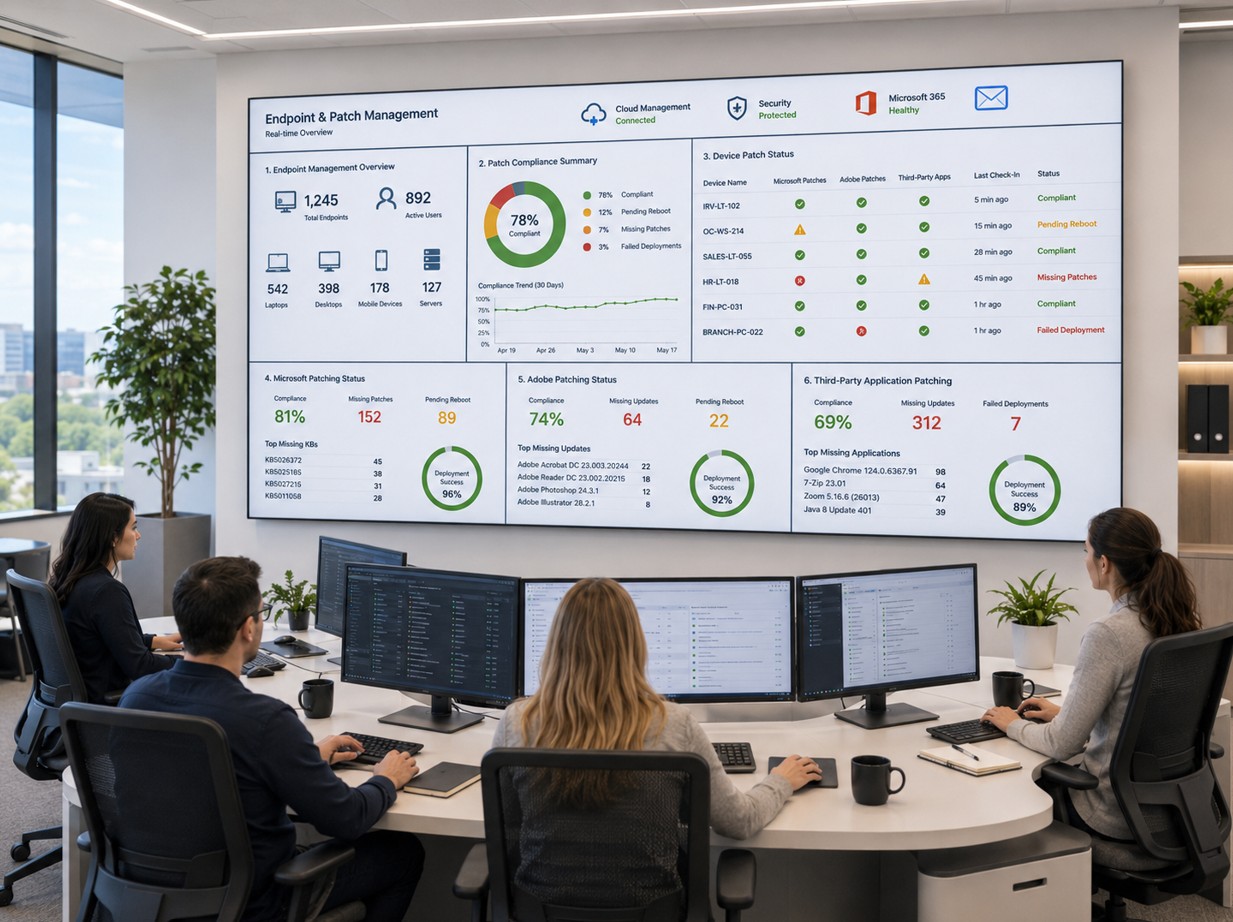
Use clearer reporting to see missing updates, failed installs, reboot needs, device status, and remediation priorities.

Connect endpoint work with monitoring, network visibility, maintenance planning, and recurring operational review.
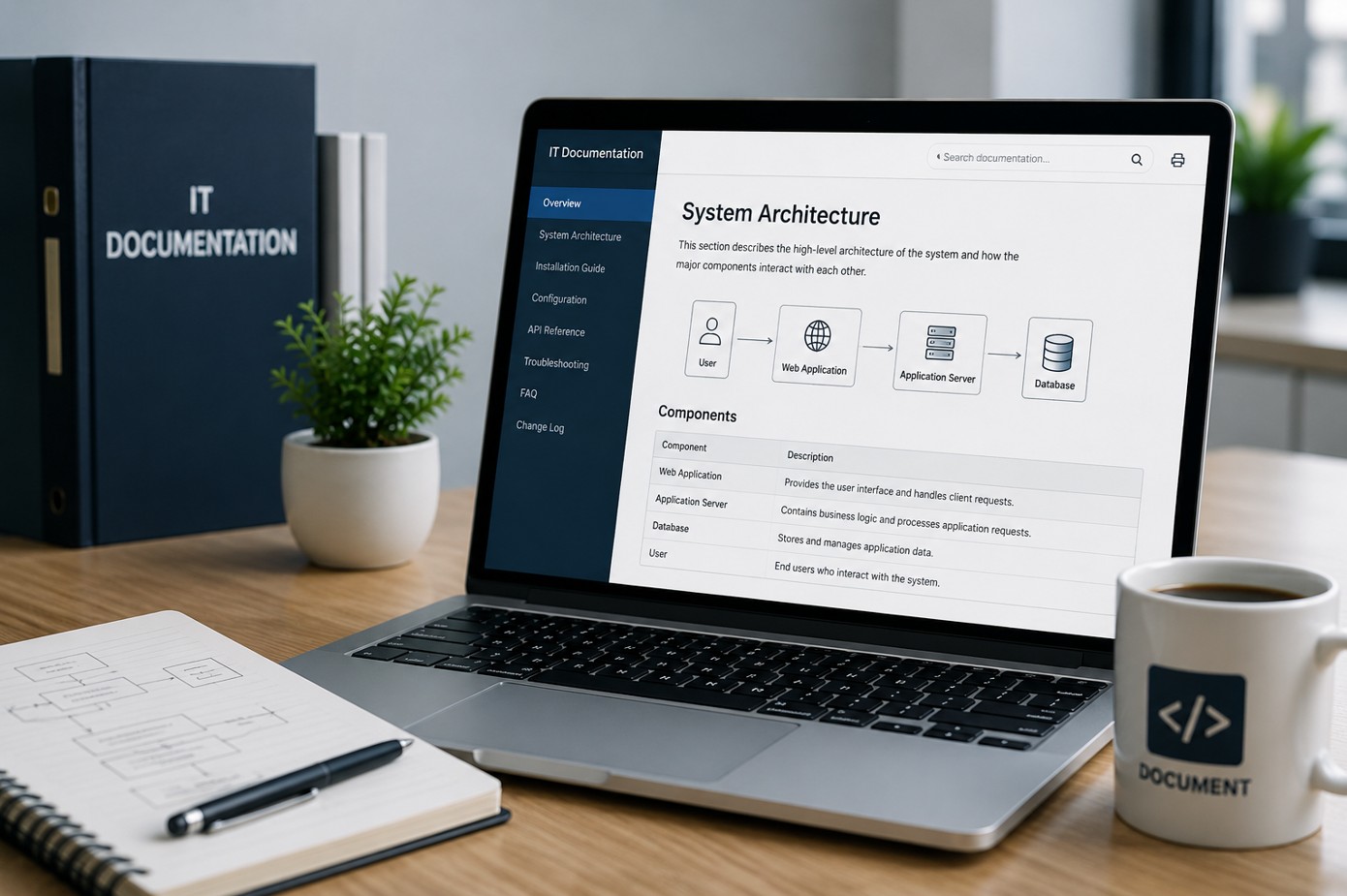
Keep device records, applications, ownership, configuration notes, and support procedures easier to find and update.
Microsoft Intune
Microsoft Intune can give businesses better control over Windows devices, configuration policies, compliance expectations, application deployment, security baselines, and remote administration. ITperfection helps businesses use Intune in a practical way that fits their environment, staffing, and operational maturity.
Workflow
Identify supported endpoints, operating systems, installed applications, users, locations, and device ownership.
Separate security updates, critical patches, third-party application updates, feature updates, and lifecycle concerns.
Coordinate maintenance windows, reboot expectations, user communication, and business impact.
Apply approved updates through appropriate tools, Intune policies, endpoint platforms, or managed IT procedures.
Review successful installations, failed updates, device exceptions, restart requirements, and endpoint health.
Provide remediation notes, patch status summaries, unresolved items, and recommended next actions.
Deliverables
Deliverables are tailored to the size of the environment, the tools already in place, and whether ITperfection is supporting the business directly or working alongside an internal IT team.
Security-Minded Operations
Endpoint patching supports cybersecurity, but ITperfection’s role is focused on managed IT operations, visibility, troubleshooting, maintenance, and follow-through. We help reduce common endpoint risk by improving update status, application hygiene, device documentation, and remediation tracking.
For deeper cybersecurity audits, compliance-readiness reviews, vulnerability assessments, firewall audits, Microsoft 365 security reviews, or vCISO advisory work, ITperfection can coordinate with its sister company, OC Security Audit.
Best Fit
Before And After
| Before | After |
|---|---|
| Devices are hard to track | Device inventory is clearer |
| Windows updates are inconsistent | Patch status is easier to review |
| Third-party apps are forgotten | Application updates are tracked |
| Old laptops remain in production | Lifecycle planning is documented |
| Patch failures are not followed up | Failed updates are remediated |
| Owners do not receive clear reports | Reports show priorities and next steps |
| Internal IT is overloaded | Internal IT receives practical support |
Southern California Service Area
ITperfection helps organizations keep Windows endpoints, Microsoft Intune policies, third-party application updates, device inventory, endpoint health, and remediation reporting organized across Southern California, Los Angeles County, and Orange County.
We support businesses in cities such as:
Free Tools
Use these free tools when they match your next step: IT Perfection tools for operational planning and documentation, and OC Security Audit tools for security audit readiness and endpoint risk review.

Expert Consultant
Ali Hassani brings 25+ years of IT, network, Microsoft, server, cloud, and cybersecurity experience to help businesses improve endpoint operations, patch management, documentation, and managed IT support. ITperfection helps owners and internal IT teams keep technology organized, supported, and aligned with business needs.
For endpoint management and patch management projects, Ali helps businesses connect device inventory, Windows update status, third-party software exposure, Microsoft Intune readiness, endpoint health patterns, lifecycle concerns, and remediation reporting into one practical operating model. His background in Microsoft infrastructure, network operations, cybersecurity, and managed IT helps endpoint work support user productivity, business continuity, and secure day-to-day operations.
CISSP • CCISO • CCNP • MCSE • MCITP • Microsoft, Cisco, server, cloud, and network infrastructure experience







FAQ
Endpoint management is the process of maintaining and supporting business devices such as desktops, laptops, and remote computers. It includes device inventory, update management, software tracking, endpoint health review, configuration support, and remediation follow-up.
Patch management is the process of reviewing, approving, installing, verifying, and documenting software updates. This includes Windows updates, security patches, third-party application updates, and follow-up for devices where updates fail.
Yes. ITperfection can help coordinate Windows update review, patch planning, reboot expectations, failed update follow-up, and endpoint patch reporting for supported business environments.
Yes. ITperfection can help review, configure, document, and support Microsoft Intune for device management, compliance policies, configuration profiles, app deployment, and endpoint standardization.
ITperfection can help review and manage supported third-party applications depending on the tools and environment in use. This may include browsers, PDF tools, collaboration tools, remote access tools, and other common business applications.
Yes. ITperfection provides co-managed IT support for internal IT teams that need help with patch tracking, endpoint reports, remediation follow-up, documentation, and escalation support.
Yes. Endpoint management services can include patch status summaries, device inventory reports, endpoint health notes, remediation priorities, unsupported software lists, and lifecycle recommendations.
ITperfection serves businesses in Irvine, Orange County, Los Angeles County, Southern California, and remote-supported business environments.
If business devices are difficult to track, updates are inconsistent, or your internal team needs operational support, ITperfection can help organize endpoint maintenance into a clear and practical management plan.
We use necessary cookies and limited analytics and advertising-measurement cookies. Select Accept to allow optional cookies or Deny to continue with necessary cookies only. No name or email is required. You may close this website at any time.
