
Centralized endpoint control
Use Microsoft Intune to manage Windows devices, users, policies, applications, compliance settings, and remote actions from a clearer cloud-based process.
Bring structure to Windows device enrollment, endpoint policies, compliance settings, application deployment, security baselines, inventory, and reporting. ITperfection helps small and mid-sized businesses use Microsoft Intune in a practical, supportable way.
Modern Endpoint Administration
Microsoft Intune can help businesses move from manual PC setup and scattered endpoint settings to a more organized cloud management process. When enrollment, policies, applications, compliance, and reporting are structured properly, internal IT teams gain visibility and users get a more consistent support experience.
ITperfection helps businesses in Irvine, Orange County, Los Angeles County, and Southern California manage Intune in a practical way: Windows device enrollment, Autopilot readiness, configuration profiles, compliance policies, security baselines, app deployment, update rings, device inventory, remote actions, Conditional Access alignment, and endpoint reporting.
The goal is not to overcomplicate Microsoft 365. The goal is to make endpoint administration visible, documented, supportable, and aligned with how the business actually works.
Use Microsoft Intune to manage Windows devices, users, policies, applications, compliance settings, and remote actions from a clearer cloud-based process.
Create repeatable enrollment, configuration, security baseline, update, and application deployment standards for business desktops and laptops.
Give business owners and internal IT teams clearer visibility into enrolled devices, compliance gaps, configuration drift, and follow-up tasks.
Operational Gaps
Intune works best when policies, enrollment, applications, compliance, and reporting are designed as an operating model, not as disconnected settings. ITperfection helps clean up the structure so endpoint management becomes easier to maintain and easier to explain.
Intune Services
Review current Intune configuration, licensing assumptions, device state, policy structure, enrollment methods, and administrative gaps.
Support enrollment planning for company-owned and user-assigned Windows devices, including practical cleanup of unmanaged or duplicate records.
Review Autopilot readiness, deployment profiles, naming standards, user experience, hardware registration, and new-device rollout planning.
Create or refine compliance policies that align with business requirements, endpoint security expectations, and Conditional Access planning.
Organize Windows configuration profiles for practical device standards, desktop behavior, security settings, browser settings, and operational consistency.
Review Microsoft security baselines and endpoint hardening settings with care so protection improves without disrupting daily business work.
Package, assign, and document business application deployment through Intune where appropriate, including required apps and rollout groups.
Plan Windows update rings, restart expectations, deployment timing, exception handling, and endpoint reporting for operational follow-through.
Operational Visibility
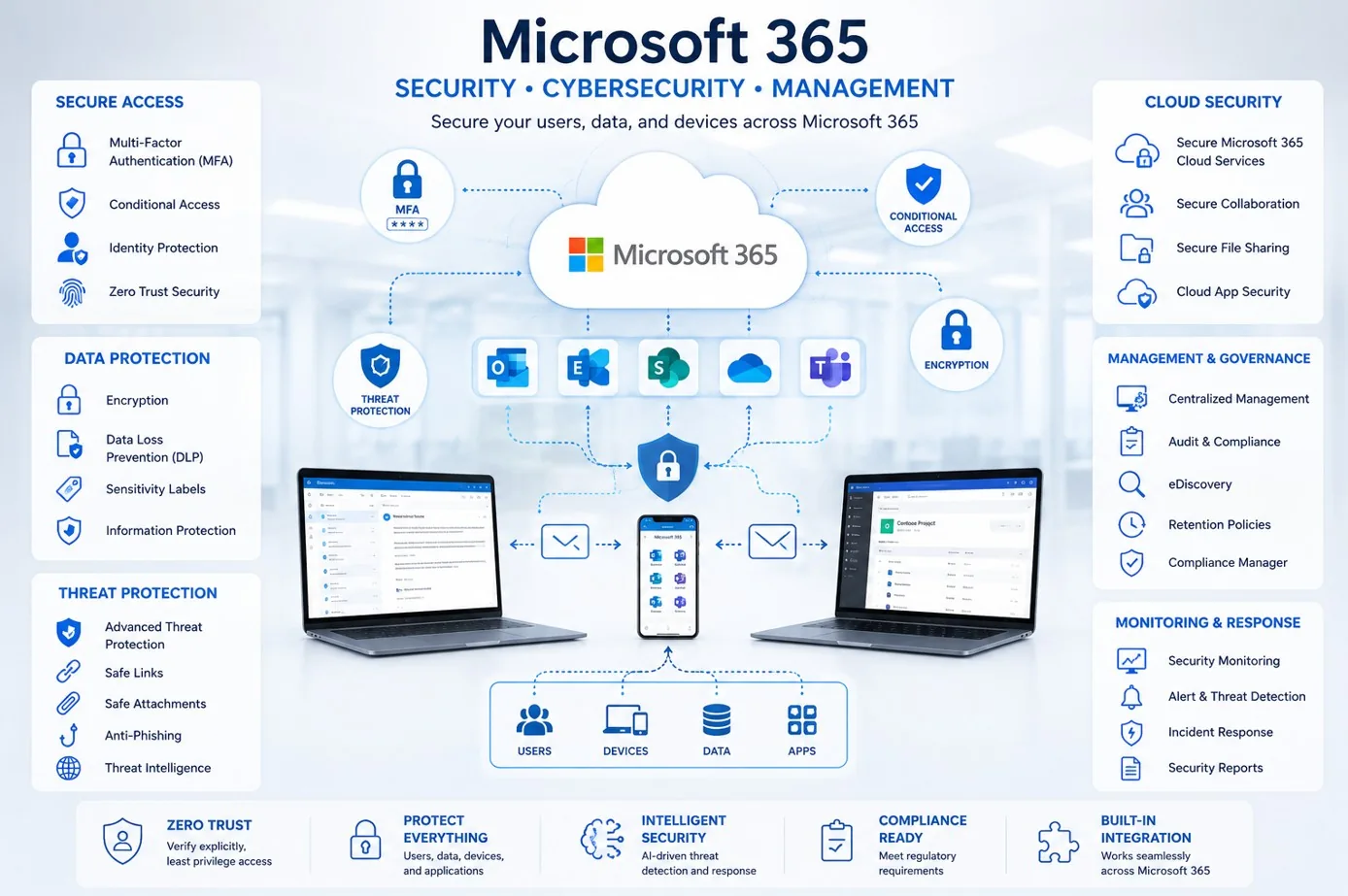
Use clearer reporting to understand enrolled devices, compliance state, policy assignments, application deployment, and follow-up priorities.

Connect Intune administration with monitoring, device health, update planning, user support, and recurring operational review.
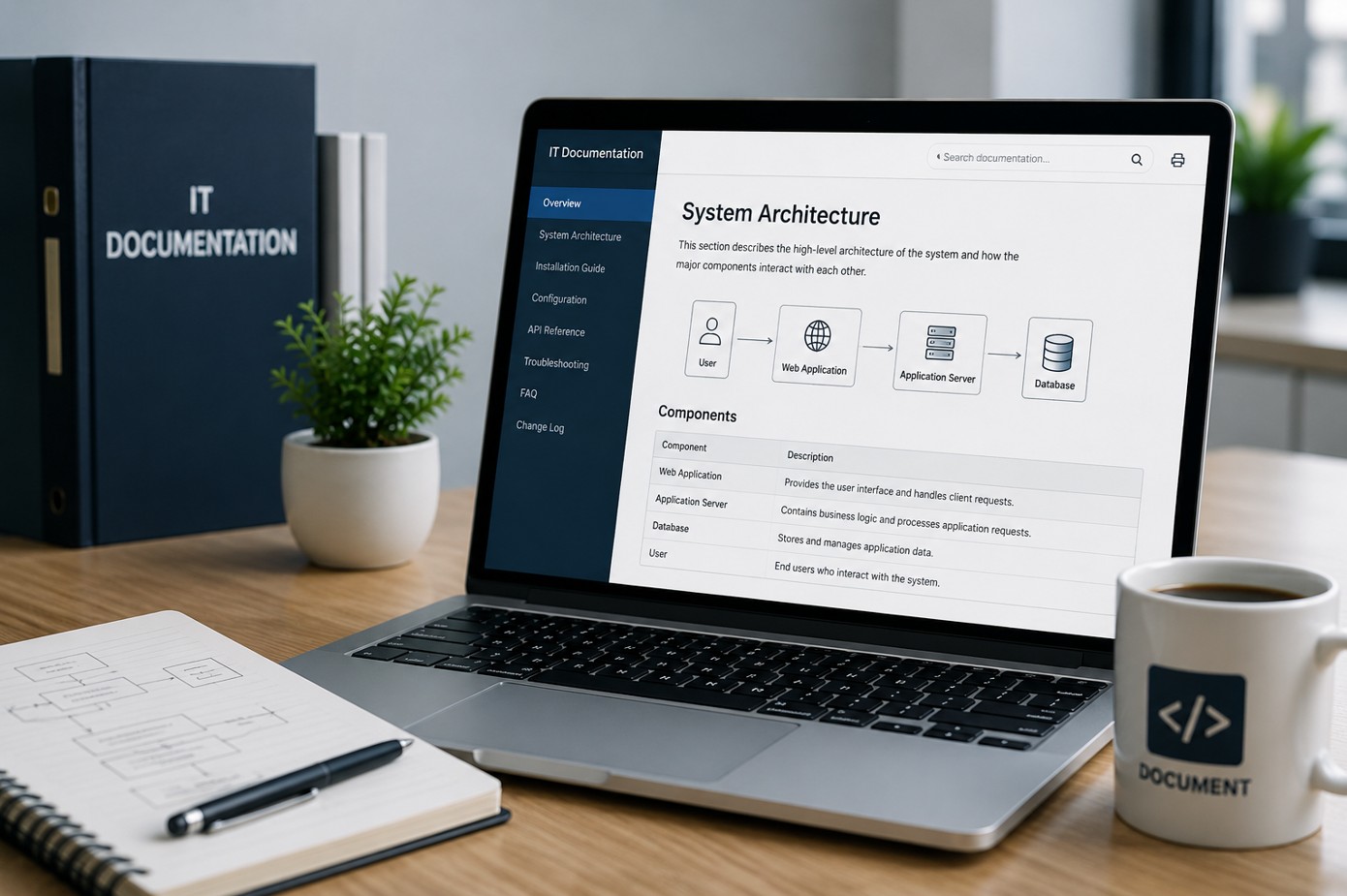
Keep enrollment standards, configuration profiles, compliance settings, application assignments, and support procedures easier to find and update.
Microsoft Intune
Microsoft Intune can give businesses better control over Windows devices, configuration policies, compliance expectations, application deployment, security baselines, and remote administration. ITperfection helps businesses use Intune in a practical way that fits their environment, staffing, and operational maturity.
Workflow
Assess the Intune tenant, device records, enrollment methods, policies, compliance settings, update rings, applications, and reporting needs.
Separate quick fixes from foundational work such as enrollment cleanup, policy naming, baseline review, Autopilot readiness, and app deployment planning.
Create a practical Intune structure for groups, assignments, profiles, compliance requirements, security baselines, and reporting expectations.
Test policies and applications with a small device group before wider rollout so user impact and support needs are understood.
Roll out approved Intune policies, enrollment changes, application assignments, update rings, and endpoint standards in controlled phases.
Provide device status, compliance findings, unresolved exceptions, remediation priorities, and internal IT handoff notes.
Deliverables
Deliverables are tailored to the size of the environment, the tools already in place, and whether ITperfection is supporting the business directly or working alongside an internal IT team.
Security-Minded Operations
Intune supports cybersecurity by improving endpoint standards, compliance visibility, application control, security baselines, update rings, and remote administration. ITperfection focuses on the managed IT side: practical configuration, supportability, documentation, reporting, and co-managed follow-through.
For deeper Microsoft 365 security audits, Entra ID control reviews, compliance-readiness work, or vCISO advisory, ITperfection can coordinate with its sister company, OC Security Audit.
Best Fit
Before And After
| Before | After |
|---|---|
| Windows devices are configured manually | Devices follow clearer enrollment standards |
| Policies are scattered or undocumented | Policies are organized and documented |
| Compliance status is unclear | Compliance gaps are easier to see |
| Applications are installed one computer at a time | Applications can be assigned and tracked |
| New laptops take too long to prepare | Autopilot readiness is planned |
| Conditional Access is not aligned with device state | Device compliance supports access decisions |
| Internal IT lacks useful endpoint reports | Owners and IT teams receive practical reporting |
Related Services
Southern California Service Area
ITperfection helps organizations manage Windows device enrollment, Intune policies, compliance settings, app deployment, device inventory, update rings, endpoint reporting, and co-managed support across Southern California, Los Angeles County, and Orange County.
We support businesses in cities such as:
Free Tools
Use these free tools when they match your next step: IT Perfection tools for operational planning and documentation, and OC Security Audit tools for Microsoft 365 and endpoint security readiness.

Expert Consultant
Ali Hassani brings 25+ years of IT, Microsoft infrastructure, network, server, cloud, and cybersecurity experience to help businesses use Microsoft Intune in a practical and supportable way. ITperfection helps owners and internal IT teams keep endpoint management organized, documented, and aligned with business needs.
For Microsoft Intune management projects, Ali helps businesses connect Windows device enrollment, Autopilot readiness, compliance policies, configuration profiles, security baselines, application deployment, update rings, device inventory, Conditional Access alignment, and endpoint reporting into one practical operating model.
CISSP • CCISO • CCNP • MCSE • MCITP • Microsoft, Cisco, server, cloud, and network infrastructure experience







FAQ
Microsoft Intune management services help businesses plan, configure, support, document, and monitor cloud-based endpoint management for Windows devices, compliance policies, applications, update rings, security baselines, and device inventory.
Yes. ITperfection can help review and support Windows device enrollment, cleanup unmanaged or duplicate devices, document enrollment standards, and improve how new and existing devices are brought under Intune management.
Yes. ITperfection can review Autopilot readiness, deployment profiles, device naming, hardware registration, user experience, pilot rollout planning, and support procedures for new Windows devices.
Yes. ITperfection can help align Intune compliance policies with Microsoft 365 and Entra ID Conditional Access planning so device state supports practical access decisions.
ITperfection can review Microsoft security baselines and help apply practical baseline settings in a way that improves endpoint standards while considering business workflow and user impact.
Yes. ITperfection provides co-managed Intune support for internal IT teams that need help with tenant review, policy cleanup, enrollment troubleshooting, application deployment, endpoint reporting, and documentation.
Yes. Intune management services can include endpoint inventory summaries, compliance findings, enrollment status, app deployment notes, policy exceptions, remediation priorities, and owner-friendly reports.
ITperfection serves businesses in Irvine, Orange County, Los Angeles County, Southern California, and remote-supported Microsoft 365 environments.
If Intune policies are scattered, device enrollment is inconsistent, or your internal team needs co-managed support, ITperfection can help organize Microsoft Intune into a clearer and more practical endpoint management plan.
Local to Orange County
Intune policies, compliance and app deployment are managed remotely. For device rollouts, Autopilot enrollment days and hardware refreshes, IT Perfection comes on site from our office at 2349 Sullivan, Irvine, to offices across Orange County.
Start with a free 30-minute review of how your devices are managed today.
We use necessary cookies and limited analytics and advertising-measurement cookies. Select Accept to allow optional cookies or Deny to continue with necessary cookies only. No name or email is required. You may close this website at any time.
