
Reliable daily email operations
Keep mailbox setup, user access, Outlook, mobile email, and mail flow issues organized so business communication stays dependable.
Keep Exchange Online, Outlook, shared mailboxes, distribution groups, mail flow, mobile email, DNS coordination, migrations, and user troubleshooting organized. ITperfection helps small and mid-sized businesses support Microsoft 365 email in a practical managed IT way.
Microsoft 365 Email Operations
Microsoft 365 email is one of the most visible parts of daily IT operations. When mailboxes, shared mailboxes, distribution groups, aliases, Outlook profiles, mobile email, mail flow, DNS records, and migration tasks are not managed cleanly, users lose time and internal IT teams get pulled into repeat troubleshooting.
ITperfection helps businesses in Irvine, Orange County, Los Angeles County, and Southern California support Microsoft 365 email operations around Exchange Online administration, practical user support, mailbox documentation, mail flow follow-up, and owner-friendly reporting.
The goal is not to turn every email issue into a large project. The goal is to make Microsoft 365 email support repeatable, documented, and easier for users, owners, and IT teams to understand.
Keep mailbox setup, user access, Outlook, mobile email, and mail flow issues organized so business communication stays dependable.
Use consistent processes for users, shared mailboxes, distribution groups, aliases, archive mailboxes, and support documentation.
Give owners and internal IT teams clearer visibility into open email issues, migration tasks, DNS needs, and recurring troubleshooting patterns.
Operational Gaps
Microsoft 365 email support works best when mailbox administration, permissions, groups, aliases, mail flow, DNS, Outlook, and mobile access are handled as an operating process, not as one-off fixes. ITperfection helps organize the support flow so recurring issues are easier to resolve and document.
Email Support Services
Support practical Exchange Online administration for users, mailboxes, permissions, shared mailboxes, groups, aliases, mail flow, and service requests.
Create, modify, license, document, and support user mailboxes so employees receive the right access during onboarding, role changes, and offboarding.
Configure shared mailboxes, permissions, delegation, send-as/send-on-behalf access, and documentation for departments, teams, and service addresses.
Create and maintain distribution groups, membership, ownership, naming, delivery expectations, and support notes for business communication lists.
Add and document aliases for users, departments, name changes, role addresses, and business email routing needs.
Troubleshoot send/receive issues, delayed messages, bounce messages, connectors, rules, blocked delivery, and basic mail routing symptoms.
Support Outlook profile issues, desktop sync problems, calendar access, shared mailbox visibility, cached mode, and practical user troubleshooting.
Help users connect Microsoft 365 email on mobile devices, review sync issues, and coordinate practical support for remote and hybrid teams.
Coordinate Microsoft 365 email-related DNS records such as MX, Autodiscover, SPF, DKIM, and DMARC with domain/DNS providers when appropriate.
Support email migration planning, mailbox readiness, user communication, cutover coordination, post-migration checks, and issue follow-up.
Review archive mailbox needs, mailbox size concerns, retention-related support requests, and user access questions.
Coordinate basic anti-spam settings, allow/block needs, quarantine questions, and escalation when security review is needed.
Document recurring email procedures, common user steps, admin changes, group ownership, mail flow notes, and support handoff items.
Operational Visibility
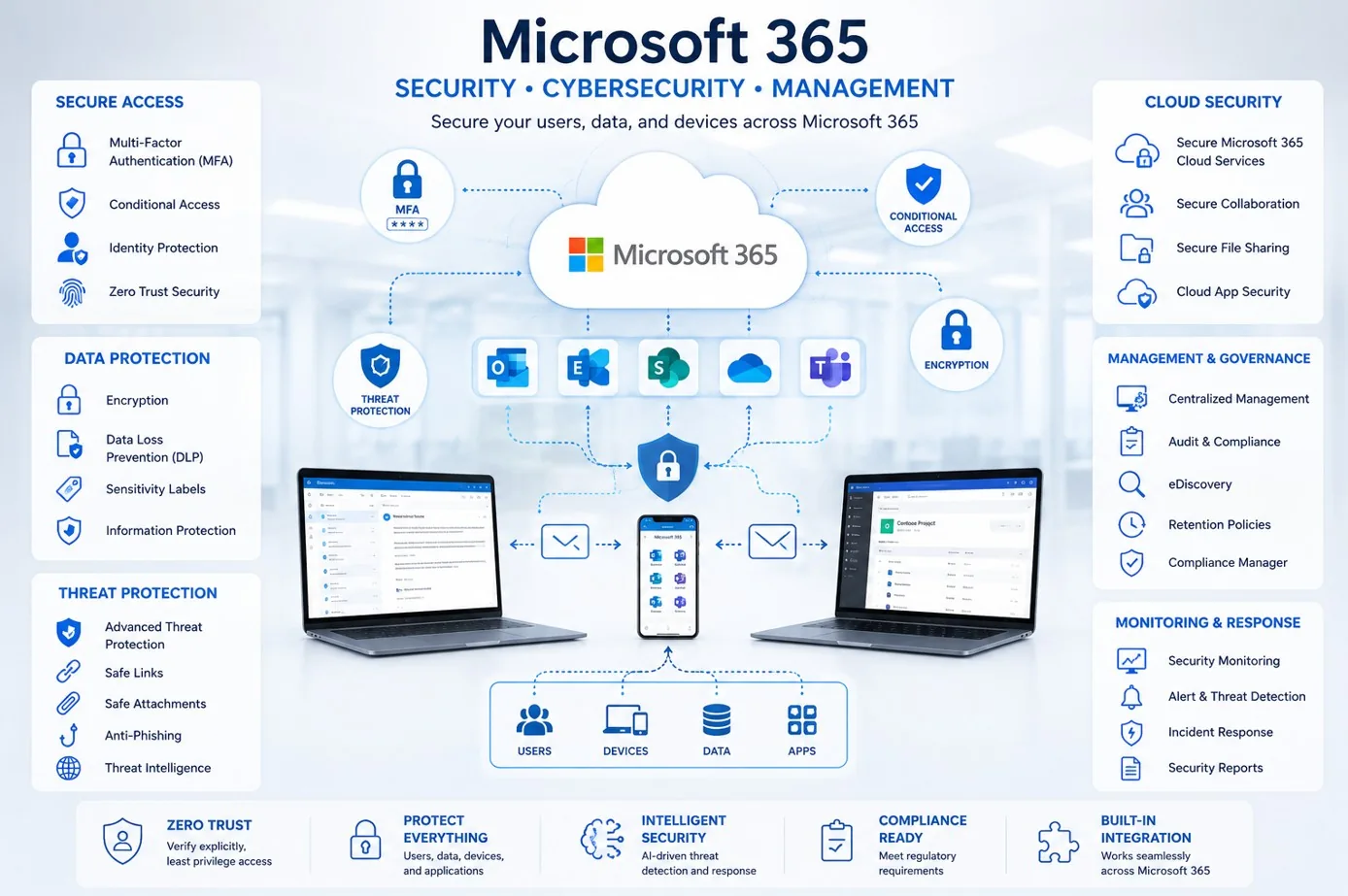
Use clearer records for mailboxes, shared mailboxes, groups, aliases, permissions, mail flow status, and support priorities.

Connect Microsoft 365 email administration with help desk tickets, Outlook troubleshooting, mobile email issues, and recurring operational review.
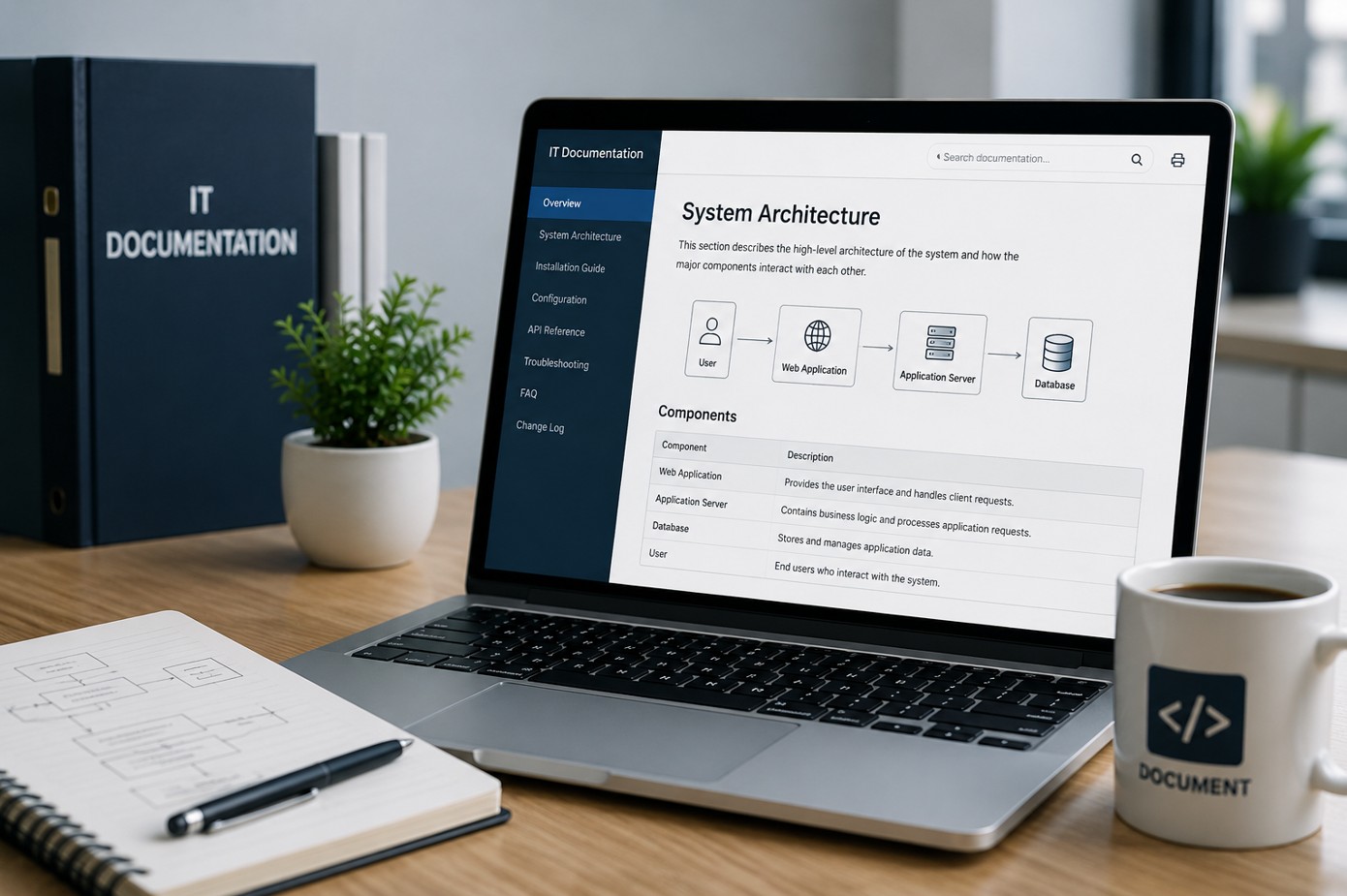
Keep mailbox procedures, shared mailbox access, distribution group ownership, DNS notes, migration records, and support procedures easier to find and update.
Exchange Online
Exchange Online gives businesses flexible cloud email, but daily support still requires careful administration: mailbox setup, shared mailbox permissions, distribution group ownership, aliases, mail flow, Outlook, mobile email, DNS coordination, archive mailbox review, and user documentation. ITperfection helps keep that work organized and supportable.
Workflow
Assess mailbox issues, Outlook symptoms, mobile email needs, shared mailboxes, groups, aliases, mail flow, DNS, and migration requirements.
Separate urgent send/receive issues from administrative cleanup, user support, group ownership, DNS coordination, and documentation needs.
Create a practical support plan for mailbox changes, permissions, group updates, migration tasks, user communication, and follow-up.
Make approved Microsoft 365 email changes, troubleshoot users, coordinate DNS/mail flow items, and document the work performed.
Confirm mail flow, Outlook access, mobile sync, shared mailbox access, group delivery, aliases, and user acceptance after changes.
Provide support notes, admin changes, unresolved items, ownership details, and recommended next steps for internal records.
Deliverables
Deliverables are tailored to the size of the environment, the tools already in place, and whether ITperfection is supporting the business directly or working alongside an internal IT team.
Security-Minded Operations
Microsoft 365 email support often touches anti-spam coordination, quarantine questions, DNS records, user access, and mail flow. ITperfection keeps this page managed IT focused: practical administration, troubleshooting, documentation, and user support.
For deeper Microsoft 365 security audits, Entra ID control reviews, email security configuration audits, compliance-readiness work, or vCISO advisory, ITperfection can coordinate with its sister company, OC Security Audit.
Best Fit
Before And After
| Before | After |
|---|---|
| Mailbox changes are handled inconsistently | Mailbox work follows a cleaner process |
| Shared mailbox permissions are unclear | Shared mailbox access is documented |
| Distribution groups are undocumented | Groups and aliases have clearer ownership |
| Mail flow issues repeat | Mail flow troubleshooting is organized |
| Outlook support consumes too much time | Users receive practical Outlook support |
| DNS records are hard to verify | DNS coordination is documented |
| Migration tasks feel risky | Migration planning has a support path |
Southern California Service Area
ITperfection helps organizations support Exchange Online, Outlook, shared mailboxes, distribution groups, aliases, mobile email, mail flow, DNS coordination, migration planning, archive mailbox review, and user troubleshooting across Southern California, Los Angeles County, and Orange County.
We support businesses in cities such as:

Expert Consultant
Ali Hassani brings 25+ years of IT, Microsoft infrastructure, network, server, cloud, and cybersecurity experience to help businesses keep Microsoft 365 email support practical and supportable. ITperfection helps owners and internal IT teams keep mailbox administration, user support, and documentation aligned with business needs.
For Microsoft 365 email support projects, Ali helps businesses connect Exchange Online administration, Outlook support, shared mailboxes, distribution groups, aliases, DNS coordination, mail flow troubleshooting, migration support, archive mailbox review, and user documentation into one practical operating model.
CISSP • CCISO • CCNP • MCSE • MCITP • Microsoft, Cisco, server, cloud, and network infrastructure experience







FAQ
Microsoft 365 email support services help businesses administer and troubleshoot Exchange Online, user mailboxes, shared mailboxes, distribution groups, aliases, Outlook, mobile email, mail flow, DNS coordination, migration tasks, and user support documentation.
Yes. ITperfection can help with practical Exchange Online administration including mailbox changes, shared mailbox access, distribution groups, aliases, permissions, mail flow troubleshooting, and support records.
Yes. ITperfection can help troubleshoot Outlook desktop issues, shared mailbox visibility, mailbox sync symptoms, calendar access, mobile email setup, and user support questions.
Yes. ITperfection can configure and document shared mailboxes, permissions, send-as/send-on-behalf access, distribution groups, group membership, ownership, and related user support needs.
Yes. ITperfection can coordinate Microsoft 365 email DNS needs such as MX, Autodiscover, SPF, DKIM, and DMARC with your domain or DNS provider when appropriate.
Yes. ITperfection can help plan mailbox readiness, migration coordination, user communication, cutover support, post-migration checks, and issue follow-up.
No. This page is managed IT focused and covers Microsoft 365 email operations and user support. For a formal Microsoft 365 security audit, ITperfection can point you to OC Security Audit.
ITperfection serves businesses in Irvine, Orange County, Los Angeles County, Southern California, and remote-supported Microsoft 365 environments.
If email issues are recurring, mailbox changes are scattered, Outlook support is consuming time, or your internal team needs co-managed support, ITperfection can help organize Microsoft 365 email operations into a clearer support plan.
We use necessary cookies and limited analytics and advertising-measurement cookies. Select Accept to allow optional cookies or Deny to continue with necessary cookies only. No name or email is required. You may close this website at any time.
