
Clearer recovery expectations
Understand what Microsoft 365 retention can and cannot do, where third-party backup may help, and what restore expectations should be documented.
Microsoft 365 is cloud-hosted, but businesses still need clear backup, retention, restore, deletion, ransomware recovery, and continuity expectations. ITperfection helps plan practical backup strategies for Exchange Online, SharePoint, OneDrive, Teams, and business-critical Microsoft 365 data.
Microsoft 365 Continuity
Microsoft 365 provides strong cloud availability, but availability is not the same as a complete business backup strategy. Businesses still need to understand retention, recycle bins, version history, deleted user data, ransomware scenarios, restore testing, reporting, and third-party backup options.
ITperfection helps businesses in Irvine, Orange County, Los Angeles County, and Southern California plan Microsoft 365 backup strategies for Exchange Online, SharePoint, OneDrive, Teams, restore expectations, and business continuity.
The goal is practical clarity: what data matters, what Microsoft features already help, where gaps may exist, how restores should work, and what should be tested before an emergency.
Understand what Microsoft 365 retention can and cannot do, where third-party backup may help, and what restore expectations should be documented.
Plan for user mistakes, accidental deletion, mailbox issues, SharePoint changes, OneDrive sync problems, Teams data questions, and ransomware recovery scenarios.
Connect Microsoft 365 backup planning with business continuity, reporting, recovery testing, and practical owner-friendly documentation.
Operational Gaps
Backup planning works best when Microsoft 365 retention, recycle bin recovery, versioning, third-party backup, restore testing, reporting, and business continuity needs are documented as one supportable operating model.
Backup Planning Services
Review mailbox, shared mailbox, deleted item, retention, archive, and restore expectations for business email continuity.
Clarify site, library, permission, file version, deletion, ransomware, and restore expectations for SharePoint data.
Review user OneDrive data, sync behavior, file deletion, departing users, and recovery expectations for individual work files.
Map how Teams data lives across chats, channels, files, meetings, SharePoint, OneDrive, and Exchange-backed components.
Help owners and IT teams understand the difference between Microsoft retention features and separate backup/recovery coverage.
Compare practical third-party Microsoft 365 backup approaches, coverage areas, reporting, restore experience, and operational fit.
Define practical restore testing expectations for mailboxes, files, folders, sites, and business-critical Microsoft 365 data.
Connect Microsoft 365 backup planning with recovery priorities, reporting, escalation paths, and business continuity procedures.
Operational Visibility
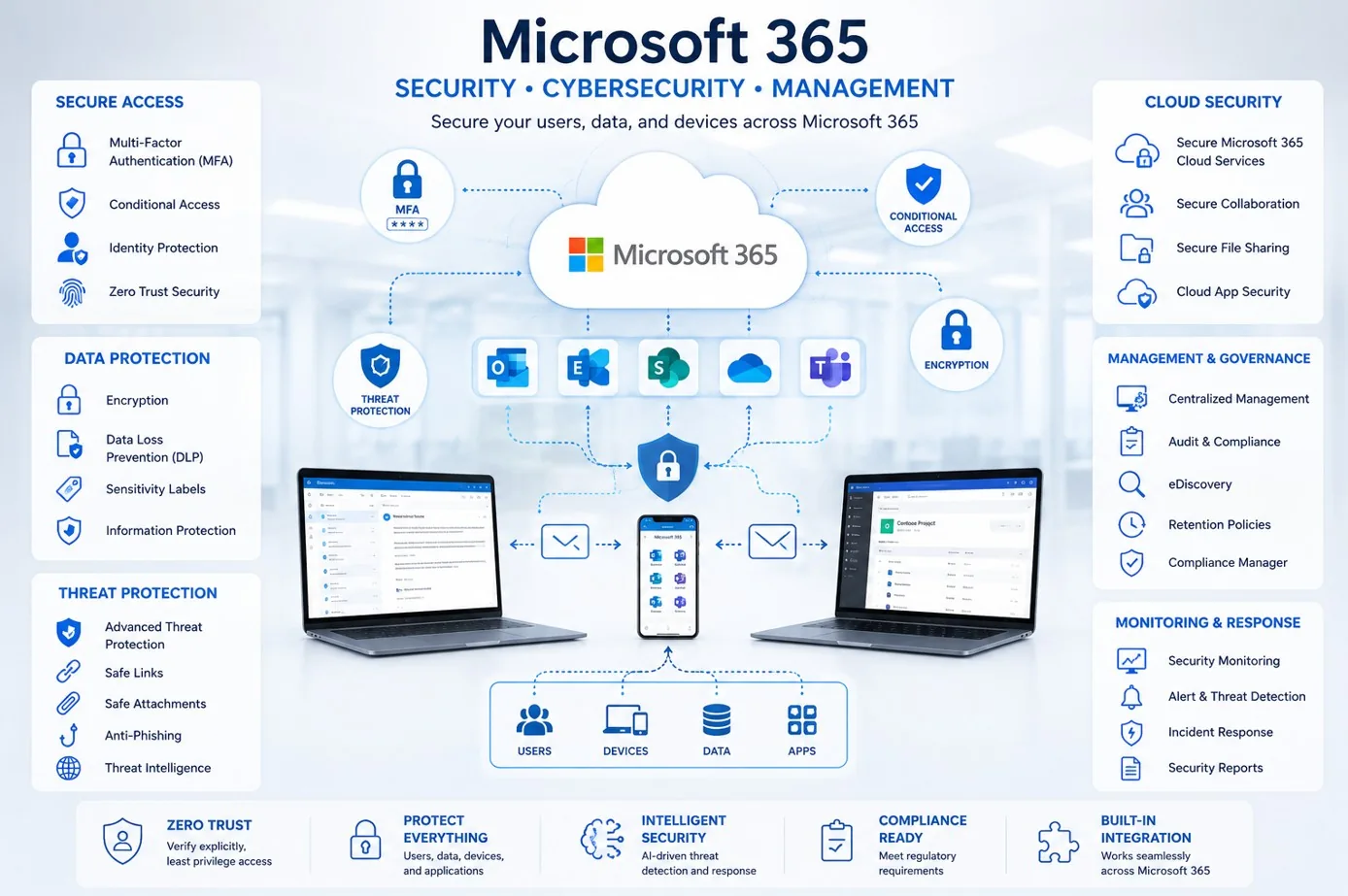
Understand how email, SharePoint sites, OneDrive files, Teams workspaces, retention, permissions, and business priorities affect backup planning.

Clarify backup scope, recovery expectations, reporting, restore testing, continuity needs, and practical recovery responsibilities.

Review mailbox, shared mailbox, archive, deleted item, retention, and restore expectations for business email recovery.
Retention Vs Backup
Microsoft 365 backup planning crosses email, files, Teams, user lifecycle, retention settings, third-party backup, reporting, ransomware recovery considerations, and restore testing. ITperfection helps translate those moving parts into a practical plan owners and IT teams can understand.
Workflow
Review Microsoft 365 services in use, including Exchange Online, SharePoint, OneDrive, Teams, retention settings, admin roles, and business-critical data.
Separate retention, recycle bin recovery, version history, archive settings, and true backup/restore expectations in clear business language.
Identify critical mailboxes, SharePoint sites, OneDrive data, Teams workspaces, legal needs, continuity needs, and acceptable recovery windows.
Document recommended backup scope, third-party backup options, reporting needs, restore roles, and recovery testing expectations.
Align Microsoft 365 backup planning with managed services, business continuity, security reviews, and compliance-readiness needs when appropriate.
Define practical restore test routines so the business can validate mailbox, file, folder, site, and Teams-related recovery expectations.
Deliverables
Deliverables are tailored to the size of the environment, the tools already in place, and whether ITperfection is supporting the business directly or working alongside an internal IT team.
Security And Compliance Handoff
Microsoft 365 backup planning supports security and continuity by reducing confusion around deletion, ransomware impact, recovery scope, and restore testing. ITperfection focuses on the managed IT side: practical planning, documentation, reporting, backup option review, and recovery expectations.
For deeper Microsoft 365 security audits, control reviews, compliance-readiness work, or vCISO advisory, ITperfection can coordinate with OC Security Audit.
Best Fit
Before And After
| Before | After |
|---|---|
| Microsoft 365 backup is assumed but not documented | Backup scope and gaps are documented |
| Retention and backup are treated as the same thing | Retention and backup roles are clearly explained |
| Restore expectations are unclear | Restore expectations are written down |
| Teams data locations are misunderstood | Teams, SharePoint, OneDrive, and Exchange data are mapped |
| Ransomware recovery assumptions are not tested | Recovery scenarios are reviewed realistically |
| Owners receive little backup reporting | Reporting and testing expectations are defined |
| Business continuity depends on guesswork | Continuity planning has clearer next steps |
Related Services
Southern California Service Area
ITperfection helps businesses plan Microsoft 365 backup strategies for Exchange Online, SharePoint, OneDrive, Teams, retention needs, third-party backup options, restore testing, backup reporting, and continuity planning across Southern California, Los Angeles County, and Orange County.
We support businesses in cities such as:
Free Tools
Use these free tools when they match your next step: IT Perfection tools for operational planning and documentation, and OC Security Audit tools for cybersecurity and compliance-readiness review.

Expert Consultant
Ali Hassani brings 25+ years of IT, Microsoft infrastructure, server, cloud, backup, continuity, and cybersecurity experience to help businesses plan Microsoft 365 recovery expectations in a practical way. ITperfection helps owners and IT teams keep Microsoft 365 backup planning organized, documented, and aligned with business needs.
For Microsoft 365 backup planning projects, Ali helps businesses connect Exchange Online, SharePoint, OneDrive, Teams, retention needs, third-party backup options, restore testing, reporting, ransomware recovery considerations, and continuity expectations into one practical operating model.
CISSP • CCISO • CCNP • MCSE • MCITP • Microsoft, Cisco, server, cloud, and network infrastructure experience







FAQ
Microsoft 365 includes availability, retention, recycle bin, versioning, and recovery features, but businesses still need to understand what is protected, for how long, how restores work, and whether a separate backup solution is appropriate.
Retention helps preserve or delete data based on policy, while backup usually refers to independent recovery copies with defined restore workflows. They can support different business, legal, and continuity goals.
Yes. ITperfection can review mailbox, shared mailbox, archive, deleted item, retention, and restore expectations so email recovery planning is clearer.
Yes. ITperfection can review SharePoint sites, libraries, permissions, OneDrive files, sync behavior, deletion risks, version history, and third-party backup options.
Teams data can involve chats, channels, files, meeting artifacts, Exchange, SharePoint, and OneDrive. ITperfection helps map these locations so backup and restore expectations are more realistic.
ITperfection can help define practical restore testing expectations and coordinate tests for mailboxes, folders, files, SharePoint libraries, OneDrive data, and business-critical recovery scenarios.
No. This page focuses on operational Microsoft 365 backup planning. For deeper Microsoft 365 security audits, compliance readiness, or risk assessment work, ITperfection can coordinate with OC Security Audit.
ITperfection serves businesses in Irvine, Orange County, Los Angeles County, Southern California, and remote-supported Microsoft 365 environments.
If Microsoft 365 backup assumptions are unclear, restore expectations are undocumented, or your team needs help comparing retention, recovery, and third-party backup options, ITperfection can help create a practical Microsoft 365 backup planning roadmap.
We use necessary cookies and limited analytics and advertising-measurement cookies. Select Accept to allow optional cookies or Deny to continue with necessary cookies only. No name or email is required. You may close this website at any time.
