
1Change Planning
Plan practical technology changes with scope, affected systems, owners, timing, dependencies, and expected business impact.
Plan technology updates with clearer maintenance windows, rollback plans, backup checks, user communication, approvals, documentation, and post-change validation so planned work does not turn into avoidable disruption.
Planned technology updates
Many IT problems begin with a good intention: update a firewall rule, patch a server, adjust Microsoft 365 settings, replace a device, modify a network, or coordinate a vendor change. Without planning, documentation, communication, backup checks, and validation, a routine change can become a business interruption.
ITperfection helps businesses in Irvine, Orange County, Los Angeles County, and Southern California plan and document technology changes so owners, users, internal IT, and vendors know what is changing and how success will be confirmed.
Common change problems
Services provided
Plan practical technology changes with scope, affected systems, owners, timing, dependencies, and expected business impact.
Define appropriate change windows, user impact, communication timing, and support coverage for planned updates or migrations.
Document rollback triggers, restoration steps, responsible parties, validation checks, and decision points before the change begins.
Review business risk, technical dependencies, user impact, vendor involvement, backup readiness, and security-sensitive configuration changes.
Create clear pre-change, during-change, and post-change communication notes for owners, managers, internal IT, and affected users.
Track requested changes, approvals, scheduled timing, change owner, business owner, and completion status.
Coordinate ISP, firewall, Microsoft, backup, software, VoIP, copier, and application vendors when changes cross provider boundaries.
Review backup status, recovery expectations, restore points, export options, and business continuity considerations before higher-risk work.
Document firewall rules, VPN changes, VLAN updates, routing adjustments, Wi-Fi changes, and network device updates.
Plan Microsoft 365 changes such as licensing, Exchange Online, SharePoint, OneDrive, Teams, Entra ID, MFA, and access updates.
Coordinate server patches, reboots, application dependencies, maintenance windows, validation checks, and owner communication.
Validate system availability, application function, network connectivity, user access, backup state, and unresolved issues after completion.
Maintain clear change logs showing what changed, when, who approved it, who performed it, test results, and follow-up items.
Planning visuals
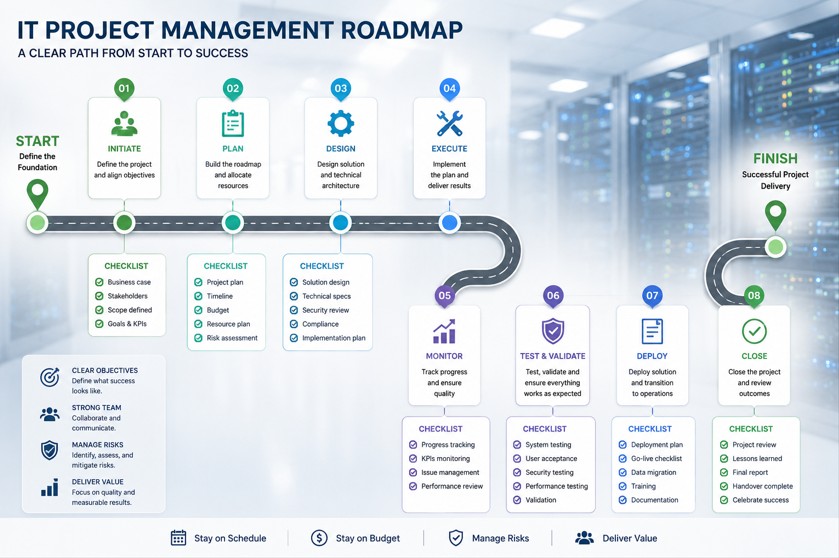
Define what is changing, when it will happen, who is involved, and what systems or users may be affected.
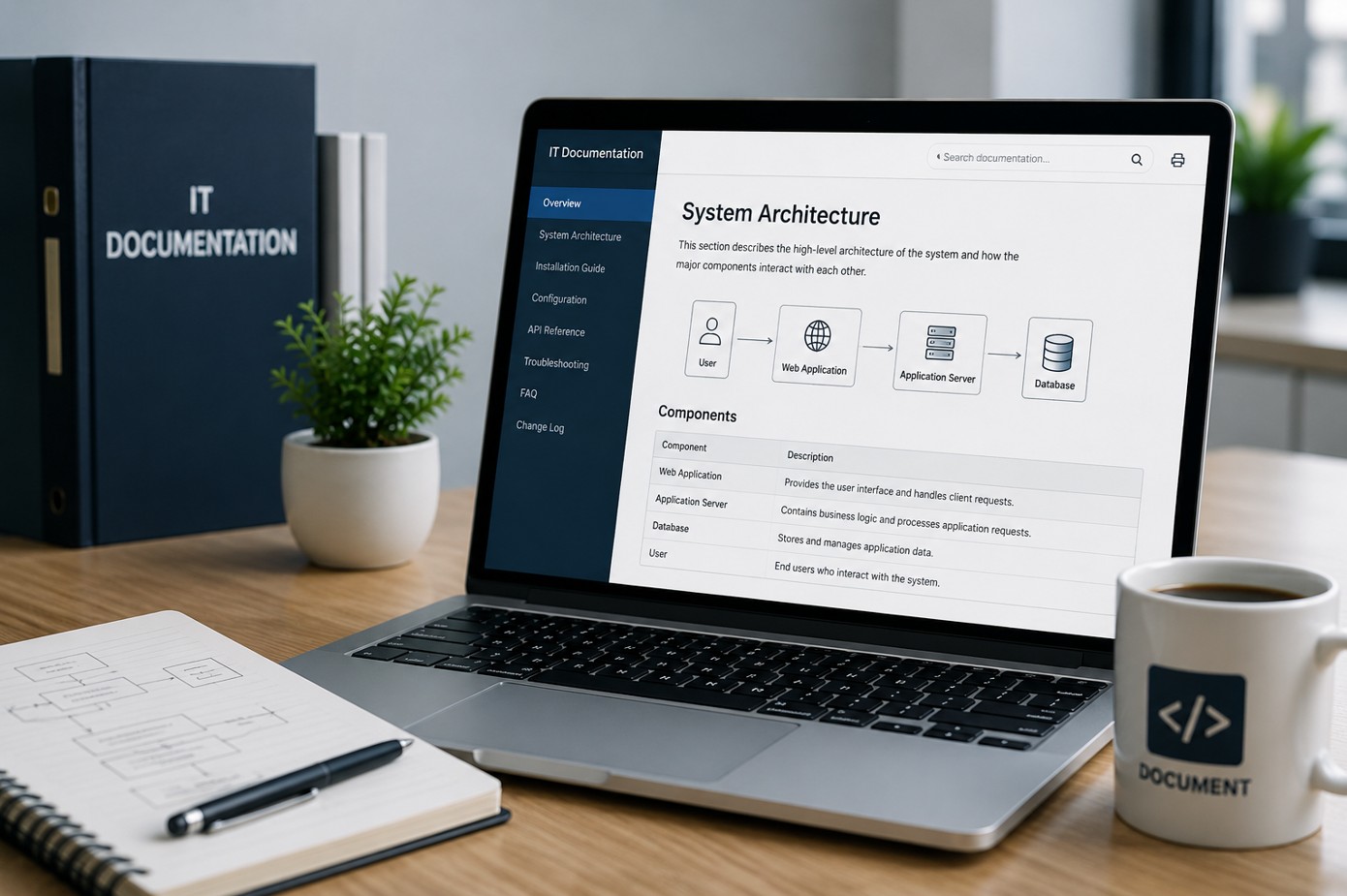
Record approvals, steps, technical notes, validation results, follow-up items, and owner summaries.
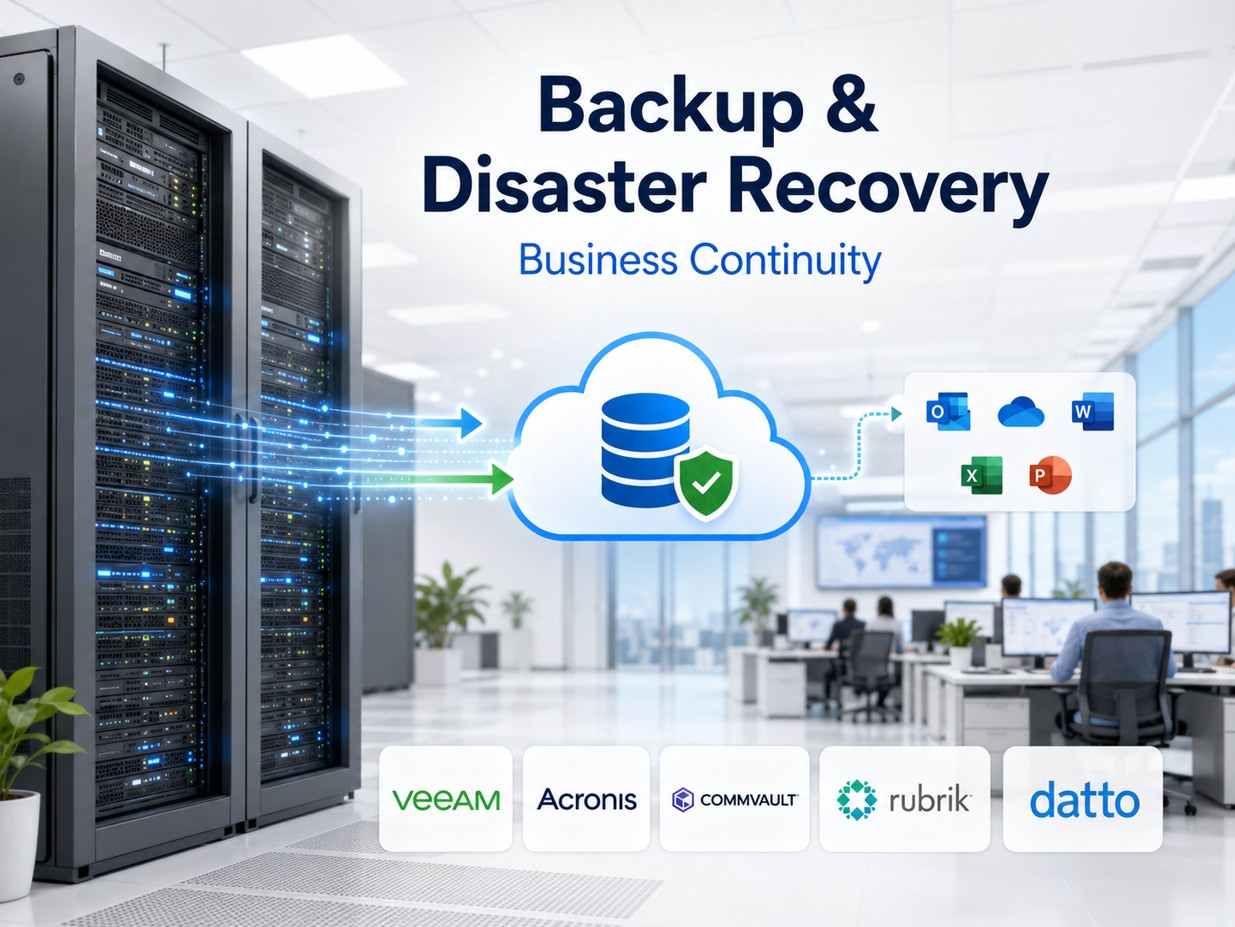
Review backup state and rollback expectations before higher-impact network, server, cloud, or application changes.
Workflow
Capture the change goal, affected systems, requester, business owner, desired timing, vendor involvement, and expected impact.
Assess risk, dependencies, backups, user impact, security-sensitive changes, and whether the maintenance window is appropriate.
Document steps, approvals, communication, rollback options, validation checks, and handoff responsibilities.
Notify affected users, owners, internal IT, vendors, and support contacts with practical timing and expectations.
Perform or coordinate the approved change during the scheduled window with attention to notes, timing, and escalation paths.
Confirm services, applications, user access, network connectivity, backups, logs, and business acceptance after the change.
Deliverables
Who this helps
Before and after
| Before ITperfection | After change management support |
|---|---|
| Changes happen without a clear plan | Changes follow a documented plan |
| Users are surprised by downtime | Users receive practical communication |
| Rollback steps are unclear | Rollback paths are defined before work starts |
| Backups are assumed but not checked | Backup readiness is reviewed |
| Vendor changes are hard to track | Vendor actions are coordinated and recorded |
| Post-change testing is inconsistent | Validation checks are documented |
| Owners lack change visibility | Owners receive a clear change summary |
Related services
Helpful tools
Service area
ITperfection supports planned technology updates, maintenance windows, vendor coordination, documentation, and validation across Southern California, Los Angeles County, and Orange County cities like Irvine, Long Beach, Anaheim, Pasadena, Torrance, Costa Mesa, Mission Viejo.

Expert consultant
Ali Hassani brings 25+ years of IT, cybersecurity, Microsoft, server, cloud, firewall, network, backup, and infrastructure operations experience to help businesses plan technology changes with less confusion and better documentation.
For change management, Ali helps connect practical operations with risk review: maintenance windows, rollback paths, backup readiness, firewall/network changes, Microsoft 365 updates, server coordination, vendor communication, and post-change validation.







FAQ
IT change management services help businesses plan, document, communicate, approve, execute, and validate technology changes so updates are less disruptive and easier to support.
Unmanaged changes can cause outages, broken applications, user disruption, confusion, vendor finger-pointing, and incomplete rollback options. Practical change planning reduces avoidable disruption.
Yes. ITperfection can help define maintenance windows, user impact, communication timing, support coverage, rollback steps, and post-change validation checks.
Yes. ITperfection can help document rollback triggers, restore steps, responsible parties, validation checks, and decision points before work begins.
Yes. ITperfection can help plan and document firewall, VPN, network, Microsoft 365, server, backup, and user-impacting changes.
Yes. ITperfection can coordinate ISPs, Microsoft, firewall providers, backup vendors, software vendors, VoIP vendors, and other providers involved in planned changes.
No. IT project management covers broader scope, milestones, and project delivery. IT change management focuses on specific planned changes, approvals, communication, rollback planning, and validation.
ITperfection serves businesses in Irvine, Orange County, Los Angeles County, Southern California, and remote-supported business environments.
ITperfection can help your business plan maintenance windows, document rollback steps, coordinate vendors, communicate impact, and validate changes after the work is complete.
We use necessary cookies and limited analytics and advertising-measurement cookies. Select Accept to allow optional cookies or Deny to continue with necessary cookies only. No name or email is required. You may close this website at any time.
