
Managed workstation zone
Permit access to approved business applications, DNS, time, printing, and internet services. Block direct management access to network infrastructure and unnecessary peer-to-peer traffic.
IT Operations & Cybersecurity Encyclopedia
A defensible network baseline is more than antivirus and a firewall. It connects identity, internet edge, Wi-Fi, endpoints, email, backups, logging, vendor access, and recovery into controls that can be owned, tested, and improved.
What a useful baseline should achieve
Small businesses often have limited IT staffing, mixed cloud and on-premises systems, and vendors with remote access. The practical goal is to reduce the likelihood and business impact of account takeover, ransomware, data exposure, unauthorized network access, and prolonged outage.
Maintain a current inventory of users, devices, network equipment, cloud services, owners, and critical data flows.
Require strong multifactor authentication, separate admin use, rapid offboarding, and controlled vendor access.
Separate guest, user, server, voice, printer, camera, and management traffic according to actual business need.
Monitor backup jobs, protect backup administration, keep isolated copies, and perform scheduled restore tests.
Framework alignment: The NIST Cybersecurity Framework 2.0 Small Business Quick-Start Guide organizes outcomes under Govern, Identify, Protect, Detect, Respond, and Recover. CIS Implementation Group 1 provides a prioritized essential-cyber-hygiene starting point. Neither framework should be copied blindly; select controls based on the organization’s systems, legal duties, threat exposure, and recovery needs.
Start with the environment
A useful map identifies trust boundaries and operational dependencies, not just boxes and cables. Record the internet service handoff, firewall, switches, wireless access points, VPN, remote-management paths, cloud identity, DNS and DHCP services, critical applications, backup paths, and any connection to vendors or building systems.
For each networked asset, capture the business owner, technical owner, device role, physical or virtual location, management method, firmware or operating system, support status, criticality, and expected network zone. Reconcile the inventory against DHCP leases, managed-switch tables, firewall observations, wireless controller data, endpoint management, cloud consoles, and physical walkthroughs.
Failure condition: If an unknown device, unmanaged switch, forgotten wireless bridge, direct internet exposure, or unsupported firewall cannot be explained and assigned to an owner, the environment is not ready to be considered baselined.
Prioritized control baseline
Assign every control an owner, evidence source, due date, and exception process. A setting that exists but is not monitored, tested, or reviewed is an assumption rather than an operating control.
| Control area | Baseline action | Evidence to retain | Failure criteria |
|---|---|---|---|
| Identity and MFA | Require phishing-resistant MFA where supported, protect all administrative and remote access, remove stale accounts, and block legacy authentication that bypasses modern controls. | Identity-provider policy export, MFA registration coverage, admin-role list, sign-in logs, break-glass procedure, and quarterly access review. | Privileged or remote-capable accounts can authenticate with only a password; shared accounts lack ownership; terminated users remain active. |
| Administrative access | Use separate named admin accounts, least privilege, protected admin workstations or approved management devices, and a restricted management network. | Role assignments, local-admin inventory, privileged group membership, management ACLs, and session or change logs. | Daily email or web browsing occurs from an admin account; device management is reachable from guest or ordinary user networks. |
| Internet edge and VPN | Remove unnecessary inbound rules, disable WAN administration, require MFA for VPN, restrict source ranges where practical, update firmware, and back up the configuration after approved changes. | Rule review, NAT and published-service list, VPN policy, firmware version, configuration checksum, support entitlement, and external exposure test. | Remote desktop is directly exposed; unused rules remain enabled; default credentials or unsupported firmware are present; no tested configuration backup exists. |
| Secure Wi-Fi | Use WPA3 or WPA2-Enterprise when feasible, unique managed credentials where enterprise authentication is not available, client isolation for guests, protected management, and a documented rotation process. | SSID inventory, authentication settings, RADIUS or identity policy, AP firmware, guest-isolation test, and coverage or rogue-AP review. | Business and guest users share the same trust zone; WPS is enabled; a default admin password remains; former staff retain a shared key indefinitely. |
| Endpoints and servers | Deploy centrally managed endpoint detection or antivirus, enforce supported operating systems, patch browsers and third-party applications, enable disk encryption, and restrict local admin. | Management-console coverage, encryption report, patch compliance, vulnerability exceptions, tamper-protection status, and isolation test record. | Devices are missing from management, security agents are unhealthy, critical patches exceed the approved window, or local administrator access is unreviewed. |
| Email and cloud | Protect sign-ins, configure anti-phishing and impersonation controls, establish SPF, DKIM, and DMARC, restrict automatic forwarding, and review risky application consent. | Email-authentication records, protection-policy export, forwarding report, OAuth application inventory, phishing-report workflow, and sign-in alerts. | Domains can be spoofed without monitoring, mailboxes forward externally without approval, or users can approve high-risk apps without governance. |
| Backups and recovery | Define recovery objectives, protect backup administration with separate credentials and MFA, maintain isolated or immutable copies where supported, monitor failures, and test representative restores. | Job history, coverage list, retention policy, restore-test results, recovery timing, encryption and immutability settings, and exception log. | A critical workload is not covered, failed jobs are not escalated, backup credentials match production admin credentials, or no restore has been proven. |
| Logging and alerting | Collect identity, firewall, VPN, endpoint, server, backup, and critical cloud logs; synchronize time; protect retention; and route actionable alerts to an accountable owner. | Log-source inventory, retention settings, alert routing, time-source configuration, sample event correlation, and monthly coverage review. | Logs cannot identify who, what, when, source, and outcome; alerts go to an unmonitored mailbox; timestamps cannot be correlated. |
Network segmentation
Segmentation does not need to be complicated, but it must be intentional. Use VLANs or equivalent logical zones, route traffic through a policy enforcement point, and document allowed source, destination, service, owner, and business justification. A VLAN without enforced inter-zone policy is only a broadcast boundary.
Permit access to approved business applications, DNS, time, printing, and internet services. Block direct management access to network infrastructure and unnecessary peer-to-peer traffic.
Limit firewall, switch, wireless, server, hypervisor, and backup administration to approved management devices and named administrators. Log every change path.
Provide internet-only access with client isolation. Prevent reachability to private address space, internal DNS, printers, cameras, management interfaces, and business applications.
Restrict outbound destinations and management sources. Do not assume an embedded device needs open access to the user LAN or unrestricted internet connectivity.
Allow only documented application flows. Separate database, application, backup, and administration traffic when risk and platform capability justify it.
Use a dedicated voice zone where supported, limit access to call-management, provisioning, time, and required provider services, and prevent phones from becoming a path to sensitive systems.
Technical checks: Review VLAN membership, trunk allowed lists, native VLAN use, DHCP scopes, inter-zone ACL or firewall rules, unused switch ports, switch-management protocols, and wireless-to-wired isolation. Use SSH and HTTPS rather than insecure management protocols; use SNMPv3 when device monitoring supports it. Features such as 802.1X, RADIUS, TACACS+, DHCP snooping, dynamic ARP inspection, and port security should be considered based on platform support, operational maturity, and documented recovery procedures.
Verification, not assumption
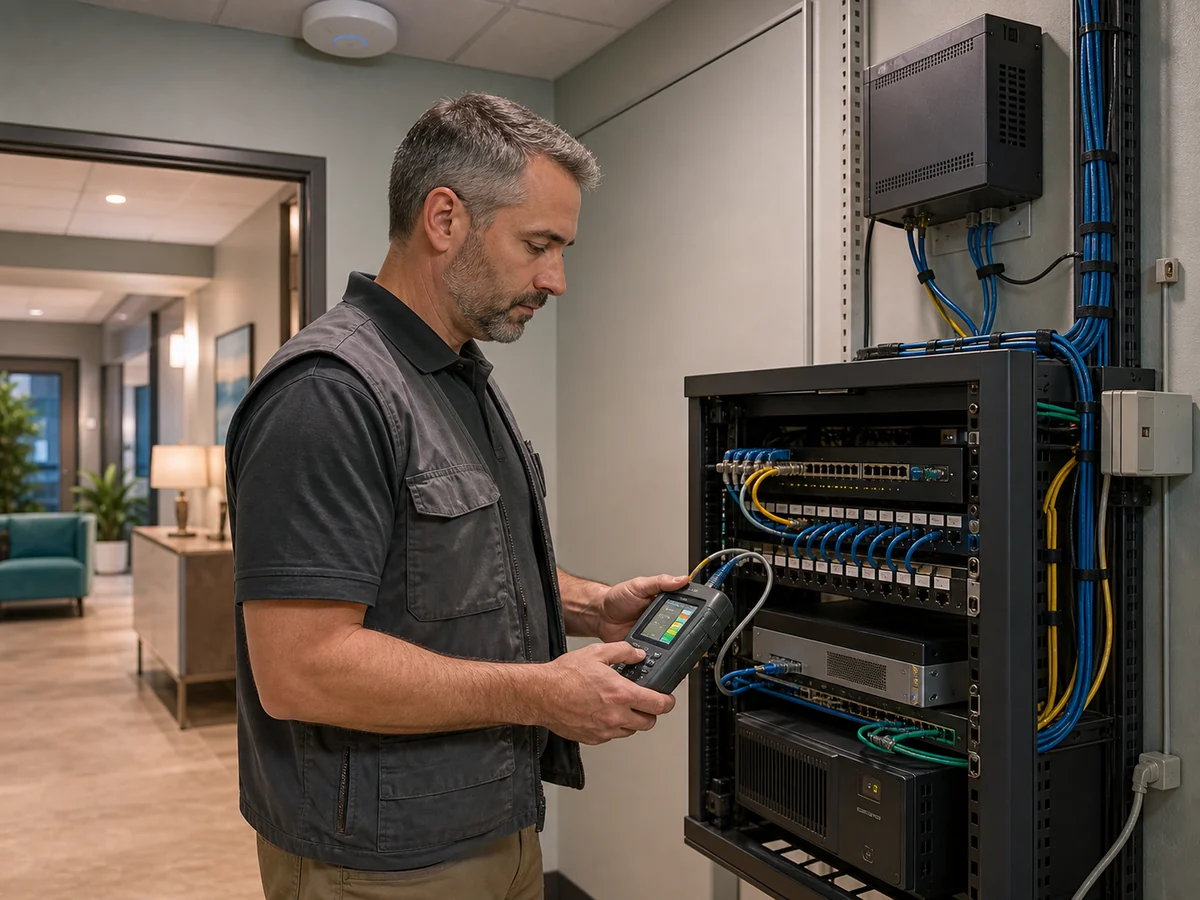
Collect a dated configuration export before testing. Define the expected result, maintenance window, rollback command or file, responsible engineer, and stop condition. Avoid disruptive scans or failover tests during business hours unless the owner accepts the operational risk.
A practical implementation sequence
Name an executive sponsor, technical owner, service providers, escalation path, and decision authority. Record critical systems and maximum acceptable outage.
Reconcile logical records with physical observation and management data. Document trust zones, remote access, vendors, cloud dependencies, and unsupported technology.
Protect privileged access, remove direct remote desktop exposure, change defaults, update perimeter devices, disable stale accounts, and address failing backups.
Separate guests, managed users, administration, embedded devices, servers, and voice. Permit only documented flows and preserve a rollback configuration.
Collect identity, firewall, VPN, endpoint, backup, and critical cloud events. Synchronize time and send actionable alerts to an accountable team.
Test restoration, firewall configuration recovery, internet failover where applicable, emergency identities, and incident communications.
Document business justification, risk owner, compensating controls, expiration date, and revalidation date for every unresolved gap.
Repeat evidence collection on a defined cadence and after material changes. Compare current state with the approved baseline and investigate unexplained differences.
Incident readiness
A short, tested response plan is more valuable than a long document nobody can use. Keep an offline or independently accessible copy of essential contacts, system priorities, insurance instructions, and recovery references.
Record the reporter, time, device, user, symptoms, and recent changes. Isolate affected endpoints or network segments through approved methods. Do not erase logs or power off systems reflexively when preservation matters.
Disable or restrict compromised accounts, revoke sessions and tokens, preserve sign-in evidence, protect emergency administration, and reset credentials from a known-clean device.
Engage the incident lead, IT provider, legal counsel, insurance contact, privacy or compliance owner, and law enforcement when appropriate. Follow policy for notification decisions.
Identify the initial access path, persistence, affected systems, malicious changes, and untrusted credentials. Rebuild or remediate from known-good sources rather than restoring into an unsafe environment.
Restore according to business priority, validate security controls, monitor for recurrence, communicate status, and document deviations from recovery objectives.
Track lessons, owners, due dates, evidence, and residual risk. Update the network map, access rules, alerting, backups, vendor controls, and response plan.
Evidence and recurring review
| Artifact | Source system | Owner | What the record should show | Review cadence |
|---|---|---|---|---|
| Asset and network inventory | Endpoint management, DHCP, switches, firewall, wireless platform, cloud directories, physical walkthrough | IT operations | Expected assets, owner, role, zone, support state, last observed date, and unexplained differences | Monthly and after material change |
| Firewall and segmentation review | Firewall manager, switch configuration, wireless controller | Network owner | Approved rules, source, destination, service, justification, expiration, admin path, and test result | Quarterly and after rule changes |
| Identity access review | Microsoft 365 or identity provider, VPN, critical SaaS, local administration | System owner and management | Active users, privileged roles, MFA coverage, guests, stale identities, exceptions, and offboarding | Quarterly; privileged access more often |
| Patch and vulnerability record | Endpoint manager, vulnerability scanner, vendor portals | IT operations | Coverage, critical findings, remediation window, failed deployments, risk acceptance, and revalidation | Monthly or risk-driven |
| Backup and restore evidence | Backup platform and restore-test worksheet | Backup owner and business owner | Protected systems, failures, retention, isolated copy, restore sample, elapsed time, integrity, and corrective action | Daily monitoring; scheduled restore tests |
| Incident and alert testing | Identity, firewall, endpoint, email, backup, and ticketing systems | Security or IT lead | Test event, timestamp, recipient, escalation, response time, decision, and any missing telemetry | Quarterly and after tool changes |
Exception record: For any control that cannot be implemented, document the affected asset, risk scenario, business reason, approving risk owner, compensating controls, start date, expiration date, and revalidation requirement. An open-ended exception with no owner is an unmanaged risk.
Related IT Perfection guidance
Use the Small Business Network Architecture Guide to plan topology and trust zones. Pair it with the Backup Strategy for Business Networks to define coverage and recovery evidence.
IT Perfection can support network infrastructure management, managed IT services, patching, endpoint operations, Microsoft 365 support, monitoring, and backup operations for Orange County and Southern California businesses.
Practical support from an experienced IT and security leader
Created by Ali Hassani, CISO, with 25+ years of IT, cybersecurity, compliance, Microsoft infrastructure, network security, cloud, healthcare IT, and MSP experience. The objective is a network that business leaders can understand and technical teams can operate.
This guide is for initial education and planning. It does not replace a professional cybersecurity audit, compliance assessment, penetration test, legal or regulatory review, incident response engagement, or vendor engineering guidance.
IT Perfection can help document the environment, prioritize practical controls, implement approved changes, verify outcomes, and establish recurring operational review.
For an independent cybersecurity risk assessment, visit OC Security Audit.
Frequently asked questions
Start with the controls that reduce the most common and damaging paths: multifactor authentication for email, cloud, administrators, and remote access; supported and patched systems; centrally managed endpoint protection; tested backups; removal of direct remote desktop exposure; secure Wi-Fi; and clear incident contacts. Priorities should still reflect the business’s critical systems, data, and contractual obligations.
No. A firewall is one policy enforcement point. Security also depends on identity, endpoints, email, Wi-Fi, configuration management, segmentation, logging, backups, vendor access, user behavior, and response capability. The firewall itself must be updated, backed up, reviewed, and administered through a protected path.
Guest traffic should be isolated from business systems and from other guests. A separate VLAN or equivalent guest zone is a common method, but the key requirement is enforced routing and firewall policy. Test from a guest device that private networks, printers, management interfaces, and business applications are unreachable.
They need enough protected, time-synchronized logging to investigate important events and act on alerts. Start with identity, firewall, VPN, endpoint, backup, email, and critical cloud systems. Retention and tooling should match business risk and response capability; collecting logs with nobody assigned to review them does not create a useful control.
Review them after relevant changes and on a recurring schedule. Quarterly is a practical starting point for many small businesses, while privileged access, internet exposure, and high-change environments may require more frequent review. Remove obsolete rules and accounts, record business justification, and re-test the resulting access.
Perform scheduled restores of representative files, applications, or systems to an isolated or approved recovery location. Record the selected backup, restore steps, elapsed time, integrity checks, access controls, problems, and corrective actions. Compare the result with the organization’s recovery-time and recovery-point expectations.
We use necessary cookies and limited analytics and advertising-measurement cookies. Select Accept to allow optional cookies or Deny to continue with necessary cookies only. No name or email is required. You may close this website at any time.
