Cybersecurity engineer and aerospace maintenance lead reviewing email protection test results on a rugged tablet in a working aircraft hangar

IT Operations & Cybersecurity Encyclopedia

Email Security Stack Evaluation Guide

Choose and validate email protection through requirements, architecture, controlled testing, operational evidence, total cost, and a reversible rollout—not a feature-counting exercise or a vendor demonstration.

Microsoft 365 mail flow SEG and API security SPF, DKIM, and DMARC Pilot acceptance tests

Start with the decision

Define the business outcome before comparing products

An email security evaluation should answer whether a proposed stack reduces the organization’s specific exposure without creating unacceptable mail-flow, privacy, support, or business-continuity risk.

Begin with the threats and operating conditions that matter to the organization: supplier impersonation, invoice fraud, credential phishing, malicious links and attachments, QR-code phishing, internal account takeover, outbound data loss, regulated information, shared mailboxes, executives, field users, automated senders, and hybrid or multi-domain mail flow.

Then translate those concerns into testable requirements. “Better phishing protection” is not testable. “Detect the approved safe phishing simulations, preserve original sender evidence, route user reports into the incident queue, and remove the test message from affected mailboxes within the organization’s approved response target” is testable.

Decision rule: A product should not win because it has the longest feature list. It should win only when the complete architecture, control coverage, evidence, support model, cost, and exit plan fit the organization.

Architecture choices

Compare where inspection and remediation actually occur

Native cloud controls, secure email gateways, API-connected products, and hybrid designs protect different stages of the message lifecycle. Document the control path before judging effectiveness.

ArchitectureWhere it worksPotential strengthsEvaluation questions
Native cloud protectionInside Microsoft 365, Google Workspace, or another hosted mail platform.Integrated identity, message trace, policy, investigation, and licensing ecosystem.Which features are licensed? Which default, Standard, or Strict policies apply? Are detection, response, and evidence sufficient for the risk profile?
Pre-delivery secure email gatewayIn the SMTP path, commonly through MX records and inbound or outbound connectors.Inspection before delivery, centralized transport control, and separation from the mailbox platform.Is original sender identity preserved? Are connectors restricted? Are bypass rules weakening native protection? What happens during gateway failure?
API or post-delivery securityThrough cloud application APIs after or around message delivery.Mailbox context, internal-message analysis, retrospective detection, and post-delivery removal.What application permissions are required? How quickly are messages inspected and removed? Which API limits, outages, and audit records apply?
Layered or hybrid designAcross gateway, native platform, API product, identity controls, DLP, archive, and SIEM.Broader coverage when responsibilities are explicit and overlapping controls are tested.Where are duplicate actions, URL rewrites, quarantines, or alerts created? Which layer is authoritative? Can analysts reconstruct a message end to end?
Outbound data protectionTransport rules, DLP, encryption, archive, journaling, or secure-message services.Protection of sensitive outbound content and evidence for regulated workflows.Are policy tips, overrides, encryption, retention, legal hold, and false-positive review included in the same operating model?

For a focused architecture comparison, see the secure email gateway vs. API email security guide.

Requirements model

Evaluate seven domains as one operating system

1. Threat coverage

Test impersonation, business email compromise, malicious URLs, weaponized attachments, spoofing, lookalike domains, QR phishing, graymail, internal threats, and post-delivery campaigns. Record what is prevented, detected, remediated, or merely reported.

2. Mail-flow integrity

Map MX records, connectors, accepted domains, transport rules, hybrid routes, outbound relays, journaling, third-party senders, and fail-open or fail-closed behavior. Hidden paths can invalidate otherwise strong controls.

3. Identity and account takeover

Review administrator roles, phishing-resistant authentication, risky sign-in signals, impossible travel, mailbox rules, forwarding, OAuth consent, application permissions, session response, and privileged access.

4. Investigation and response

Validate user reporting, triage ownership, message trace, alert fidelity, search and purge, automated investigation, evidence preservation, ticket integration, escalation, and closure reasons.

5. Data protection and governance

Include DLP, encryption, sensitivity labels, retention, archive, eDiscovery, legal hold, data residency, privacy, administrator access, exceptions, and approved business overrides.

6. Operations and resilience

Measure tuning effort, quarantine workload, support responsiveness, change control, policy drift, log export, API reliability, backup procedures, outage handling, monitoring, and administrator training.

User experience is the seventh domain. Test message delivery, warning clarity, quarantine release, safe-sender workflows, mobile behavior, accessibility, delegated mailbox use, help-desk demand, and business-critical exceptions. Security that users cannot understand or operations cannot support will be bypassed.

Microsoft 365 dependency review

Do not evaluate a third-party layer in isolation

Preset policies and drift

Compare Exchange Online Protection and Defender for Office 365 settings with Microsoft’s Standard and Strict recommendations. Microsoft’s Configuration Analyzer can identify differences and review configuration drift; use it as evidence, not as an automatic substitute for risk-based design.

Connector source identity

When a third-party service fronts Microsoft 365, Enhanced Filtering for Connectors can preserve the original source for filtering and authentication. Review connector scope carefully and remove obsolete SCL bypass rules after the new path is validated.

Coexistence and URL handling

During migration, overlapping link rewriting, quarantine, and safe-attachment actions may confuse users or interfere with investigation. Microsoft specifically warns that double URL wrapping is unsupported, so test coexistence before broad deployment.

Authentication and sending inventory

Build an authoritative inventory of applications, marketing platforms, multifunction devices, ticketing systems, partner relays, and cloud services that send as the organization. Align SPF and DKIM before moving DMARC from monitoring toward enforcement.

Use the NIST Trustworthy Email guidance and the relevant SPF, DKIM, and DMARC specifications when engineering the domain-control layer.

DLP and regulated workflows

Confirm whether DLP conditions, user policy tips, business justification, overrides, encryption, and incident records are tested with representative information types and legitimate workflows. A tool that blocks obvious test data but disrupts approved operations has not passed the evaluation.

Use the related email DLP controls guide to deepen the outbound-data review.

Weighted decision model

Score evidence—not presentation quality

Set weights and disqualifiers before demonstrations begin. Rate each requirement from 0 to 5, multiply the rating by its approved weight, and attach evidence for every score. The example below is a starting model, not a universal prescription.

Decision domainExample weightRequired evidence
Threat prevention and detection25%Scenario results, policy exports, detections, misses, and false positives.
Mail flow and architecture15%Validated routing diagram, DNS, connectors, bypass review, and failure behavior.
Investigation and remediation15%User report, search, purge, automation, audit trail, and response timeline.
Identity and permissions10%Role matrix, API consent, privileged access, sign-in controls, and logs.
Data protection and governance10%DLP, encryption, retention, eDiscovery, privacy, and exception evidence.
Operations and integrations10%SIEM, ticketing, tuning, monitoring, support, and administrator workflow.
User experience5%Delivery, warnings, quarantine, mobile, accessibility, and support feedback.
Commercial, support, and exit10%TCO, contract, SLA, export, offboarding, rollback, and portability terms.
100%

Use a normalized score

For each requirement: (rating ÷ 5) × weight. Add the weighted values only after every mandatory requirement has evidence and every disqualifier has been reviewed.

Example disqualifiers

  • Unacceptable message loss, routing instability, or recovery behavior.
  • Required permissions exceed the approved security or privacy model.
  • Insufficient audit logs, evidence export, data residency, or retention.
  • No workable response to a vendor outage or Microsoft 365 service change.
  • Unacceptable contract, support, data-return, or deletion terms.
  • Failure of a regulatory, legal, or business-critical requirement.

Controlled pilot

Turn the evaluation into repeatable acceptance tests

A useful pilot has a protected test plan, representative users, known-good business mail, approved safe simulations, documented baseline measurements, change records, and a rollback procedure. Never introduce uncontrolled malicious content into production.

  1. Establish the baseline. Record mail flow, delivery latency, native policies, connectors, DNS, user reporting, alert volumes, false positives, response time, and help-desk demand.
  2. Select the cohort. Include executives, finance, operations, mobile users, shared mailboxes, high-volume senders, delegated access, and a small control group without the candidate layer.
  3. Stage safely. Begin with audit or detection-only behavior where supported, then move to quarantine or blocking only after evidence is reviewed and rollback is ready.
  4. Exercise defined scenarios. Use authorized simulations for phishing, impersonation, links, attachments, user reporting, internal-message detection, outbound DLP, quarantine, and post-delivery removal.
  5. Test failure conditions. Validate gateway unavailability, API delay, connector failure, vendor escalation, mail backlog, emergency bypass governance, and restoration to the known-good path.
  6. Close with a decision record. Attach results, unresolved risks, exception owners, licensing, implementation tasks, and the approved go, no-go, or revise decision.
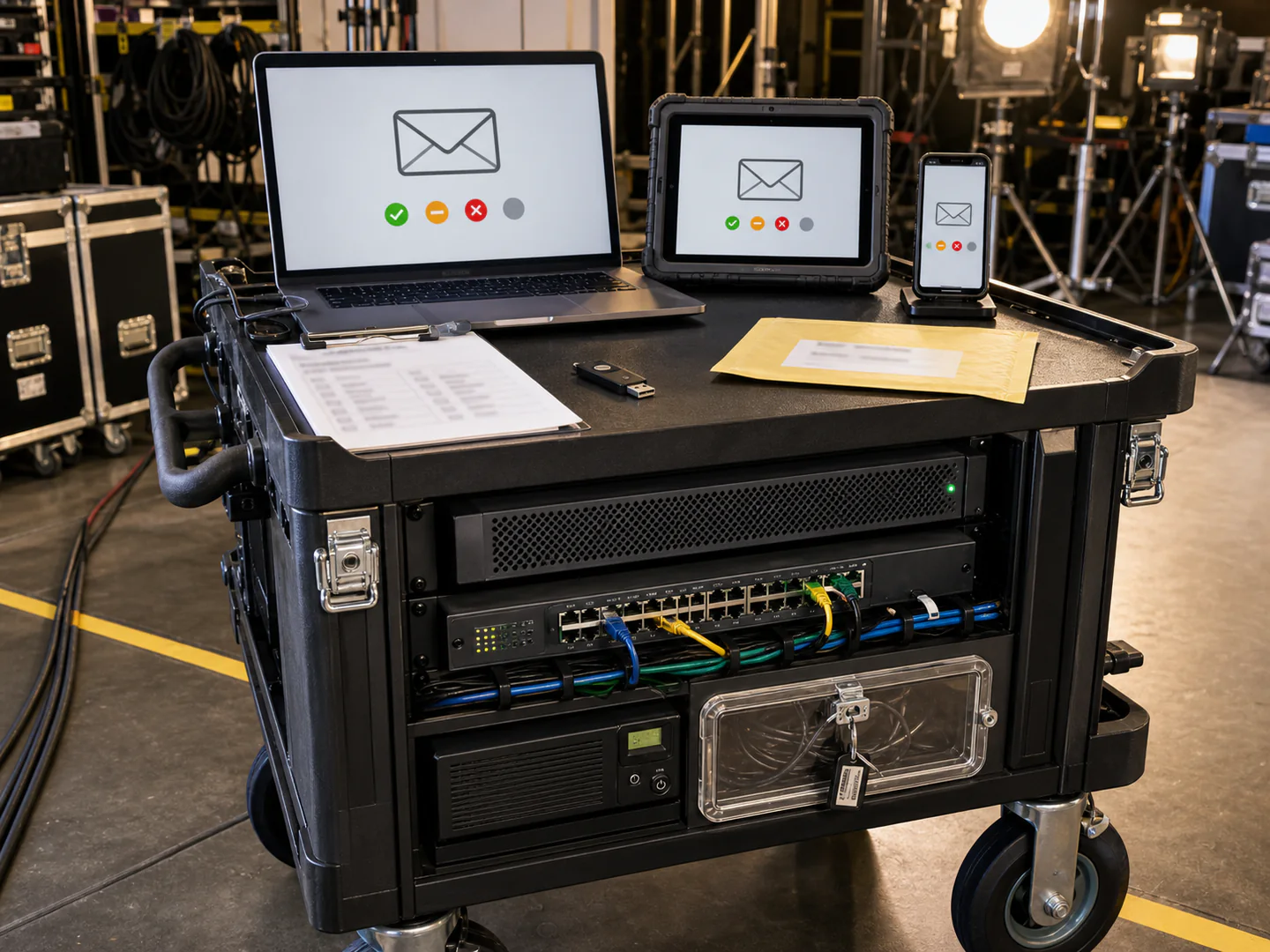
Portable production communications cart with network switch, security hardware, laptop, rugged tablet, and phone displaying email test status symbols
A portable production communications stack illustrates why email controls must be tested across real devices, network paths, operational constraints, and recovery procedures—not only inside an administrator portal.

Acceptance measurements

Set thresholds before results are visible

Protection outcomes

Scenario detected, blocked, quarantined, warned, or missed; message stage; policy responsible; and analyst-verifiable reason.

Mail reliability

Delivery latency versus baseline, queue behavior, rejected legitimate mail, duplicate action, routing accuracy, and recovery after failure.

Response performance

Time to receive a user report, create a case, identify recipients, remove the test message, notify stakeholders, and preserve evidence.

Operational burden

False positives, quarantine releases, tuning changes, help-desk contacts, analyst minutes, vendor escalations, and unresolved alerts.

Avoid vendor-controlled success criteria. The customer should own the scenario list, expected result, sampling method, measurement window, pass threshold, exception process, and raw evidence. A polished dashboard is not evidence unless the underlying messages, logs, policies, and actions can be independently reconciled.

Operating model

Confirm who will run the stack after the pilot

Policy ownership

Name owners for anti-phishing, anti-spam, malware, URL and attachment controls, DLP, encryption, quarantine, connectors, exceptions, and domain authentication. Define who can approve high-risk changes.

Triage and incident response

Map alerts and user reports to monitored queues, severity rules, on-call coverage, mailbox investigation, search and purge, identity containment, endpoint review, communications, and evidence retention.

Change and exception control

Require a business owner, technical justification, least scope, compensating controls, expiration date, test evidence, and review date for every allow entry, bypass, transport exception, or sender override.

Logging and integration

Confirm message, detection, admin, API, authentication, quarantine, and remediation logs reach the approved SIEM or archive with the required fields, timestamps, retention, and access controls.

Service and support

Test support intake, severity handling, escalation contacts, response targets, service-health notifications, maintenance notices, release notes, and the customer’s ability to diagnose a mail-flow incident without waiting on a vendor.

Continuous validation

Schedule configuration review, drift analysis, safe scenario testing, DMARC report review, exception recertification, administrator access review, tabletop exercises, and executive reporting.

Microsoft-specific evidence: Use Configuration Analyzer, Automated Investigation and Response guidance, and CISA ScubaGear where applicable. Review tool output against the approved risk decision rather than applying changes blindly.

Commercial and lifecycle review

Calculate total operating cost and the cost of leaving

License price is only one line. Include deployment engineering, DNS and connector work, administrator training, user communication, policy tuning, incident-response integration, SIEM ingestion, archive or retention, premium support, professional services, renewal increases, additional domains, service accounts, and ongoing analyst time.

Model the exit before signing. Determine how to export policies, allow and block entries, detections, cases, message evidence, audit records, configuration history, and reports. Confirm data-return format, deletion certification, API availability, retention after termination, and assistance available during offboarding.

Exit test: The organization should be able to restore a known-good mail path, remove connectors and application consent safely, undo URL rewriting, update MX and DNS records under change control, retain required evidence, and confirm that no vendor access or data remains beyond the approved period.

Eight-step evaluation runbook

Move from requirements to an implementation-ready decision

1

Authorize the evaluation

Define sponsor, scope, systems, data, pilot users, decision rights, constraints, maintenance windows, and risk-acceptance authority.

2

Map the current state

Export mail flow, DNS, connectors, native policies, transport rules, admin roles, senders, logs, alerts, integrations, and exceptions.

3

Approve criteria

Set must-haves, weights, disqualifiers, scenarios, success thresholds, evidence requirements, commercial assumptions, and exit conditions.

4

Design the pilot

Create the cohort, control group, safe simulations, baseline, staged enforcement, support plan, rollback steps, and change tickets.

5

Validate integration

Test identity, API consent, mail routing, source preservation, URL handling, DLP, SIEM, ticketing, quarantine, and user reporting.

6

Run and reconcile

Execute approved scenarios, collect raw evidence, reconcile dashboards with message and audit records, and document every miss or disruption.

7

Decide and approve

Score results, review disqualifiers, model TCO, confirm contract and exit terms, document residual risk, and obtain accountable approval.

8

Hand off operations

Deliver the architecture, policies, runbooks, escalation path, training, evidence map, metrics, review cadence, rollout waves, and rollback plan.

Decision record

Retain evidence that another qualified reviewer can reproduce

Evidence setMinimum contentsOwner and review use
Current-state architectureDomains, MX, SPF, DKIM, DMARC, connectors, gateways, hybrid paths, outbound services, journaling, archive, DLP, and bypasses.Messaging owner; confirms scope and supports failback.
Configuration baselineNative and candidate policies, exclusions, role assignments, API consent, transport rules, quarantine, alert routing, and change records.Security and messaging owners; supports comparison and drift review.
Pilot scenario ledgerScenario ID, source, recipient cohort, expected result, actual result, timestamps, message IDs, policy action, screenshots, logs, and reviewer.Pilot lead; proves repeatability and prevents selective reporting.
Operational resultsFalse positives, missed tests, delivery impact, user reports, triage time, remediation time, help-desk volume, tuning changes, and escalations.Operations owner; estimates sustainable workload and risk.
Commercial recordQuote, license assumptions, implementation effort, support tier, renewal terms, data terms, TCO model, and exit obligations.Business sponsor and procurement; supports lifecycle decision.
Final decision and handoffWeighted score, disqualifier review, residual risks, approvals, rollout plan, owners, runbooks, metrics, review dates, and rollback package.Accountable executive; authorizes implementation and future review.

Failure patterns

Common reasons an evaluation produces the wrong answer

Testing only vendor demonstrations

Scripted demonstrations rarely reflect the customer’s routing, senders, exceptions, user behavior, data, support workload, or outage conditions.

Ignoring native controls

A new layer may duplicate, conflict with, or depend on Microsoft 365 controls. Evaluate the combined stack and the licensing already owned.

Leaving bypasses in place

Legacy SCL rules, broad allow entries, connectors, or sender exceptions can cause the pilot to measure a weakened architecture.

Measuring detection without response

A detection is incomplete if no one receives it, cannot identify affected recipients, cannot remove the message, or cannot preserve evidence.

Setting criteria after results

Post-hoc thresholds invite bias. Approve weights, pass conditions, disqualifiers, and evidence requirements before running scenarios.

Skipping rollback and exit

A technically effective product can still create unacceptable operational dependency, recovery risk, or data-portability problems.

Professional support

Translate evaluation evidence into a safe rollout

IT Perfection can help Orange County and Southern California organizations document Microsoft 365 mail flow, evaluate native and third-party controls, plan pilots, validate connectors and domain authentication, integrate user reporting, and build manageable support and response procedures.

Related services include Microsoft 365 email support, cybersecurity services, and managed IT services. For an independent control review, OC Security Audit provides cybersecurity audit services.

For product-specific context, review the Cloudflare Email Security guide. Product documentation should be treated as vendor guidance and validated against your licensed edition, tenant configuration, and approved architecture.

Created by Ali Hassani, CISO

Experienced review across security and operations

Ali Hassani brings 25+ years of hands-on experience across cybersecurity, Microsoft infrastructure, network security, compliance readiness, cloud services, healthcare IT, managed services, and business technology leadership.

This guide is for initial education and planning. It does not replace a professional cybersecurity audit, compliance assessment, penetration test, legal or privacy review, vendor engineering review, or formal risk acceptance.

Frequently asked questions

Email Security Stack Evaluation FAQ

What is an email security stack evaluation?

It is a structured comparison of the organization’s current and proposed email controls across mail flow, threat protection, identity, domain authentication, user reporting, investigation, remediation, data protection, operations, cost, support, and exit readiness. A defensible evaluation uses approved requirements and retained evidence.

Should Microsoft 365 native protection be tested against a third-party product?

Yes. Compare the complete licensed native configuration with the proposed third-party architecture. Also test the combined stack because connectors, bypass rules, link rewriting, quarantine, API permissions, and response workflows can interact in ways that a feature comparison will not reveal.

How large should an email security pilot be?

The cohort should be large and varied enough to represent important roles, devices, mail volumes, shared mailboxes, delegated access, automated senders, and business workflows, while remaining small enough for close monitoring and safe rollback. Define the sample based on risk and operating complexity rather than a universal percentage.

What should be measured during the pilot?

Measure scenario outcomes, delivery reliability, false positives, missed tests, user-report routing, investigation and remediation time, quarantine activity, API or connector behavior, logging completeness, administrator effort, help-desk demand, vendor escalation, and recovery from failure. Set thresholds before testing begins.

Why use a weighted scorecard?

A weighted scorecard prevents low-value features from overwhelming business-critical requirements. It makes the decision traceable, but it does not override disqualifiers. A product with a high total score should still fail if it violates an approved security, privacy, reliability, legal, or exit requirement.

Where do SPF, DKIM, and DMARC fit?

They form the domain-authentication layer. The evaluation should inventory every authorized sender, validate alignment, review reports, manage subdomains, govern exceptions, and plan staged enforcement. An email security product does not eliminate the need for accurate sender governance.

What API and permission risks should be reviewed?

Review the application’s exact permissions, tenant-wide consent, mailbox and message access, administrator roles, service principals, audit logs, token protection, vendor support access, data retention, and the procedure for revoking access. Approve only the least privilege that supports the validated design.

What makes an exit plan credible?

A credible plan identifies how to export configuration and evidence, restore mail routing, remove connectors and API consent, undo link handling, change DNS safely, retain required logs, verify vendor data deletion, and operate the fallback architecture. Test the critical rollback steps during the pilot.