
IT Operations & Cybersecurity Encyclopedia
1Password Business password manager guide for IT administrators
1Password Business can help organizations protect shared credentials, privileged logins, recovery materials, API secrets, software license keys, and team access when it is governed carefully. A professional deployment defines vault ownership, group permissions, owner recovery, OIDC single sign-on scope, automated provisioning, event retention, offboarding, and evidence so the password manager operates as a controlled identity service instead of another unmanaged repository.

Why it matters
Make shared credentials accountable instead of scattered
Businesses often accumulate passwords in browsers, spreadsheets, chat messages, personal vaults, sticky notes, and vendor portals. That creates risk when employees leave, contractors change, accounts are shared, or emergency access is needed. A business password manager helps centralize secrets, but only if access is structured, monitored, and recoverable.
A strong 1Password Business deployment maps vaults to business functions, assigns permissions through governed groups, protects owner and administrator accounts, separates SSO from provisioning, reviews account activity, and tests recovery. The result should support daily access while producing defensible evidence for incidents, audits, cyber insurance reviews, and continuity planning.
Practical rule: Do not store business credentials in 1Password without named vault owners, group-based permissions, protected account owners, a tested recovery path, event review, and an offboarding procedure.
Operational context
Protect credentials beyond the office
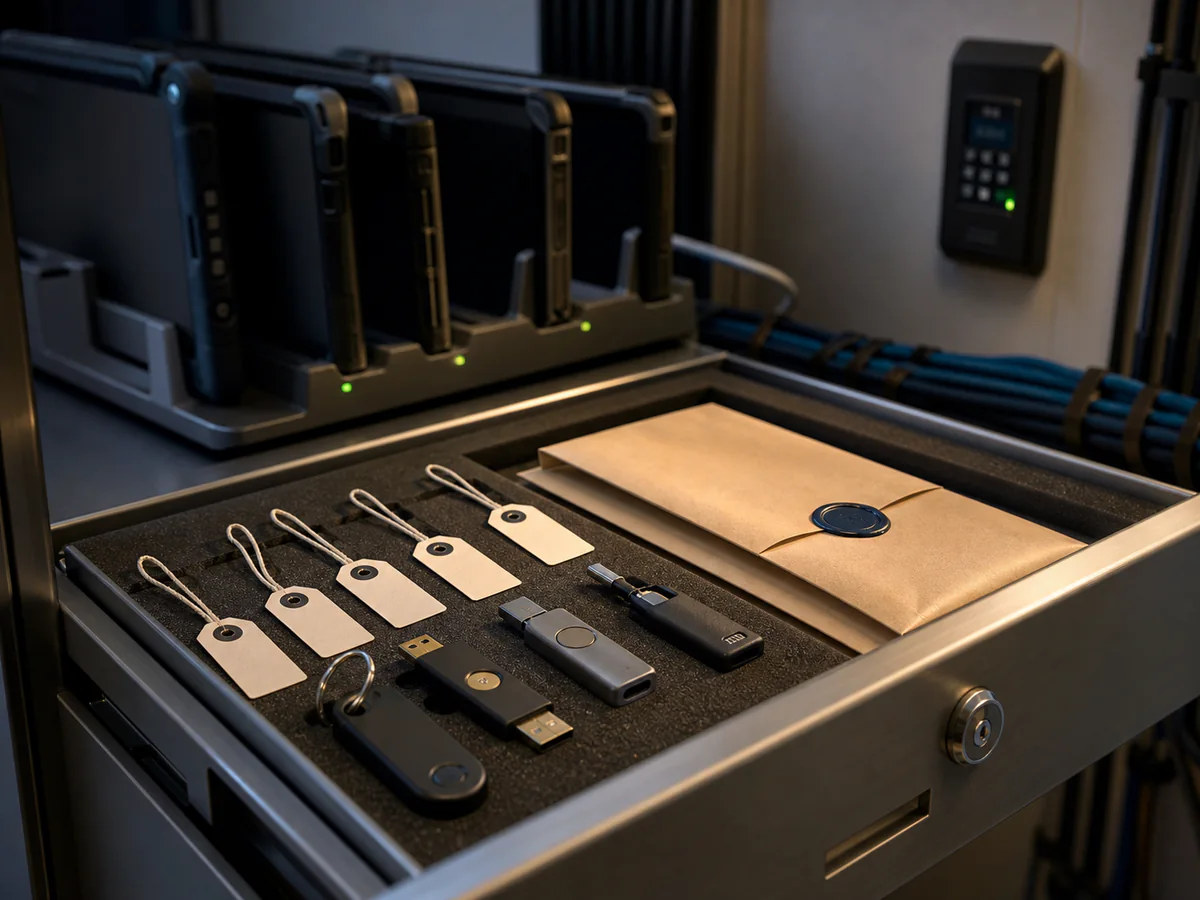
Manufacturing, field-service, and shared-device teams need the same identity discipline as administrators. The control is not complete until enrollment, device custody, emergency access, and offboarding are documented and tested.
- Assign vault permissions through governed groups instead of ad hoc individual grants.
- Permit hardware security keys for owners and privileged administrators where the authentication model supports them.
- Keep owner credentials and recovery materials separate from normal user access and email administration.
Review scope
What a 1Password Business review should cover
Vault architecture
Design vaults by business function and sensitivity, then restrict reveal, export, sharing, item history, and management permissions to the roles that need them.
Identity integrations
Review OIDC Unlock with SSO and automated provisioning as separate integrations, including group mapping, lifecycle timing, attribute consistency, and outage behavior.
Owner and administrator security
Maintain at least two trained owners, keep owners outside SSO scope, allow strong second factors, separate recovery from email administration, and review high-impact actions.
Shared and non-human secrets
Identify privileged credentials, API tokens, service accounts, recovery materials, vendor logins, and integration credentials that require narrower vaults and explicit rotation triggers.
Reports and event retention
Use Insights, usage reports, sign-in attempts, audit events, and Events API forwarding to find risky access and retain evidence beyond the portal’s operational window.
Recovery and continuity
Document owner access, account recovery, IdP outage procedures, suspended-user retention, critical-vault ownership, and post-recovery secret rotation.
Control-depth review
Make the vault model auditable and recoverable
A business password manager should operate as an identity control, not a collection of shared folders. Start with an ownership model, map access to business functions, automate lifecycle changes where reliable, and retain evidence that demonstrates the design is still working.
Ownership and recovery
Maintain at least two trained account owners. Protect owner access with strong factors, document emergency recovery, and test recovery without exposing secrets in tickets or shared documents.
Vault and group architecture
Separate privileged administration, finance, vendors, applications, and general teams. Grant vault permissions to governed groups and review exceptions, exports, guest access, and shared-item links.
Lifecycle automation
Model Unlock with SSO and automated provisioning as separate IdP applications. Pilot both, reconcile group and email attributes, document deprovisioning timing, and preserve owner access when the identity provider is unavailable.
Detection and evidence
Review Insights, Business Watchtower, usage and sign-in reports, the audit log, owner activity, device enrollment, exports, recovery events, and Events API delivery. Give each finding an owner, due date, and closure record.
Evidence an auditor or CISO should request
| Control area | Configuration to verify | Evidence to retain | Warning sign |
|---|---|---|---|
| Administrative resilience | Two or more trained owners; phishing-resistant MFA; emergency procedure | Owner roster, factor-policy capture, dated recovery exercise | One owner or an untested recovery path |
| Least privilege | Group-based vault permissions with restricted export and sharing | Permission export, exception register, quarterly review sign-off | Broad default access or direct grants with no owner |
| Unlock with SSO | OIDC application, assignment scope, owner exclusion, one-IdP constraint, offline behavior, and outage procedure | Pilot sign-off, IdP configuration, support runbook, linked-device test | SSO is assumed to provision users or an IdP outage removes every recovery path |
| Automated provisioning | Current provisioning path, group and attribute mapping, exclusions, suspension timing, and connector health | Provisioning-app owner, test-user lifecycle, group reconciliation, termination sample | Nested-group assumptions, unmanaged direct grants, or deleted users without a retention decision |
| Credential health | Weak, reused, compromised, or aging secrets are assigned for remediation | Trend report and remediation tickets without exposed passwords | Findings accumulate with no responsible team |
| Monitoring | Audit, sign-in, item-usage, and account-change events reach a retained review process | Audit export, Events API token register, SIEM sample, alert test, investigation record | Portal reports exist, but event delivery and follow-up are not owned |
Implementation details should be checked against the organization’s current 1Password membership, supported identity provider, and vendor documentation. A screenshot is useful evidence only when paired with scope, capture date, reviewer, configuration source, and remediation ownership.
Architecture decisions
Settle the identity and recovery model before the pilot
1Password Business can combine vault permissions, Unlock with SSO, automated provisioning, reports, audit events, and external SIEM retention, but those capabilities do not form one automatic control. Assign owners and test the failure paths for each layer before expanding beyond a pilot group.
| Decision | Current platform behavior | Operational consequence | Evidence to retain |
|---|---|---|---|
| Account owners | Owners continue to use an account password and Secret Key and cannot be scoped for Unlock with SSO. | Keep at least two trained owners as protected break-glass administrators; verify recovery identity outside email alone. | Owner roster, factor policy, Emergency Kits or custody record, dated recovery exercise |
| Unlock with SSO | SSO is an OIDC authentication method, supports one identity provider, requires current 1Password 8 clients, and does not provision users. | Deploy a separate IdP application, stage assignments, document Internet and biometric/offline behavior, and plan for IdP outages. | OIDC app owner, pilot results, group scope, claim mapping, outage runbook |
| Automated provisioning | Provisioning uses a separate integration and manages users and groups; existing SCIM Bridge deployments have a distinct migration path. | Choose the supported provisioning model deliberately, exclude directory service identities, test suspension, and do not assume nested groups or role assignments. | Provisioning design, group map, exclusion list, connector health, joiner/mover/leaver tests |
| Audit and retention | The audit log provides 365 days of account activity; Events Reporting can forward selected events to a SIEM through bearer-token authentication. | Define who reviews the portal, who owns each integration token, how feed failures alert, and how long external evidence is retained. | Audit export, token inventory and expiry, SIEM ingestion sample, alert test, retention policy |
| Recovery authority | Owners, administrators, or delegated recovery groups can recover team accounts; recovery begins through the user’s email address. | Separate recovery authority from email administration, verify identity out of band, and rotate exposed credentials after high-risk recovery events. | Recovery-role export, email-admin separation, exercise record, post-recovery review |
Do not confuse availability with security: A successful sign-in proves that the authentication path works. It does not prove that vault permissions, recovery authority, offboarding, event retention, or privileged-secret use are properly governed.
Review matrix
Translate common use cases into reviewable controls
| Use case | Trigger | Required control | Decision evidence |
|---|---|---|---|
| Department vault | A team needs shared access to routine business logins. | Use a governed group, named vault owner, least-privilege permissions, item-hygiene review, and offboarding reconciliation. | Permission export, owner sign-off, membership review, and exception list |
| Privileged credential | An administrator, firewall, DNS, registrar, cloud, backup, or SaaS credential is stored. | Restrict the vault, limit reveal/export/share permissions, define rotation triggers, and review item usage after personnel or vendor changes. | Privileged-secret register, access approval, usage report, and rotation record |
| Vendor or contractor access | External support needs a limited set of credentials. | Use narrow vault or guest access, a business owner, an end date, and confirmed removal when work ends. | Request, approval, expiration date, access review, and closure ticket |
| SSO and provisioning rollout | The identity provider will authenticate users and manage their lifecycle. | Build separate OIDC and provisioning integrations, align email and group attributes, stage a pilot, and test suspension and outage procedures. | IdP application records, mapping document, pilot sign-off, deprovisioning result, and outage test |
| Emergency recovery | A critical credential is needed when the primary administrator or identity provider is unavailable. | Maintain protected owners, delegated recovery only where justified, out-of-band identity verification, activity review, and post-use rotation. | Recovery roster, exercise log, audit events, incident ticket, and rotation confirmation |
Step-by-step review
Review the platform from ownership through offboarding
Establish the baseline
Record membership, account owners, administrators, policy settings, recovery roles, verified domains, integrations, and emergency contacts.
Reconcile vault access
Map vaults to owners and business purposes, export group permissions, identify direct grants, and isolate privileged or vendor secrets.
Test identity integrations
Verify SSO and provisioning as separate applications, confirm owner exclusion, reconcile attributes and groups, and exercise outage behavior.
Resolve secret-health risk
Assign weak, reused, compromised, aging, and high-impact items for rotation without exposing secret values in tickets or reports.
Prove monitoring works
Export audit evidence, sample usage and sign-in reports, validate Events API ingestion, test alerts, and document investigation ownership.
Exercise lifecycle and recovery
Test joiner, mover, suspension, guest removal, recovery, and post-recovery rotation; record results, defects, owners, and due dates.
Common risks
Misconfigurations that weaken an otherwise strong password manager
Direct grants replace group governance
Ad hoc user permissions bypass role design, make access reviews harder, and leave stale access after transfers or reorganizations.
Recovery and email power overlap
A person who can administer email and recover 1Password accounts can combine both capabilities to take over another user unless duties and verification are separated.
SSO is mistaken for provisioning
Unlock with SSO authenticates users but does not create, suspend, or group them. Missing the separate lifecycle integration leaves identity records unmanaged.
Deprovisioned users are deleted too quickly
Immediate deletion can eliminate the opportunity to recover needed business data. Use a documented suspension and retention period before deletion.
Audit data is visible but not retained
Portal reports have limited operational windows. Without owned review and Events API or export retention, an investigation may lack timely evidence.
Integration tokens share broad custody
SCIM, Events API, service-account, or automation credentials placed in widely accessible vaults increase the blast radius of a compromised team member.
Related support
Connect deployment, operations, and independent review
IT Perfection can help plan and operate the technical workflow through Managed IT Services, including device rollout, identity integration, documentation, monitoring, and support. The Password Manager Deployment Guide provides a vendor-neutral companion for product selection and adoption planning.
When privileged-access evidence, separation of duties, or control effectiveness needs independent review, use the Privileged Access and Administrator Account Assessment as initial guidance before a professional security audit.
Ali Hassani, CISO
Experienced review of identity controls and operating evidence
Ali Hassani is a CISO, cybersecurity and IT consultant, and infrastructure leader with 25+ years of experience. His certifications include CISSP, CCISO, CCNP, CCNA, MCSE, MCSA Security, MCITP, MCP, and MCTS.
This guide is for initial education and planning. It does not replace a professional cybersecurity audit, compliance assessment, penetration test, legal or compliance review, or vendor implementation review.
Review evidence before calling the deployment complete
A mature rollout can show who owns each vault, how access is assigned, how owners recover access, how identity integrations fail safely, which events reach monitoring, and how former workers and vendors are suspended or removed. Treat missing evidence as an operational defect with an owner and due date.
FAQ
1Password Business operations and security FAQ
Is Unlock with SSO the same as automated provisioning?
No. Unlock with SSO is an OIDC authentication method. Automated provisioning is a separate integration that creates and manages users and groups. Plan, own, and test the two identity-provider applications independently.
Why do 1Password account owners stay outside SSO scope?
Owners continue to use an account password and Secret Key so they can provide a recovery path during an identity-provider outage. Maintain at least two trained owners and protect their access as break-glass administration.
How long does the 1Password Business audit log retain events?
Current 1Password documentation states that the audit log keeps 365 days of events. Organizations that need continuous monitoring or longer evidence retention should validate Events API forwarding to their SIEM and monitor feed health.
Should a deprovisioned team member be deleted immediately?
Usually not without a documented decision. Automated provisioning suspends deprovisioned users, and 1Password recommends retaining suspended accounts for a defined period—such as a month—before deletion in case business data must be recovered.
Does a business password manager replace privileged access management?
No. A password manager can protect and audit shared secrets, but it does not automatically provide every PAM capability such as time-bound elevation, session recording, command control, or approval workflow. High-impact credentials may need additional controls.
Can IT Perfection help with 1Password Business?
Yes. IT Perfection can help with rollout planning, vault and group design, supported identity integration, managed-device deployment, monitoring, documentation, offboarding, and recovery exercises.
