
IT Operations & Cybersecurity Encyclopedia
Access Switch Port Security Guide for Business Networks
Access ports connect workstations, phones, printers, cameras, wireless access points, building systems, industrial devices, contractors, and unknown equipment to the LAN. This field guide shows how to classify those ports, choose compatible controls, pilot enforcement, preserve recovery access, monitor failures, and retain evidence without turning a switch template into an availability incident.
VLANs, DHCP snooping, DAI, source guard, STP, and PoE safeguards
Pilot testing, rollback, alert ownership, and review evidence
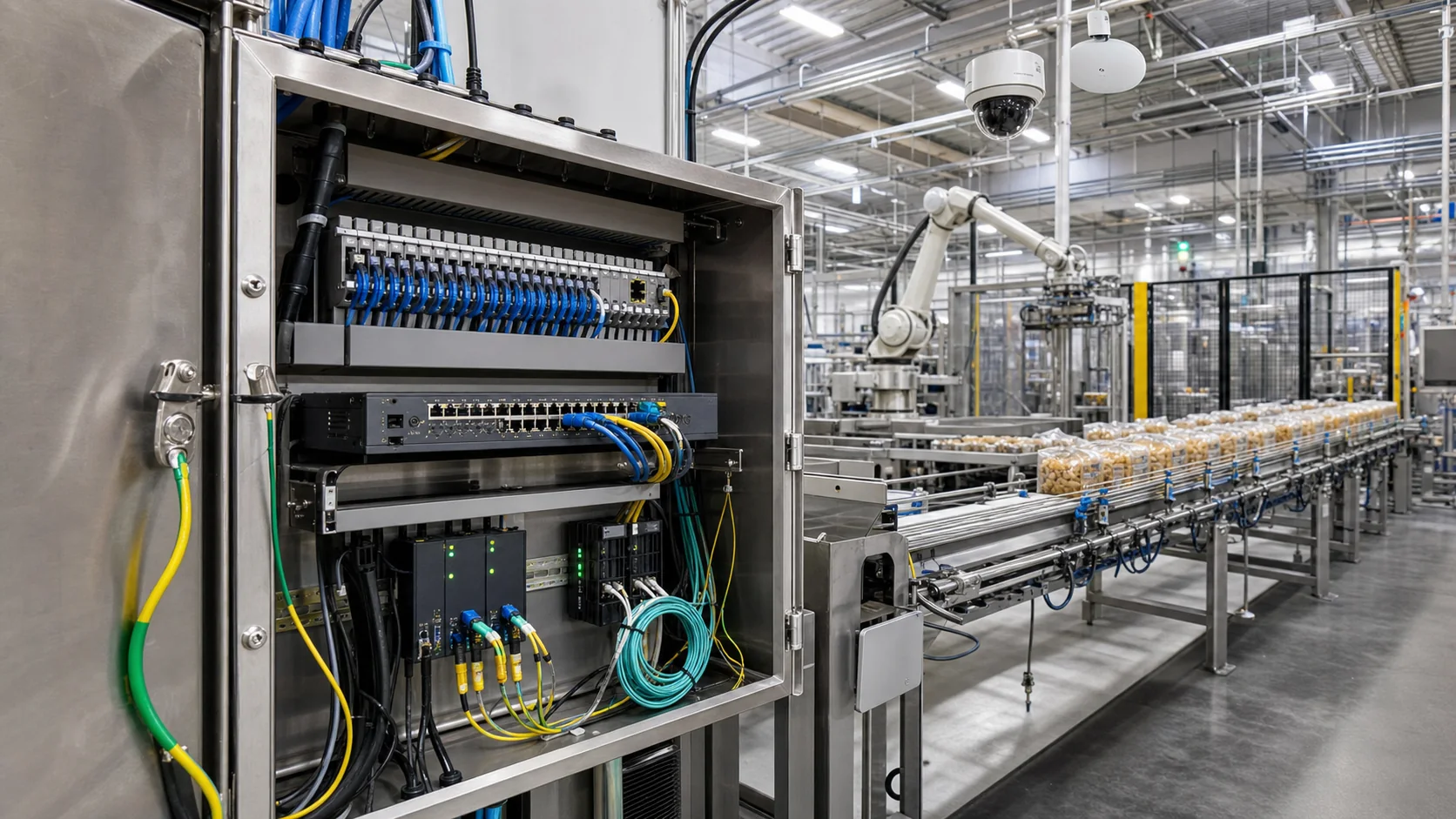
Why it matters
Treat every live access port as a controlled entry point
A switch does not know that a wall jack belongs to a finance workstation, a hallway camera, a conference-room phone, or a temporary vendor unless the network design and operating process provide that context. An undocumented port can give an unmanaged device trusted Layer 2 reach, place it in the wrong VLAN, expose local discovery traffic, extend a broadcast domain, or let an unauthorized downstream switch create a loop.
Port security is therefore a system of identity, authorization, segmentation, address validation, topology protection, physical security, monitoring, and lifecycle ownership. Classic secure-MAC features are only one possible layer. They do not replace 802.1X, device profiling, VLAN and ACL design, protected management access, configuration backup, or a tested response when authentication or first-hop controls fail.
Teams that need a structured baseline can use the Network Switch Security Assessment to identify gaps before scheduling changes. For an independent evaluation of segmentation, access control, incident evidence, or cyber-insurance concerns, OC Security Audit provides cybersecurity audit services.
Practical rule: Every enabled access interface should have an approved port role, expected device class, authorization method, VLAN or role assignment, owner, exception status, monitoring path, and safe recovery procedure. If those facts are unknown, the interface is not ready for broad trust.
Architecture and dependencies
Build access control around port roles, not isolated commands
A defensible design begins with a small set of documented port roles. The role defines the expected endpoint, authentication method, segmentation, Layer 2 protections, fallback behavior, monitoring, owner, and rollback. A user-and-phone port should not inherit the same assumptions as a wireless access-point trunk, outdoor camera, industrial controller, hypervisor uplink, or unused interface.
Identity and policy plane
Supplicants, endpoint certificates, EAP method, RADIUS or NAC policy, identity stores, PKI, device profiling, Change of Authorization, and administrative ownership determine who or what may use the port.
Access-switch enforcement plane
The switch enforces access or trunk mode, VLAN or role assignment, host mode, authentication order, MAC limits when supported, ACLs, first-hop security, spanning-tree policy, PoE, and local violation actions.
Network-services plane
DHCP, DNS, NTP, certificate validation, RADIUS, directory services, controller reachability, voice services, and remediation networks must work before and after authorization. A control that blocks its own dependency will fail unpredictably.
Operations and evidence plane
Configuration management, backups, inventory, syslog, telemetry, NAC sessions, RADIUS accounting, SIEM, ticketing, alert routing, exception registers, and review schedules turn a port policy into a maintained service.
Physical and environmental plane
Locked closets, patch-panel labels, cabinet grounding, surge protection, UPS, temperature, water exposure, tamper controls, outdoor enclosure ratings, and spare access determine whether logical policy survives the real site.
Recovery and change plane
Console access, saved pre-change configuration, reload and stack behavior, tested rollback commands, maintenance window, business owner, device-class pilot, help desk communication, and restoration criteria limit outage duration.
Platform compatibility is a blocking design check. Do not assume that 802.1X, MAC authentication, classic switchport port-security, sticky MAC, private VLANs, multi-domain voice, device tracking, or first-hop features can be combined the same way on every model and release. Current Cisco Catalyst 9300 IOS XE 26.x 802.1X documentation, for example, lists port security as unsupported with 802.1X. Aruba CX exposes its own port-access authentication, client-limit, role, and sticky-MAC behavior. Verify the exact vendor guide, release, license, feature interaction, and supported host mode before approving a template.
Control-depth review
Layer authentication, segmentation, first-hop security, and physical safeguards
802.1X with an explicit trust model
Prefer certificate-based EAP where endpoint management and PKI are mature. Record the EAP method, certificate issuer and renewal path, RADIUS policy, host mode, voice behavior, dynamic VLAN or role assignment, reauthentication, accounting, Change of Authorization, and what an unauthenticated endpoint can reach. Protect RADIUS availability and management traffic rather than treating successful authentication as the end of the design.
MAB as constrained fallback, not device identity
Use MAC Authentication Bypass only for documented devices that cannot use 802.1X, such as specific printers, cameras, phones, lab systems, or operational technology. MAC addresses can be observed and spoofed. Pair MAB with device profiling, expected switch and interface, restricted role or VLAN, narrow ACLs, owner, reason, last-seen review, and expiration or replacement plan.
Access mode, trunks, and allowed VLANs
Make port mode explicit. Disable dynamic trunk negotiation when the platform supports it, restrict trunk VLANs to the real dependency list, document the native or untagged VLAN decision, and keep uplinks, access-point trunks, hypervisors, phones, and ordinary edge ports in separate templates. An accidental trunk can bypass the intended access role even when endpoint authentication is strong.
DHCP snooping and binding durability
Trust only legitimate DHCP server, relay, or upstream paths. Enable protection by the required VLANs, size rate limits from measured traffic, test relay and Option 82 behavior, and decide how bindings persist through reloads or stack failover. A missing or stale binding database can break dependent DAI or IP Source Guard controls.
DAI, source guard, and static devices
Dynamic ARP Inspection normally validates ARP against trusted bindings; IP Source Guard also depends on a credible source database. Inventory static-IP devices, clustered services, phones, cameras, controllers, and recovery paths before enforcement. Use vendor-supported static bindings or ARP ACLs where necessary, and test duplicate-IP, failover, lease renewal, and switch-reload scenarios.
IPv6 first-hop security
IPv4 controls do not stop rogue router advertisements, DHCPv6 abuse, or Neighbor Discovery attacks. Where IPv6 is enabled or can appear, evaluate RA Guard, DHCPv6 Guard, IPv6 source validation, ND inspection, device tracking, extension-header limitations, and legitimate router or relay paths for the exact platform.
Spanning tree, loops, and storm control
Use edge-port or PortFast behavior only on true endpoint ports. Apply BPDU Guard where an unexpected bridge should disable the interface; place Root Guard, Loop Guard, bridge assurance, or comparable features according to topology. Set storm-control thresholds from baseline data so broadcast, multicast, or unknown-unicast protection does not interrupt voice, imaging, discovery, or industrial traffic.
PoE, discovery, and device behavior
Document power class, budget, priority, LLDP or CDP dependence, phone-plus-PC behavior, access-point requirements, cameras, door controllers, and safety or building systems. Treat a port bounce, policy change, or err-disable recovery as a possible power restart. Coordinate disruptive tests with the service owner.
Unused ports and local physical exposure
Administratively disable unused interfaces and document any parking VLAN. Secure closets, patch panels, outdoor cabinets, console ports, spare switch access, and wall jacks in public or shared spaces. A disabled interface is more reliable than a broad VLAN with no owner, but the activation workflow must still be fast enough for legitimate support.
Management plane and configuration integrity
Restrict management to approved administrator paths, use strong centralized authentication with a protected emergency method, prefer encrypted protocols, monitor configuration changes, back up current and startup configuration, track software lifecycle, and validate NTP so logs, RADIUS, certificates, and incident timelines agree.
Port-role validation matrix
Prove each role with normal, failure, and recovery tests
| Port role | Expected policy | Positive and negative tests | Evidence and rollback |
|---|---|---|---|
| Managed user endpoint | Certificate 802.1X, assigned user role or VLAN, required ACL, DHCP and first-hop protections, accounting | Valid managed device authorizes correctly; unknown device, expired certificate, wrong user context, and RADIUS failure follow the approved path | RADIUS and NAC result, switch session, assigned role, binding and counters, ticket, command or configuration needed to restore access |
| Phone with attached workstation | Approved multi-domain or multi-auth behavior, voice and data separation, QoS, discovery, PoE, correct client limits | Phone-only, phone-plus-valid-PC, phone-plus-unknown-PC, reauthentication, phone restart, and switch failover | Voice and data sessions, VLAN or role assignment, LLDP/CDP, power draw, RADIUS records, user-impact result, rollback template |
| Printer, camera, or IoT | Restricted MAB or vendor-supported authentication, known location, narrow east-west and management access, expected PoE | Approved device works; copied MAC from another port, replacement device, unexpected protocol, and stale exception are detected or constrained | Asset owner, expected MAC and interface, profile result, ACL test, last-seen data, exception expiry, replacement and recovery record |
| Wireless access point | Explicit trunk, limited VLAN list, management restriction, native-VLAN decision, discovery and PoE capacity | Controller join, client VLANs, management access, trunk change, power restart, and unauthorized device on the same interface | Running configuration, allowed VLAN output, neighbor/controller inventory, power data, before-and-after client tests, failback |
| Industrial or building system | Vendor-supported authentication or documented constrained exception, deterministic segmentation and recovery, approved maintenance window | Normal cycle, controller failover, link flap, static-IP handling, power interruption, monitoring alarm, and emergency restoration | Owner and safety approval, topology, supported configuration, packet and protocol baseline, outage threshold, console path, signed rollback result |
| Conference room or public-area jack | Disabled when unused or limited guest/remediation role with authentication, short exception duration, alerting | Visitor device, employee device, unmanaged switch, rogue access point, idle period, and after-hours connection | Interface status, session and role, alert and ticket, room owner, activation and closure dates, verified return to disabled state |
| Trunk, uplink, firewall, or hypervisor | Dedicated non-edge template, restricted VLANs, protected topology, management and change controls; no access-port assumptions | Allowed and disallowed VLAN reachability, failover, spanning-tree state, LACP or stack event, configuration restore | Topology and owner, trunk and neighbor output, allowed VLAN justification, maintenance record, saved configuration, validated failback |
| Unused interface | Administratively disabled, description and optional non-routable parking VLAN according to policy, no PoE when not needed | Physical spot check, unauthorized cable, approved activation request, completed deactivation | Disabled-port report, patch-panel record, activation ticket, approval, before-and-after configuration, reviewer and date |
Acceptance condition: A template is not complete because the configuration saves successfully. It must authorize the intended device, deny or constrain an unintended device, survive expected dependency failures, preserve voice and operational technology behavior, generate usable evidence, and return safely to the approved prior state.
Step-by-step implementation
Access switch port security deployment runbook
Move one device class and one controlled site or switch group at a time. Preserve out-of-band access, the pre-change configuration, business-owner communication, and a timed rollback decision throughout the maintenance window.
Freeze scope and preserve recovery
Record models, releases, licenses, stacks, current and startup configurations, management reachability, console access, RADIUS and network-service dependencies, maintenance window, business owners, and rollback authority.
Discover actual port behavior
Export interface status, descriptions, VLANs, trunks, neighbors, MAC tables, authentication sessions, PoE, errors, DHCP bindings, violations, and recent logs. Reconcile them with asset, patch-panel, wireless, voice, camera, and facilities records.
Approve role templates and exceptions
Define user, voice, wireless, printer, camera, IoT, industrial, public, trunk, and unused roles. For each, document compatible features, authorization, fallback, critical service behavior, monitoring, owner, exception expiry, and failback.
Pilot normal and failure paths
Test authorized and unauthorized clients, MAB devices, phone-plus-PC behavior, RADIUS loss, certificate failure, DHCP and static addressing, reload or stack event, alert delivery, err-disable recovery, and configuration restore.
Deploy in measured rings
Expand by device class, closet, floor, or site only after the prior ring meets success thresholds. Watch authentication reason codes, help desk demand, fallback use, first-hop drops, voice and Wi-Fi quality, PoE restarts, and operational alarms.
Close with evidence and ownership
Save the approved configuration and backup, update diagrams and port inventory, attach test results and exceptions, assign open remediation, confirm monitoring owners, record the next review date, and verify unused pilot accommodations were removed.
Failure modes and rollback
Know what can fail before enforcement reaches production
| Failure condition | Likely symptom | Immediate checks | Safe response and closure evidence |
|---|---|---|---|
| RADIUS or identity dependency unavailable | New sessions remain unauthorized, fall into critical access, or generate repeated retries | Server reachability, source interface, routing, DNS and NTP, certificates, shared secret, policy status, dead-server timers, existing sessions | Use only the preapproved fail mode; restore the dependency or revert the pilot template; retain outage timeline, affected ports, fallback sessions, and revalidation |
| Supplicant or certificate failure | Managed devices unexpectedly use MAB, guest, remediation, or no access | EAP method, certificate chain, EKU, trust store, renewal, machine versus user policy, endpoint service, RADIUS reason code | Repair certificate or supplicant deployment; avoid permanent broad MAB; prove the device returns to the intended 802.1X role |
| DHCP snooping binding missing after reload | DAI or source guard drops valid traffic, especially static or early-boot systems | Binding database, persistence agent, trusted paths, relay and Option 82, static bindings or ARP ACLs, boot sequence | Restore the supported binding method or temporarily remove the dependent pilot control under change authority; document why, scope, duration, and successful retest |
| Phone, PC, or multi-client host mode mismatch | Voice works but data fails, second client is rejected, or one client authorizes another incorrectly | Host mode, domain classification, client limit, authentication precedence, voice policy, LLDP/CDP, RADIUS attributes | Apply the verified voice-and-data role; retest phone-only, PC-only, and combined states; keep session and call-quality evidence |
| Edge control applied to trunk or uplink | VLAN loss, STP event, neighbor loss, widespread outage, or err-disable | Port role, neighbor, trunk and allowed VLANs, LACP or stack state, BPDU event, recent configuration change | Revert immediately through console or out-of-band access; validate topology and every affected VLAN; correct template targeting before any retry |
| Storm control or violation threshold too aggressive | Intermittent voice, imaging, discovery, industrial, or broadcast-dependent service interruption | Measured baseline, interface counters, packet rate, action type, event timestamps, application behavior | Restore the approved prior threshold or action; capture normal and peak traffic; approve a new threshold only after a representative test |
| PoE device restart during port recovery | Camera, access point, phone, door system, or sensor reboots and loses service | Power draw, switch budget, priority, recovery command, link and authentication cycle, controller state | Coordinate restoration with the service owner; verify device registration and dependent service; record power and outage impact |
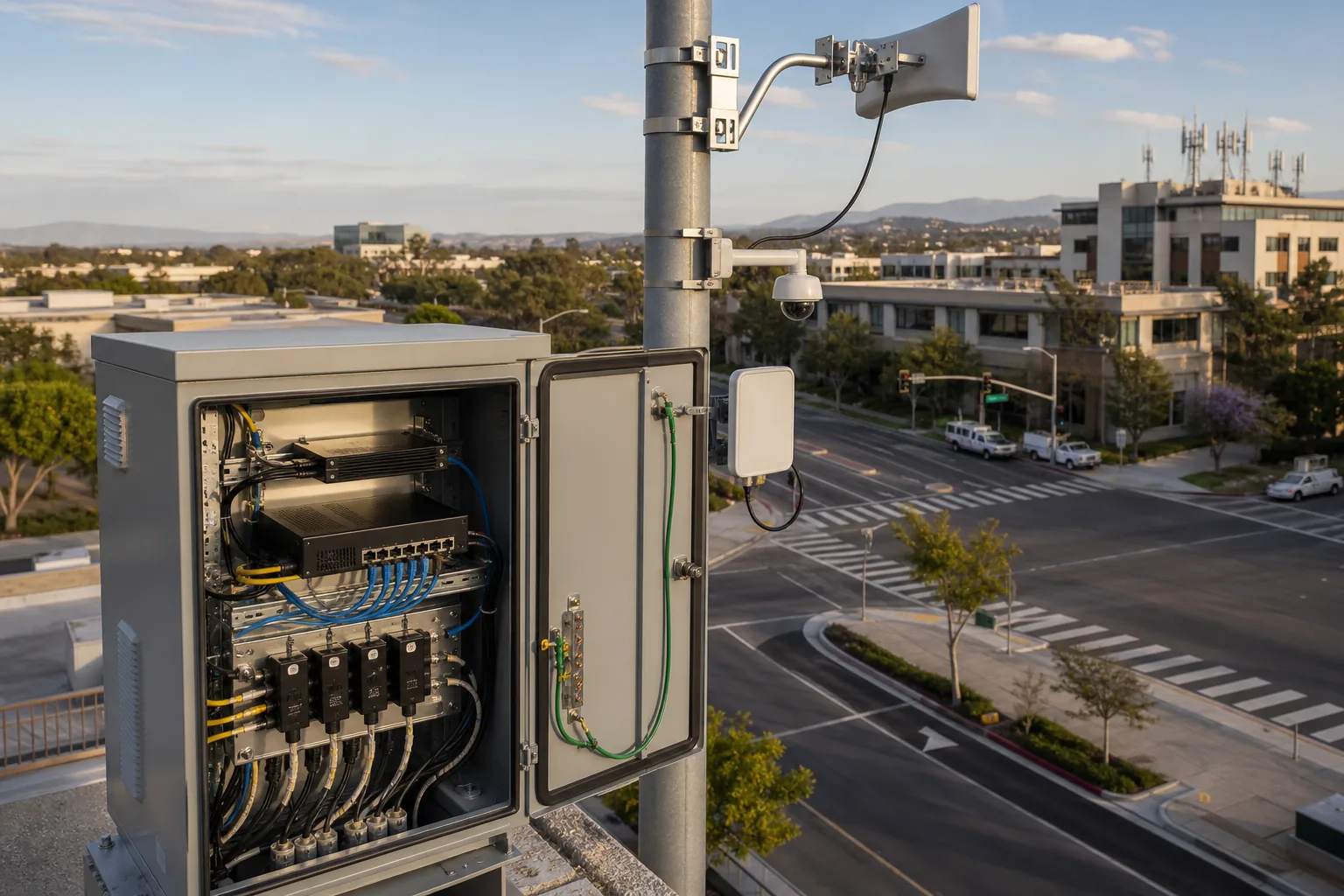
Operational context
Secure the physical network edge beyond the office
Street cabinets, parking structures, warehouses, campuses, manufacturing floors, healthcare spaces, rooftops, and remote facilities extend access switching into environments where physical exposure and service continuity matter as much as authentication.
- Separate user, camera, wireless, building, industrial, guest, and management traffic according to real trust boundaries.
- Account for enclosure, temperature, power, grounding, surge, fiber, wireless backhaul, and remote console or replacement access.
- Test recovery with facilities, safety, clinical, production, or field owners when a port or PoE action can interrupt operations.
Monitoring and recurring maintenance
Measure whether port controls remain accurate and supportable
Daily or continuous signals
Route high-impact RADIUS failures, unauthorized sessions, port-security violations where used, BPDU Guard events, rogue DHCP indications, DAI or source-guard spikes, uplink changes, stack events, PoE faults, and management configuration changes to an accountable queue.
Weekly exception review
Review critical-access and guest sessions, MAB growth, new or moved MAC addresses, disabled or err-disabled ports, repeated reauthentication, stale tickets, public-area activations, and devices that no longer match their approved interface or profile.
Monthly control reconciliation
Compare enabled access ports with the asset and patch-panel inventory; reconcile role templates, unused ports, MAB exceptions, authentication success by reason, first-hop drops, trunk changes, alert ownership, backup status, and unresolved remediation.
Quarterly and lifecycle work
Test RADIUS and configuration recovery, sample negative authorization, review certificates and software support, validate logging and time, reassess storm thresholds and PoE capacity, clean retired endpoints, and plan switch, NAC, PKI, or operating-system upgrades.
| Evidence | Source and owner | Expected state | Management question |
|---|---|---|---|
| Port inventory and role assignment | Switch export, CMDB, NAC, patch-panel record; network operations owner | Every enabled port maps to a location, device class, owner, approved role, and review date | How many live interfaces have unknown purpose or ownership? |
| Authentication and fallback | RADIUS, NAC, certificate service, switch sessions; identity and network owners | High 802.1X success for managed devices; MAB, guest, remediation, and critical access remain justified and bounded | Are failures creating permanent fallback instead of remediation? |
| First-hop and topology events | Switch counters, syslog, telemetry, SIEM; network monitoring owner | Drops and err-disable events are explained, investigated, tuned, and closed without hiding attacks or operational defects | Which control is generating noise, outage risk, or unreviewed events? |
| Configuration integrity and recovery | Configuration manager, backup repository, change tickets; infrastructure owner | Running and startup state align, backups are current, changes are authorized, and recovery is tested | Can the team restore one switch or stack without relying on memory? |
| Exceptions and remediation | Risk register, NAC profiles, tickets, asset and vendor records; business and technical owners | Each exception has scope, reason, compensating controls, owner, expiration, and revalidation result | Which old exception creates the largest path into sensitive systems? |
Common risks
Misconfigurations and operating gaps that weaken the access layer
One template is applied to every port
User endpoints, phones, access points, cameras, industrial systems, trunks, and unused interfaces have different dependencies and failure modes. A universal template usually creates either excessive trust or avoidable outages.
MAB becomes permanent identity
A copied MAC address can inherit the same treatment as the approved device. Broad MAB without location, profile, segmentation, owner, and expiry creates durable weak authentication.
RADIUS failure behavior is untested
Critical-access, guest, remediation, fail-open, and fail-closed choices have different business consequences. An outage is the wrong time to discover the actual platform default.
First-hop controls lack dependency mapping
DHCP snooping, DAI, source guard, static devices, relay, binding persistence, and failover must agree. Enabling one command without the data path can block valid traffic.
IPv6 is ignored because it is not planned
Endpoints can still process router advertisements and Neighbor Discovery. Unmanaged IPv6 paths may exist even when administrators focus only on IPv4 VLANs and DHCP.
Trunks inherit edge assumptions
Applying access authentication, BPDU Guard, MAC limits, or first-hop rules to an uplink, hypervisor, firewall, or access-point trunk can interrupt many services at once.
Unused ports remain active
Open wall jacks, conference-room ports, outdoor cabinets, and abandoned patch-panel connections create unnecessary physical entry points and inventory uncertainty.
Alerts have no response owner
Authentication failures, MAC moves, rogue DHCP, ARP drops, BPDU events, and err-disable records provide little protection if no queue, severity, ticket, or closure evidence exists.
Rollback depends on the affected network
If the only management path traverses the port policy being changed, a mistake can remove the team’s ability to recover. Console or out-of-band access and a saved prior configuration are essential.
Operational support and next steps
Connect switch hardening to inventory, monitoring, and accountable support
IT Perfection can help Orange County and Southern California organizations inventory switches and access ports, classify device roles, improve VLAN and trunk documentation, coordinate RADIUS or NAC dependencies, pilot switch controls, monitor alerts, maintain configuration backups, and keep exceptions and remediation assigned. The Network Infrastructure Management service is the direct path when access-layer improvements need ongoing technical ownership.
Use the Hyper-V Virtual Switch Security Guide when the trust boundary extends into virtual switching, and the PoE Switch Capacity Planning Guide when phones, access points, cameras, or building systems depend on switch power. For lifecycle planning, the Switch Refresh and Standardization Guide helps align models, software, templates, support status, and replacement decisions.
This guide supports initial education and planning. It does not replace a professional cybersecurity audit, penetration test, compliance or legal review, vendor engineering validation, site safety review, or an authorized change process with tested rollback.
Created by Ali Hassani, CISO
Experience across network security and business IT operations
Ali Hassani is a CISO, cybersecurity and IT consultant, and infrastructure leader with 25+ years of experience. His certifications include CISSP, CCISO, CCNP, CCNA, MCSE, MCSA Security, MCITP, MCP, and MCTS. Learn more about Ali Hassani’s IT and cybersecurity experience.
Secure access without losing recoverability
A strong access-layer program can explain what each port is for, how the connected device is authorized, which network access it receives, what happens when a dependency fails, who responds to the alert, and how the team safely returns to the previous state.
FAQ
Access switch port security FAQ
Is switchport port security the same as 802.1X?
No. Classic port-security features typically limit or bind MAC addresses locally on an interface. 802.1X uses a supplicant, authenticator, and authentication server to authorize access and can return a VLAN, ACL, or role. Feature compatibility differs by platform and software release, so do not assume both can be enabled together.
Should unused switch ports be disabled?
Yes, in most business environments an unused interface should be administratively disabled and documented. If policy also uses a parking VLAN, it should be non-routable or tightly restricted. The activation process should require an approved request, correct port role, owner, and post-change validation.
Is MAB strong authentication?
No. MAB submits a device MAC address for policy evaluation, but the address can be observed and spoofed. Use it only for devices that cannot perform stronger authentication, and constrain it with profiling, expected location, limited access, ownership, monitoring, and an exception review date.
What should happen if RADIUS servers are unavailable?
The answer must be designed and tested before deployment. Options may include keeping existing sessions, critical access, a limited remediation or fallback role, or denying new access. Choose by device class and business impact; preserve a console or out-of-band path and record the approved recovery decision.
Can DHCP snooping, DAI, and IP Source Guard be enabled at the same time?
They can work together on supported platforms, but the dependency chain matters. DAI and source guard may rely on DHCP snooping bindings, trusted uplinks, relay behavior, static-device exceptions, and binding persistence. Pilot the complete path through lease renewal, reload, failover, and recovery before broad enforcement.
Which port-security events should be monitored?
Monitor authentication failures and reason codes, fallback or critical sessions, MAB and profile drift, unauthorized MACs, MAC moves, rogue DHCP indicators, DAI and source-guard drops, BPDU Guard or other err-disable events, link flaps, PoE faults, trunk changes, configuration changes, and alerts without ticket closure.
How often should access ports be reviewed?
High-impact events should be monitored continuously. Exceptions and abnormal sessions deserve weekly attention; enabled ports, owners, device roles, authentication, first-hop events, backups, and remediation should be reconciled at least monthly. Test recovery and reassess software, certificates, templates, and lifecycle risk quarterly or after material change.
