
Standard channel
Use for work visible to every Team member and guest. It is the simplest model for search, membership, apps, support, and files in the parent site.
Microsoft Teams channel architecture and operations
Choose, secure, operate, review, archive, and recover standard, private, and shared channels according to their real membership, SharePoint, cross-tenant, app, message, file, and lifecycle boundaries.
Architecture decision
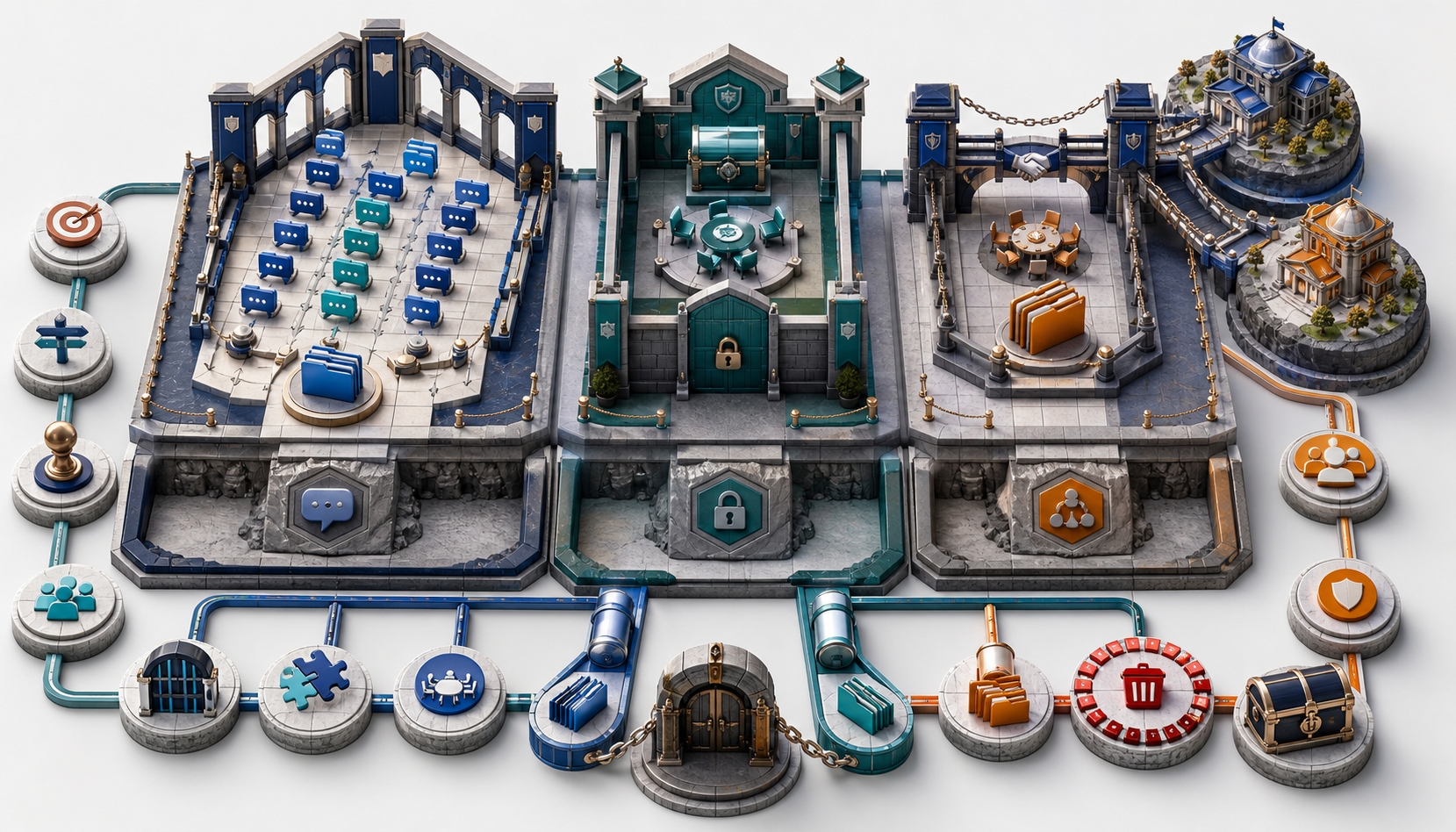
A channel is a security and information boundary, not merely a folder or topic. Standard channels inherit the Team audience and share the parent SharePoint site. Private channels restrict access to a subset of existing Team members and use a separate channel site. Shared channels let selected people and invited teams participate without joining the parent Team, including external users through Microsoft Entra B2B direct connect, and also use a separate site.
Use for work visible to every Team member and guest. It is the simplest model for search, membership, apps, support, and files in the parent site.
Use for a restricted subset of the parent Team. Members must first belong to the Team; the channel has its own owners, membership, settings, and site.
Use when selected people or teams must collaborate without joining the parent Team. External participation requires bilateral B2B direct-connect and channel-policy approval.
Channel comparison
| Decision | Standard | Private | Shared |
|---|---|---|---|
| Who can see it | All Team members and invited guests | Only selected Team members and eligible guests added to the channel | Direct channel members and members inherited from invited teams |
| Parent-Team membership | Required because audience equals Team membership | Required before a person can join the private channel | Not required for direct members or members of invited teams |
| External identity | Entra B2B guest in the host tenant through Team membership | Guest must already belong to the parent Team, then be added to the channel | External participant uses work/school identity through B2B direct connect; tenant guests cannot be added as shared-channel members |
| SharePoint storage | Folder in the parent Team’s default document library | Dedicated channel site with membership synchronized from Teams | Dedicated channel site in the host tenant with channel-member access |
| Ownership | Team ownership and channel moderation model | Private-channel owners manage members and settings; Team owners may not see content unless members | Shared-channel owners manage direct members, invited teams, and sharing relationships |
| Best fit | Team-wide collaboration, announcements, knowledge, projects | Restricted internal or guest subset with parent-Team context | Cross-team or cross-organization work without parent-Team membership |
Provisioning workflow
Document outcome, sponsor, duration, data, external parties, and expected activity.
Decide Team-wide, restricted subset, cross-team, or cross-tenant participation.
Choose standard, private, or shared based on audience and site requirements.
Assign owners, label, moderation, apps, meetings, sharing, and retention.
Confirm membership, site permissions, files, messages, apps, and external path.
Reattest owners, members, guests, invited teams, content, archive, and recovery.
Sites, permissions, and files
Standard-channel files are folders in the parent site. Private and shared channels have separate SharePoint sites because their membership can differ from the parent Team. Site owners/members are synchronized from Teams; administrators should not independently manage those site groups as a substitute for channel membership. Direct item sharing can create additional access paths that outlive channel removal.
| Evidence check | Why it matters | What to test | Remediation |
|---|---|---|---|
| Site inventory | Private/shared channel sites can be missed by parent-Team reporting | Channel ID, parent Team, site URL, template, label, storage, lifecycle state | Build a reconciled Team-channel-site register |
| Membership sync | SharePoint groups should reflect Teams channel ownership and membership | Owners, members, external tenant, invited teams, orphaned principals | Correct membership in Teams and investigate sync failures |
| Direct sharing | File, folder, or notebook permissions can survive channel/member removal | Specific-people links, direct grants, anonymous/org links, existing-access links | Remove unjustified grants and restrict site/link policy |
| Sensitivity and sharing | Channel sites inherit or synchronize controls differently across channel types | Container label, site sharing cap, unmanaged-device access, DLP, authentication context | Align label and site settings; wait for propagation and retest |
| Rename and deletion | Renaming a channel might not rename its SharePoint folder; deleting a channel does not necessarily delete the standard-channel folder/content | Channel display name, folder/site URL, residual files, recycle bins, restore window | Document mapping and clean up only after retention/dependency approval |
Shared-channel trust
External shared-channel access depends on more than a Teams switch. The host and participant organizations must permit B2B direct connect through Microsoft Entra cross-tenant access settings; Teams channel policies must allow creation, invitation, or joining; Microsoft 365 Groups and workload settings must be compatible; and users must have supported work or school identities. Host-tenant app policies and channel-site controls govern the shared workspace.
Apps, messages, and retention
Do not assume an app, bot, connector, tab, Planner experience, meeting feature, notification, or analytics integration works identically across all channel types. Microsoft’s supported capabilities continue to evolve. Test with the exact channel type, tenant relationship, identity, app policy, and data path that production will use.
| Control family | Standard-channel concern | Private/shared concern | Evidence |
|---|---|---|---|
| Apps and tabs | Available to Team audience and parent-site context | Must understand channel-specific membership, host tenant, separate site, and external identities; feature support varies | Approved app inventory, test accounts, permissions, data flow, failure handling |
| Moderation | Standard channels can use moderation to control new posts/replies; General has distinct owner-posting behavior | Ownership and posting controls differ; do not represent moderation as pre-publication approval | Moderator list, who can post/reply, bot/connector behavior, emergency change path |
| Meetings and recordings | Channel meetings and files may rely on Team/group context | Private/shared feature limitations and participant identities can change scheduling, access, notifications, and storage | Organizer, recording/transcript location, attendance, external access, retention |
| Message retention | Teams channel-message retention applies according to policy scope | Private-channel migration state and shared-channel storage must be understood and tested | Policy assignment, test message, eDiscovery result, deletion/retention timing |
| File retention | Parent SharePoint site and standard-channel folder | Dedicated private/shared channel site | Purview policy lookup, label/hold, library, site URL, recycle-bin and restore test |
Top channel-governance risks
Channel risk usually comes from treating all three types as the same, or from reviewing the Team object while ignoring channel-specific membership, sites, apps, and external trust.
Channel types cannot be converted. A rushed design creates disruptive migrations, duplicate content, and confusing access paths.
Private/shared channels have distinct owners and membership. A Team owner may not have content access unless added.
Private/shared channel files live in separate sites, which can be absent from parent-Team audits, retention, or storage reviews.
Guests join a Team; external shared-channel users use B2B direct connect. Mixing the models breaks access and offboarding.
SharePoint item grants or notebook permissions can persist after a member leaves the channel.
Deleted channels remain recoverable and count toward limits for 30 days; residual folders, sites, messages, and retained content require reconciliation.
Operations and assurance
Related ecosystem
Created by Ali Hassani, CISO — 25+ years of IT, cybersecurity, compliance, and infrastructure experience.
Microsoft references
Frequently asked questions
No. Standard, private, and shared channels cannot be converted to another type or moved to another parent Team. A change requires a governed migration to a newly created channel.
Standard-channel files are folders in the parent Team’s SharePoint site. Private and shared channels use dedicated channel sites because their membership can differ from the parent Team.
An Entra guest account in the host tenant cannot be added as a shared-channel member. External users participate with supported work or school identities through Microsoft Entra B2B direct connect and compatible cross-tenant/channel policies.
No. A Team owner can see that a private channel exists in management views, but does not see its conversations or files unless added as a channel member.
Deleted standard, private, and shared channels can normally be restored within 30 days. During that window, deleted channels continue to count against applicable Team/channel limits.
Not necessarily. Channel-site membership synchronizes from Teams, but direct SharePoint permissions, item-sharing links, or notebook access can persist. Review direct grants and links during offboarding.
Design the right collaboration boundary
IT Perfection can inventory channels and sites, validate channel-type decisions, correct ownership and access, align cross-tenant trust, review apps and retention, and establish evidence-driven operations for Orange County and Southern California organizations.
This guide is for initial guidance only and does not replace a professional cybersecurity audit, compliance assessment, penetration test, legal/compliance review, Microsoft licensing review, records-management decision, or tenant-specific change-control process.
We use necessary cookies and limited analytics and advertising-measurement cookies. Select Accept to allow optional cookies or Deny to continue with necessary cookies only. No name or email is required. You may close this website at any time.
